–
93
–
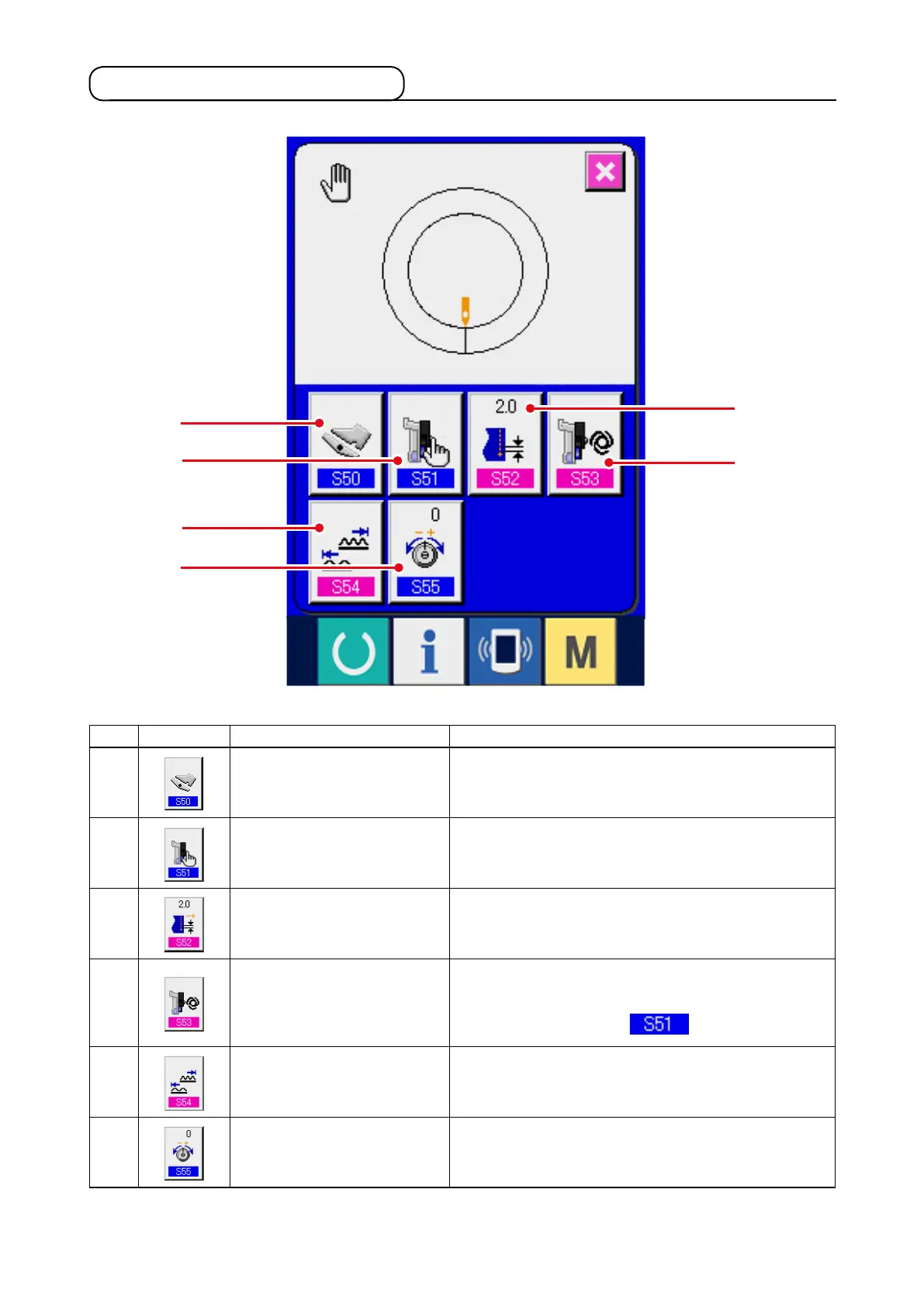
9-3 Details data input screen
* 1
1
2
5
6
3
4
No. Button Name of button Description
1
AUXILIARY PEDAL
OPERATION MODE
SELECTION button
When the button is pressed, auxiliary pedal operation
mode selection screen is displayed.
2
AUXILIARY FEED MODE
SELECTION button
When the button is pressed, auxiliary feed operation
mode selection screen is displayed.
3
BASE PITCH SETTING
button
When the button is pressed, base pitch setting screen
is displayed.
4
AUXILIARY FEED
INTERLOCK MODE
SETTING button
W h e n t h e b u t t o n i s p r e s s e d , a u x i l i a r y f e e d
in te rl oc k m o d e se t t i n g s c r e e n is di sp la ye d.
* 1 Display/Non display is changed over according to
the contents of setting of
.
5
SHIRRING AMOUNT
RANGE SETTING button
When the button is pressed, shirring amount range
setting screen is displayed.
6
COMPENSATION THREAD
TENSION CHANGE button
When the button is pressed, compensation thread
tension setting screen is displayed.



 To Next Page