–
82
–
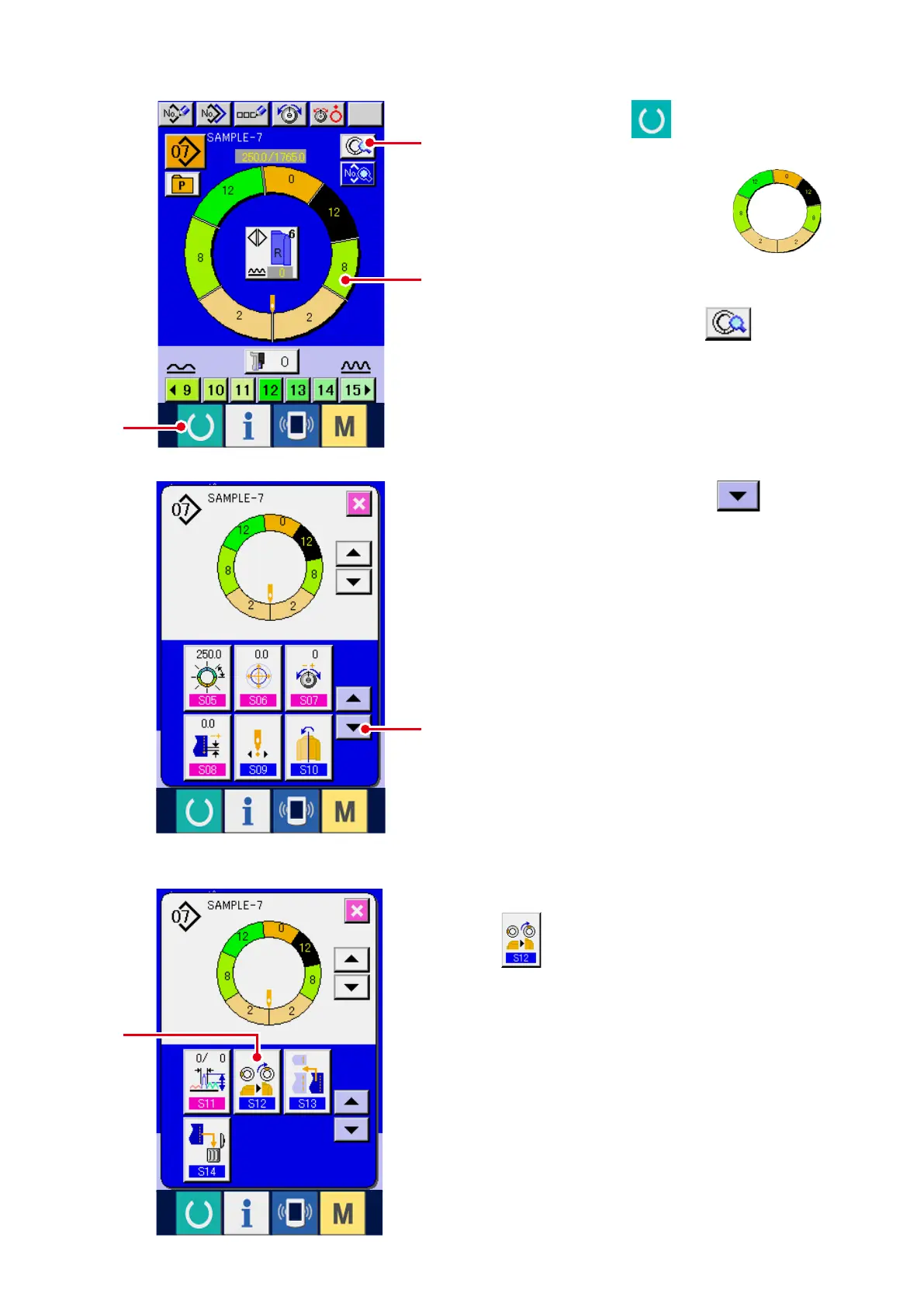
1) Press READY key
1
to change over the
screen to data input screen.
2) Press STEP SELECTION button
2
to select the step you desire to set the top
notch position.
3) Press STEP DETAILS button
3
.
4) Press DOWN SCROLL button
4
.
5) Press TOP NOTCH POSITION CHANGE button
5
.
(13) Changing the top notch position of program <Top notch position change>
1
2
3
5
4



 To Next Page