–
157
–
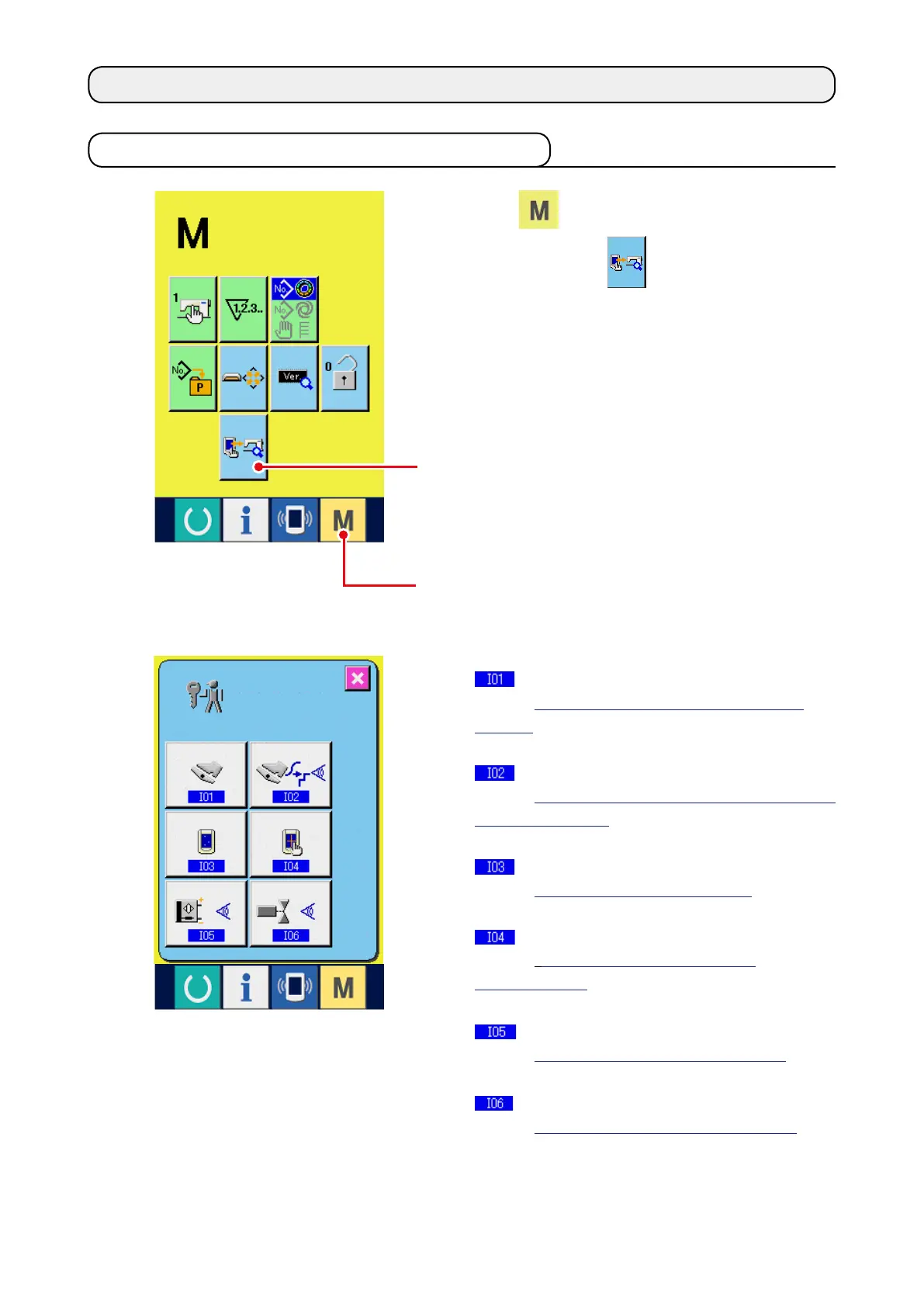
Press
1
key for three seconds, and CHECK
PROGRAM button
2
is displayed on the
screen. When this button is pressed down, the
check program screen is displayed.
There are 5 items below in the check program.
Auxiliary pedal setting
Refer to
"21-2 Performing the auxiliary pedal
setting"
.
Checking of A/D value of auxiliary pedal
Refer to
"21-3" Performing checking of A/D value
of auxiliary pedal"
.
LCD check
Refer to
"21-4 Performing LCD check"
.
Touch panel compensation
Refer to
"21-5 Performing touch panel
compensation"
.
Input signal check
Refer to
"21-6 Performing the input signal"
.
Output signal check
Refer to
"21-7 Performing the output signal"
.
21. USING CHECK PROGRAM
21-1 Displaying the check program screen
2
1



 To Next Page