–
158
–
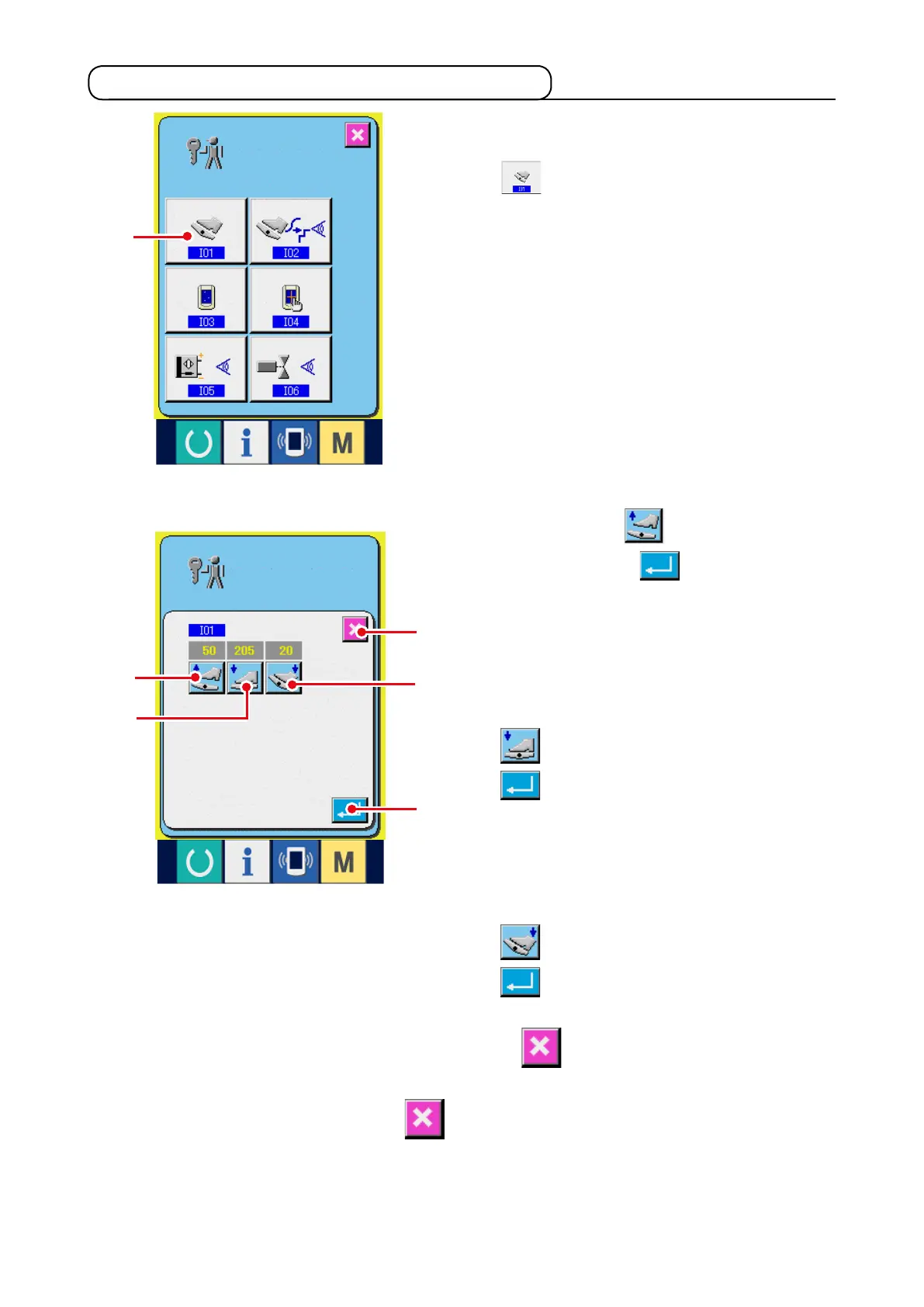
1) Display the auxiliary pedal setting screen.
When AUXILIARY PEDAL SETTING button
1
in the check p r o gram scre e n i s
pressed, the auxiliary pedal setting screen is
displayed.
21-2 Performing the auxiliary pedal setting
2) Perform the auxiliary pedal setting.
™
Auxiliary pedal release position setting :
R e l e a s e t h e a u x i l i a r y p e d a l a n d p r e s s
AUXILIARY PEDAL RELEASE POSITION
SETTING button
2
When the display is
determined, press
6
to determine the
data.
™
Auxiliary pedal front-part depressing position
setting :
Depress the front-part of auxiliary pedal and
pr es s A U X I L I A RY P ED AL FR O N T- PART
DEPRESSING POSITION SETTING button
3
. When the display is determined, press
6
to determine the data.
™
Auxiliary pedal back-part depressing position
setting :
Dep r e ss the back-part of au x i liary pe d a l
and press AUXILIARY PEDAL BACK-PART
DEPRESSING POSITION SETTING button
4
. When the display is determined, press
6
to determine the data.
• When all settings are completed, press CANCEL button
5
to complete the setting. The screen
returns to the check program screen.
* Error occurs when CANCEL button
5
is pressed unless the difference of each setting
item is 5 or more,
4
5
6
2
3
1



 To Next Page