–
103
–
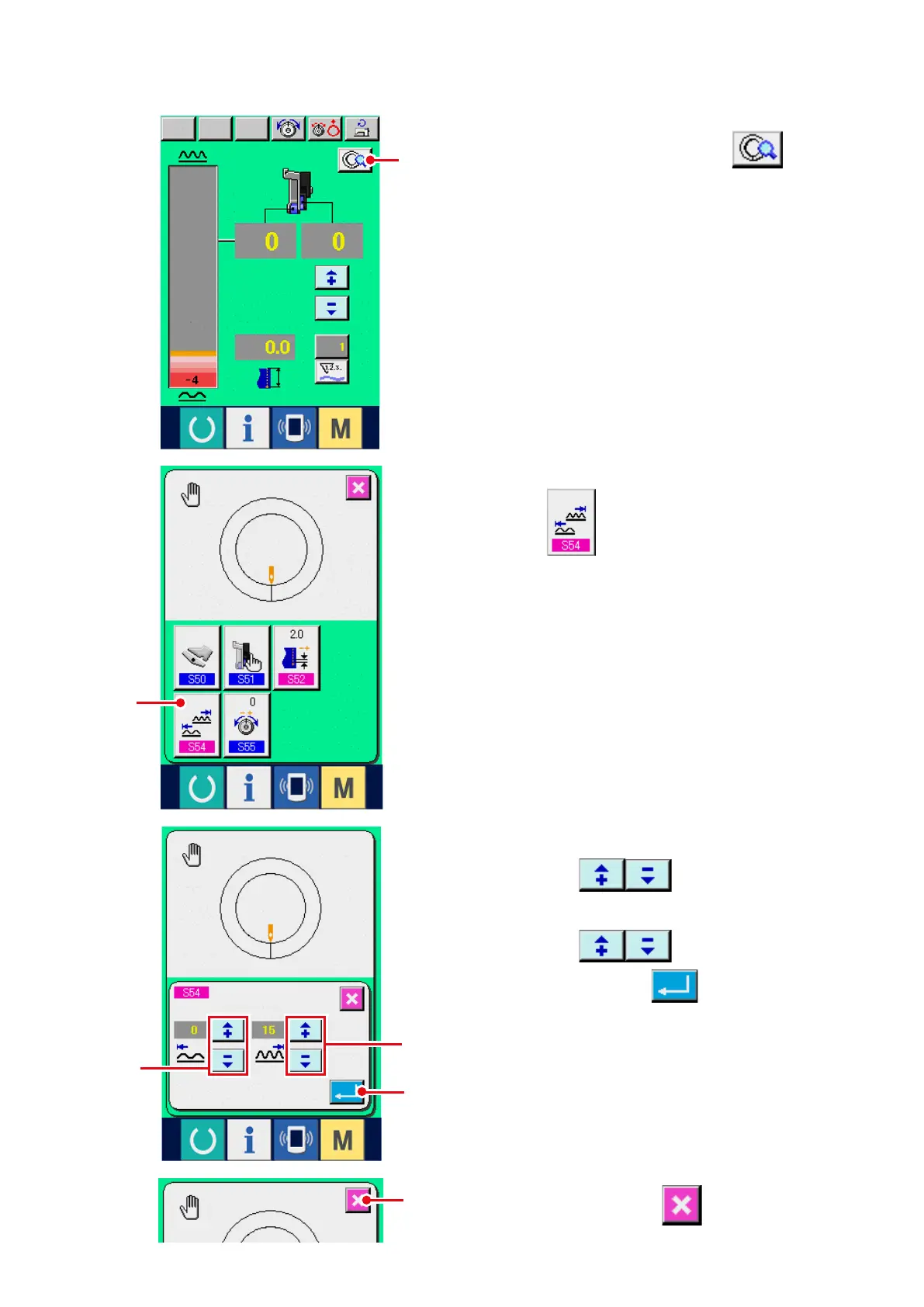
3) Input the lower limit value of shirring amount
range with buttons
3
.
4) Input the upper limit value of shirring amount
range with buttons
4
.
5) Press ENTER button
5
.
(4) Setting the range of shirring amount <Shirring amount range setting>
2) Press SHIRRING AMOUNT RANGE SETTING
button
2
.
6) Press CANCEL button
6
.
It is the setting when the interlock mode is selected at "10-1 (1) Changing the operating mode of auxiliary pedal".
1) Press DETAILS SETTING button
1
.
1
2
5
4
3
6



 To Next Page