–
47
–
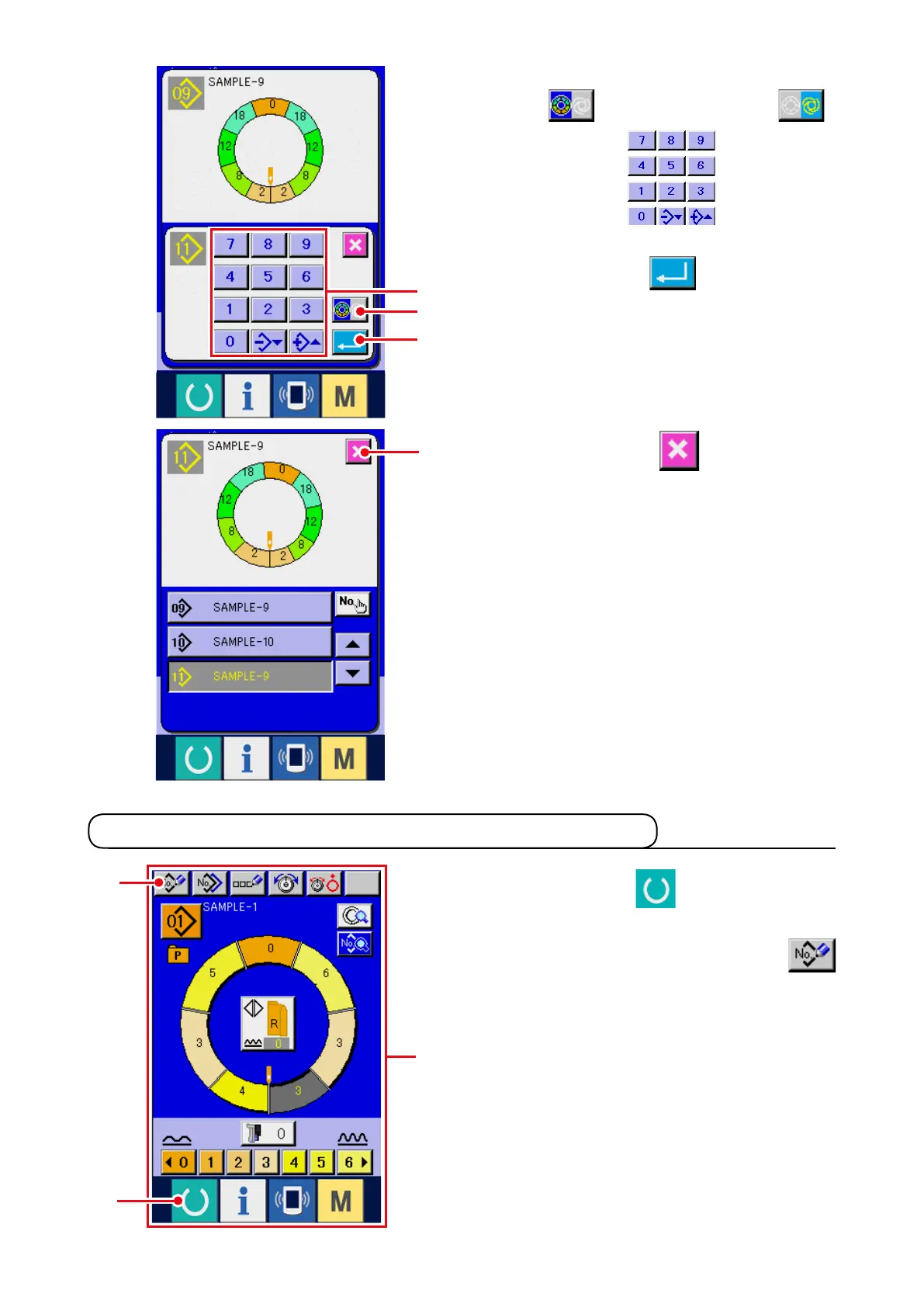
5) Press SEMI AUTO/FULL AUTO CHANGEOVER
button
5
to display FULL-AUTO
.
6) Press ten keys
6
to input the
pattern No. of copy destination.
7) Press ENTER button
7
.
1) Press READY key
1
to change over the
screen to data input screen
A
.
2) Press PATTERN NEW REGISTER button
2
.
6-3 Creating the new pattern <New pattern creation>
8) Press CANCEL button
8
.
* When the number of patterns that have been
registered of fully-automatic is 99 patterns,
the display is automatically changed over and
copied to semi-automatic.
A
7
5
6
8
1
2



 To Next Page