–
45
–
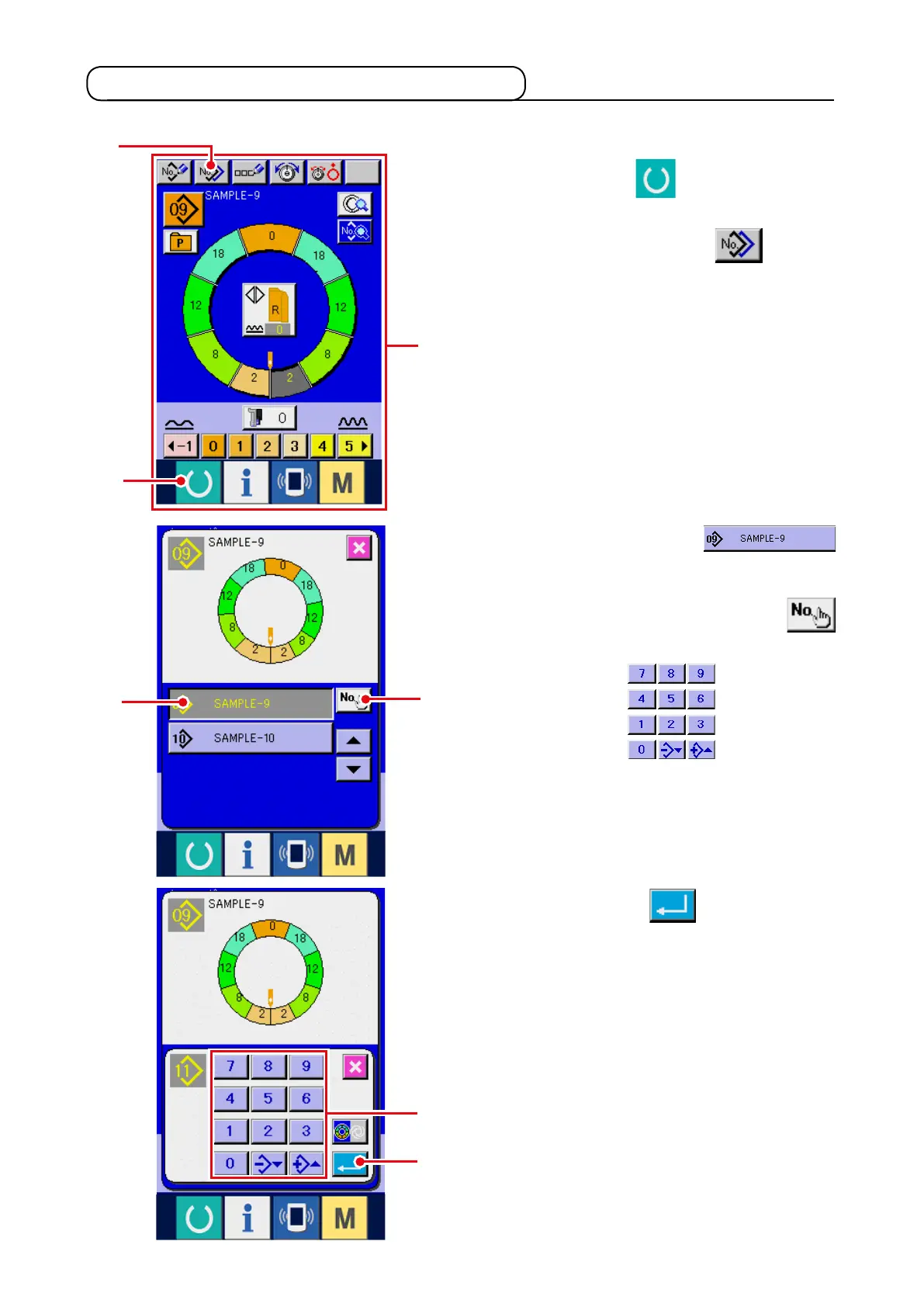
6-2 Copying the pattern <Pattern copy>
(1) Pattern copy in semi-automatic mode <Copy to semi-automatic>
3) Press PATTERN No. button
3
to select the pattern of copy source.
4) Press COPY DESTINATION INPUT button
4
.
5) Press ten keys
5
to input the
pattern No. of copy destination.
1) Press READY key
1
to change over the
screen to data input screen
A
.
2) Press PATTERN COPY button
2
.
6) Press ENTER button
6
.
1
A
3
4
6
5
2



 To Next Page