–
62
–
7-7 Creating the pattern <Pattern creation>
1) Prepare the materials.
2) Turn the power ON.
3) Call a sample pattern where the sewing product
and number of steps are the same.
Refer to
"7-5 (3) Calling the pattern"
.
4) Change the pitch.
Refer to
"7-6 (2) Changing the pitch"
.
5) Select left/right alternate sewing.
Refer to
"7-5 (4) Selecting the left/right alter-
nate sewing"
.
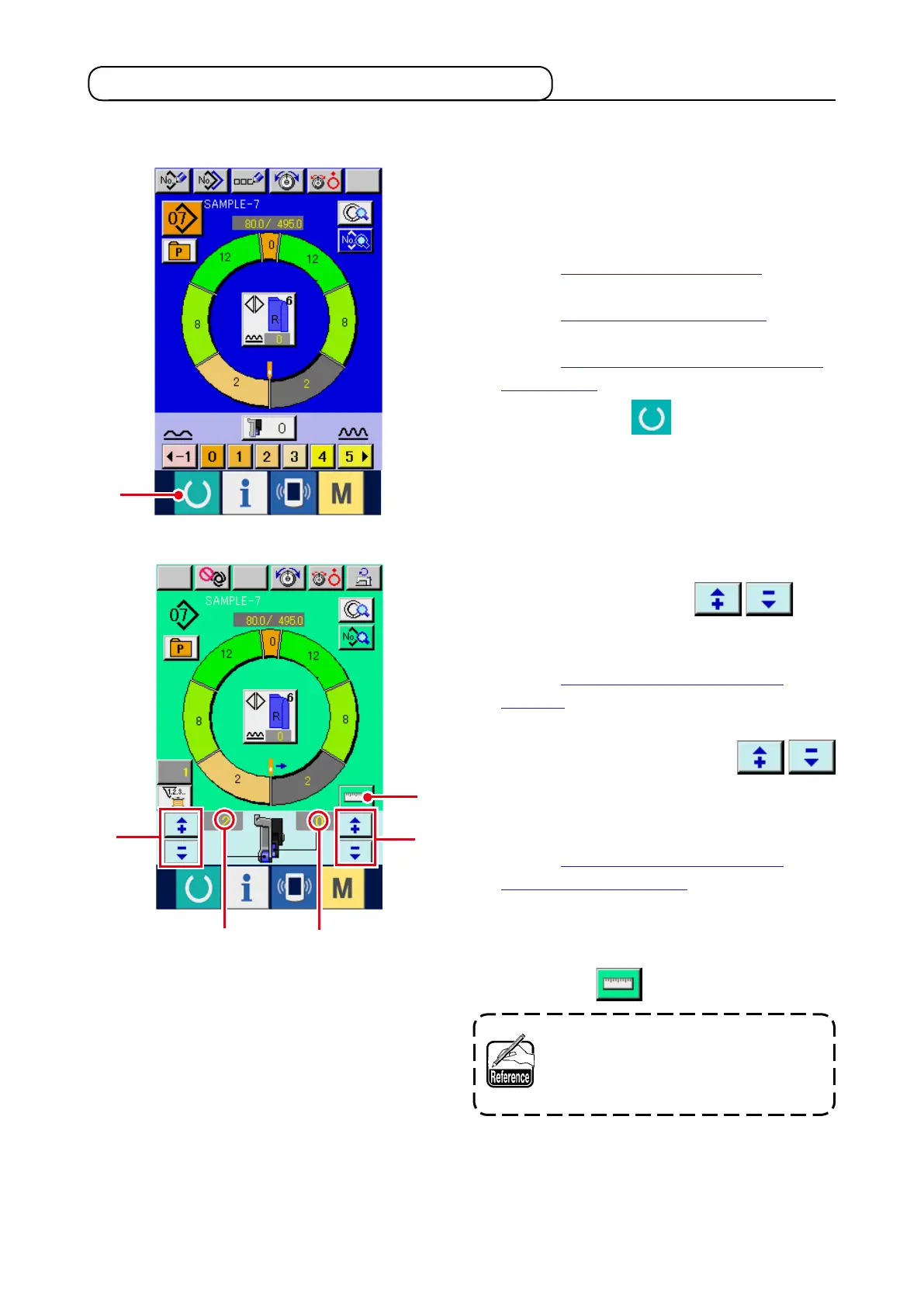
6) Press READY key
1
.
7) Start sewing.
8) Stop the sewing machine at each notch and
perform checking of shirring amount.
9) When notches do not correspond with each
other, press "+"/ "–" buttons
2
after thread trimming on the way to change shirr-
ing amount set value
A
, and perform re-sewing.
Refer to
"7-6 (4) Changing the shirring
amount"
.
10) When the sleeve material on the outlet seam
side delays, press "+"/ "–" buttons
3
after thread trimming on the way to change
shirring amount for auxiliary feed set value
B
,
and perform re-sewing.
Refer to
"7-6 (5) Changing the shirring
amount of auxiliary feed"
.
11) When the program of one sleeve is completed,
sew the other sleeve and correct the program.
12) When the program is completed, press MEA-
SURE button
4
.
When you desire to release the mea-
sure after pressing MEASURE button,
change over from the sewing screen
to the edit screen once.
13) Start sewing.
14) When sewing is performed up to the next notch,
stop the sewing machine once.
The way of correcting the sample pattern and creating the pattern with ease is explained in the basic vol-
ume.
1
3
2
A
B
4



 To Next Page