–
149
–
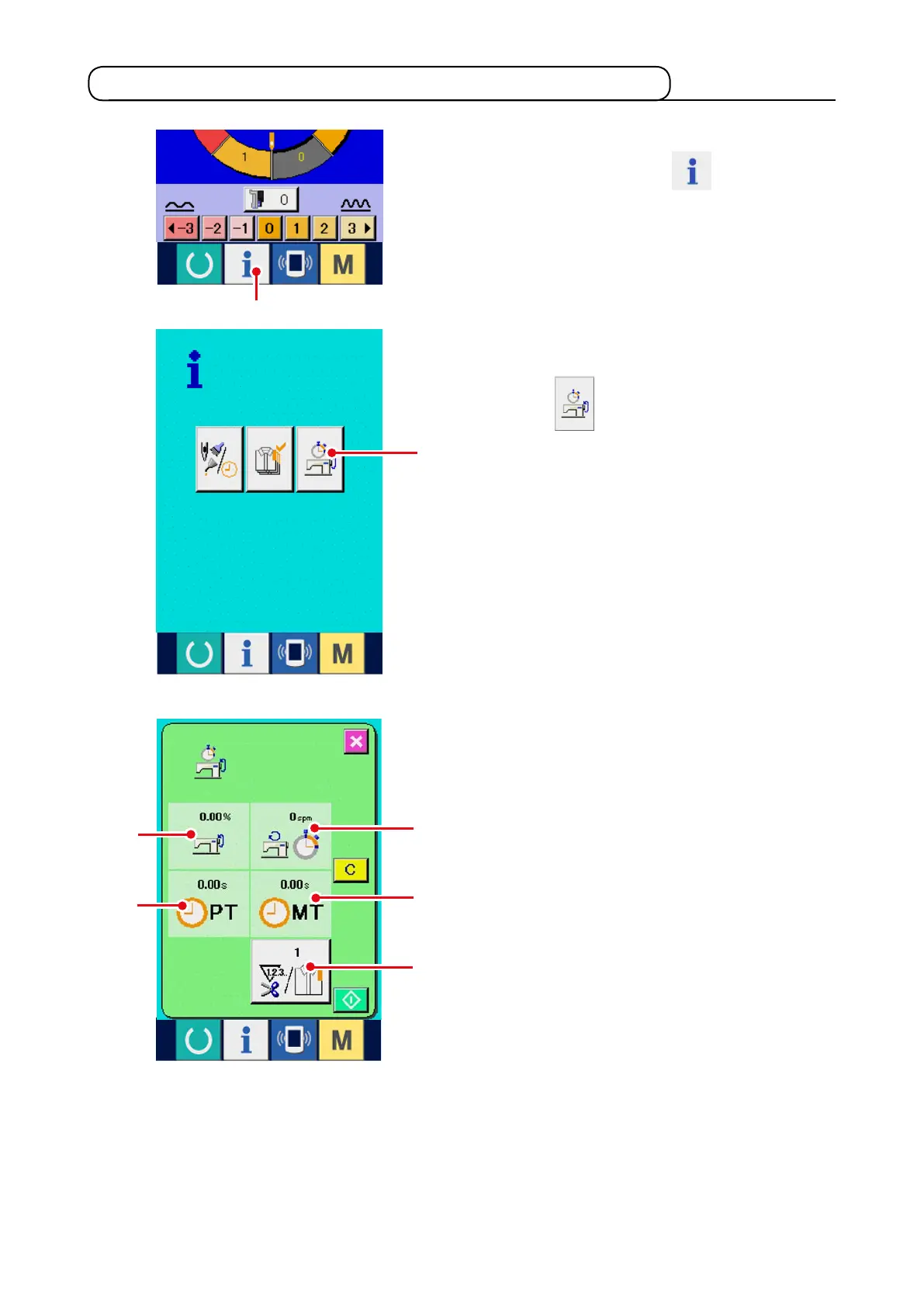
1) Display the information screen.
When information key
1
of the switch
seat section is pressed in the data input screen,
the information screen is displayed.
17-6 Observing the working measurement information
Inf o rma t io n on th e foll o wi n g 5 i t ems a re
displayed in the working measurement screen.
1
: The information is automatically displayed
from the time of start of measuring the
working ratio.
2
: The information is automatically displayed
from the time of start of measuring the
machine speed.
3
: The information is automatically displayed
from the time of start of measuring the pitch
time.
4
: The information is automatically displayed
from the time of start of measuring the
machine time.
5
: Number of times of thread trimming is Input
the number of times referring to item 3) on
the next page.
1
2
2) Display the working measurement screen.
Press working measurement screen display
button
2
in the information screen. The
working measurement screen is displayed.
1
4
5
3
2



 To Next Page