–
146
–
17-5 Performing setting of the production control information
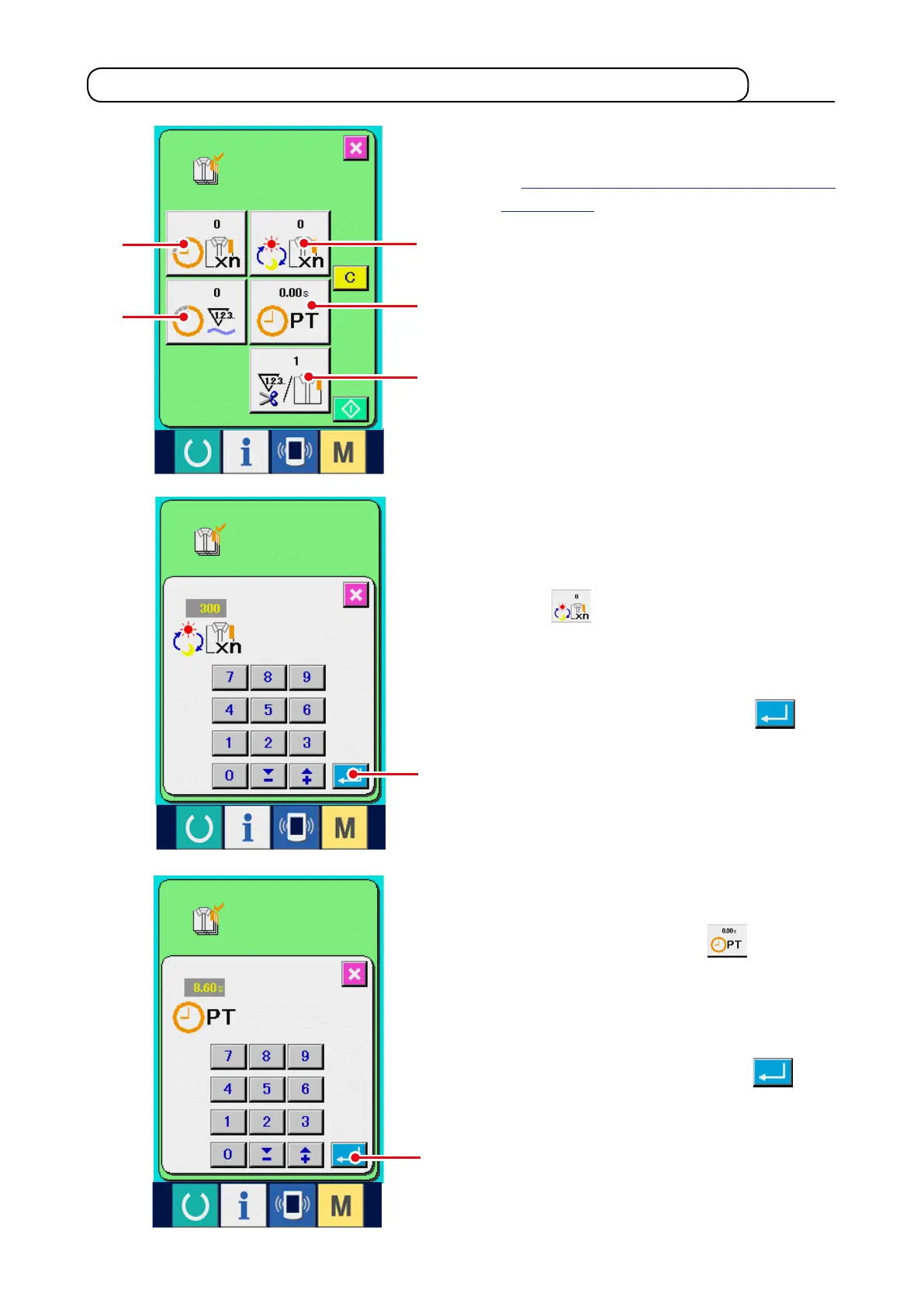
3) Input the pitch time.
Next, input the pitch time required for one
process. When PITCH button
4
of the
aforementioned item 1) is pressed, the pitch time
input screen is displayed.
Input the value you desire with ten keys or UP/
DOWN buttons.
After the input, press ENTER button
6
.
2) Inputthenaltargetvalue.
First, input the number of pieces of the target
of production in the process to which sewing is
performed from now on. When nal target value
button
3
is pressed, the nal target value
input screen is displayed.
Input the value you desire with ten keys or UP/
DOWN buttons.
After the input, press ENTER button
6
.
1) Display the production control screen.
Display the production control screen referring
to
"17-4 Observing the production control
information"
.
1
2
3
4
5
6
6



 To Next Page