–
142
–
17-2 Inputting the inspection time
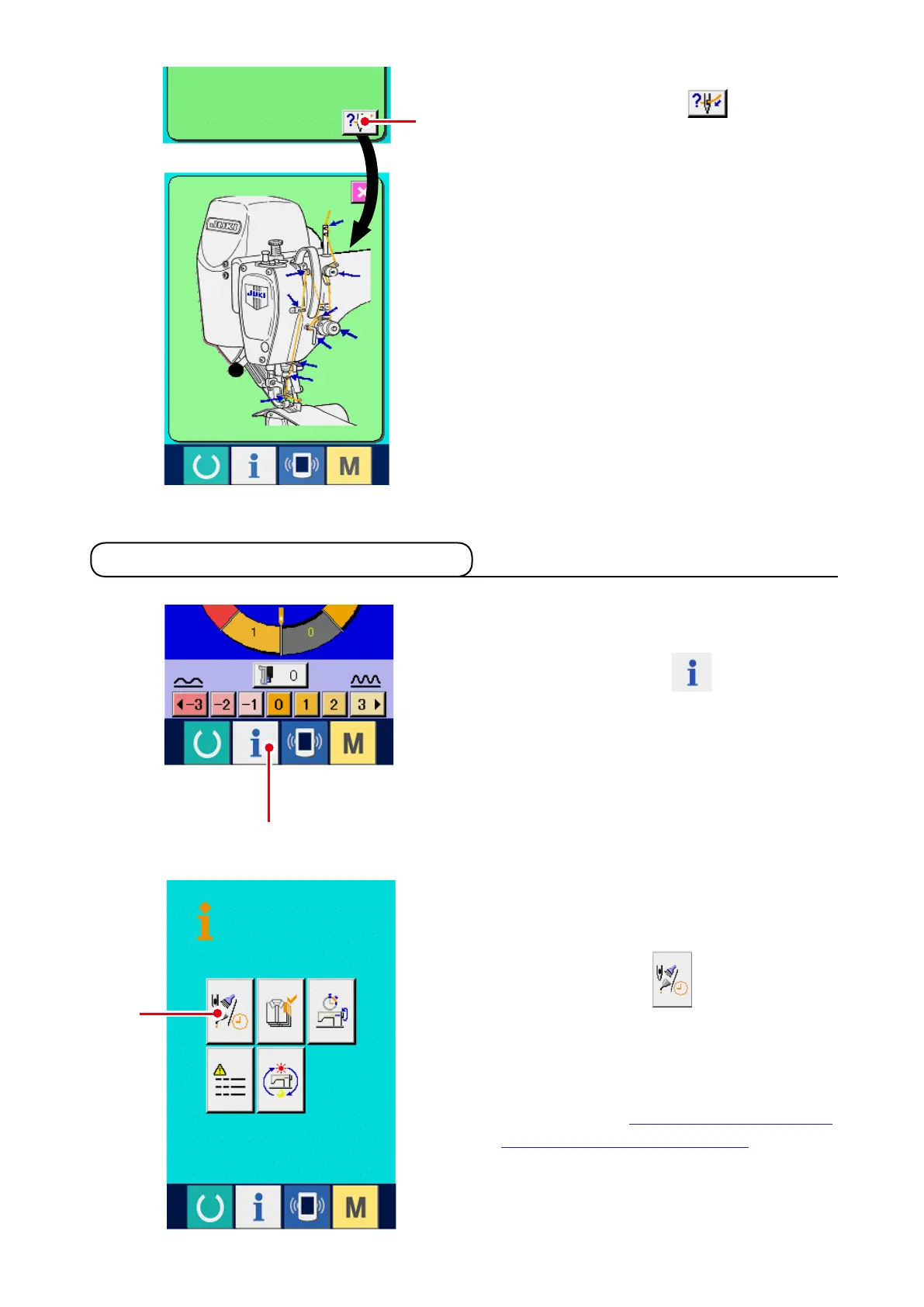
4) Display the threading diagram.
When threading button
7
displayed
in the maintenance and inspection screen is
pressed, the needle thread threading diagram is
displayed. Observe it when performing thread-
ing.
1) Display the information screen (maintenance
personnel level).
When information key
1
of the switch
seat section is pressed in the data input screen
for approximately three seconds, information
screen (maintenance level) is displayed.In case
of the maintenance personnel level, the picto-
graph located on the upper left side changes
from blue to orange, and five buttons are dis-
played.
7
2
1
2) Display the maintenance and inspection in-
formation screen.
Press maintenance and inspection information
screen display button
2
in the informa-
tion screen.
* For the two buttons displayed in the bottom
stage at the time of the maintenance person-
nel level, refer to "23 DInformation screen of
the maintenance personnel level".



 To Next Page