–
91
–
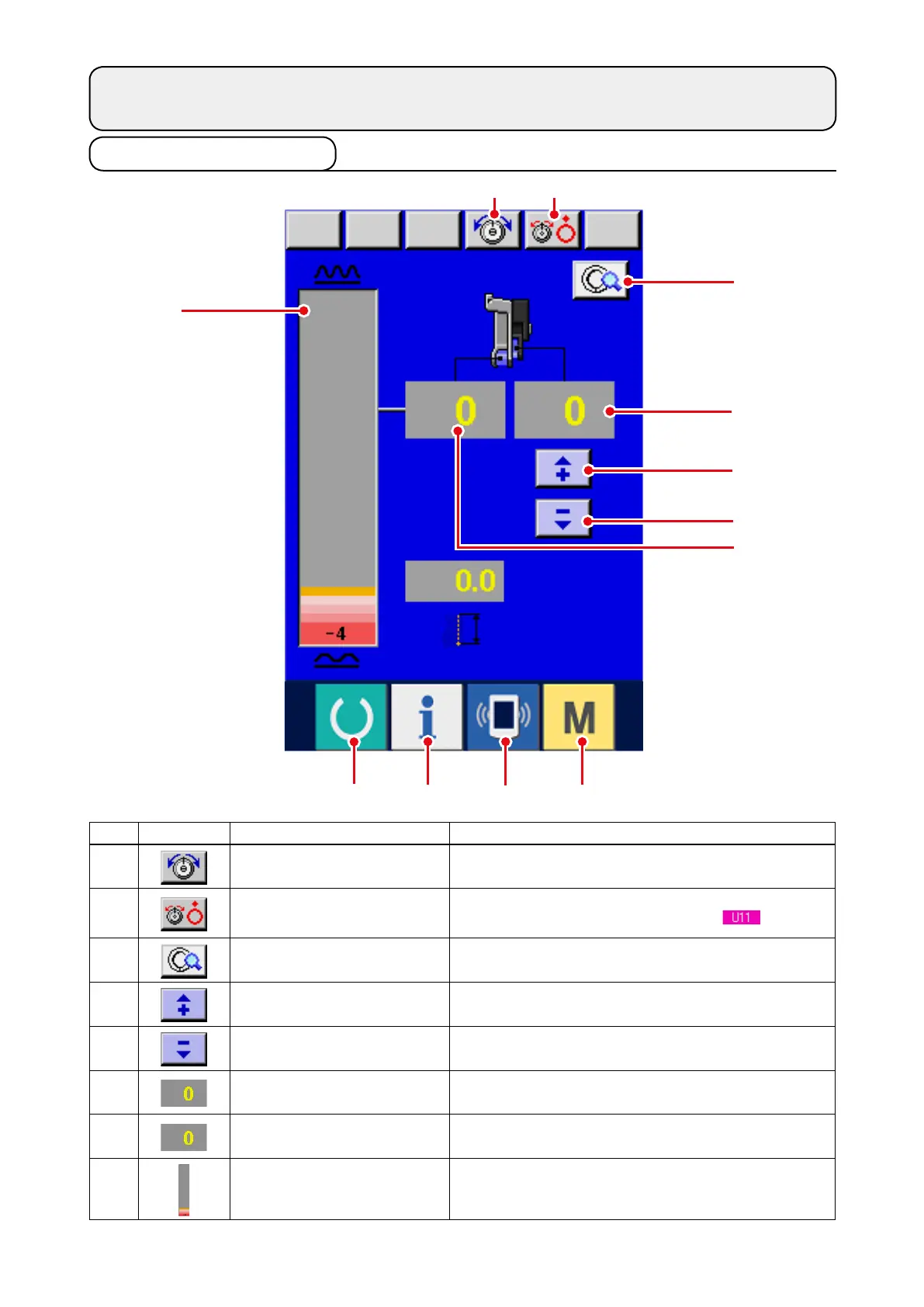
9-1 Data input screen
9. OPERATION OF THE SEWING MACHINE
(MANUAL BASIC VOLUME)
1
2
8
3
7
4
5
6
No. Button Name of button Description
1
NEEDLE THREAD TENSION
SETTING button
When the button is pressed, needle thread tension
change screen is displayed.
2
DISK RISE button
When the button is pressed, thread tension disk No. 1
rises. (Turn OFF the base tension during
waiting.)
3
MANUAL DETAILS SETTING
button
When the button is pressed, manual sewing details
setting screen is displayed.
4
SHIRRING AMOUNT FOR
AUXILIARY FEED "+" button
When the button is pressed, shirring amount for
auxiliary feed is added by "+1".
5
SHIRRING AMOUNT FOR
AUXILIARY FEED "–" button
When the button is pressed, shirring amount for
auxiliary feed is subtracted by "–1".
6
SHIRRING AMOUNT display Existing shirring amount of feed is displayed.
7
SHIRRING AMOUNT FOR
AUXILIARY FEED display
Existing shirring amount of auxiliary feed is displayed.
8
SHIRRING AMOUNT LEVEL
display
Existing shirring amount of feed is displayed on level.
9
!0
!1
!2



 To Next Page