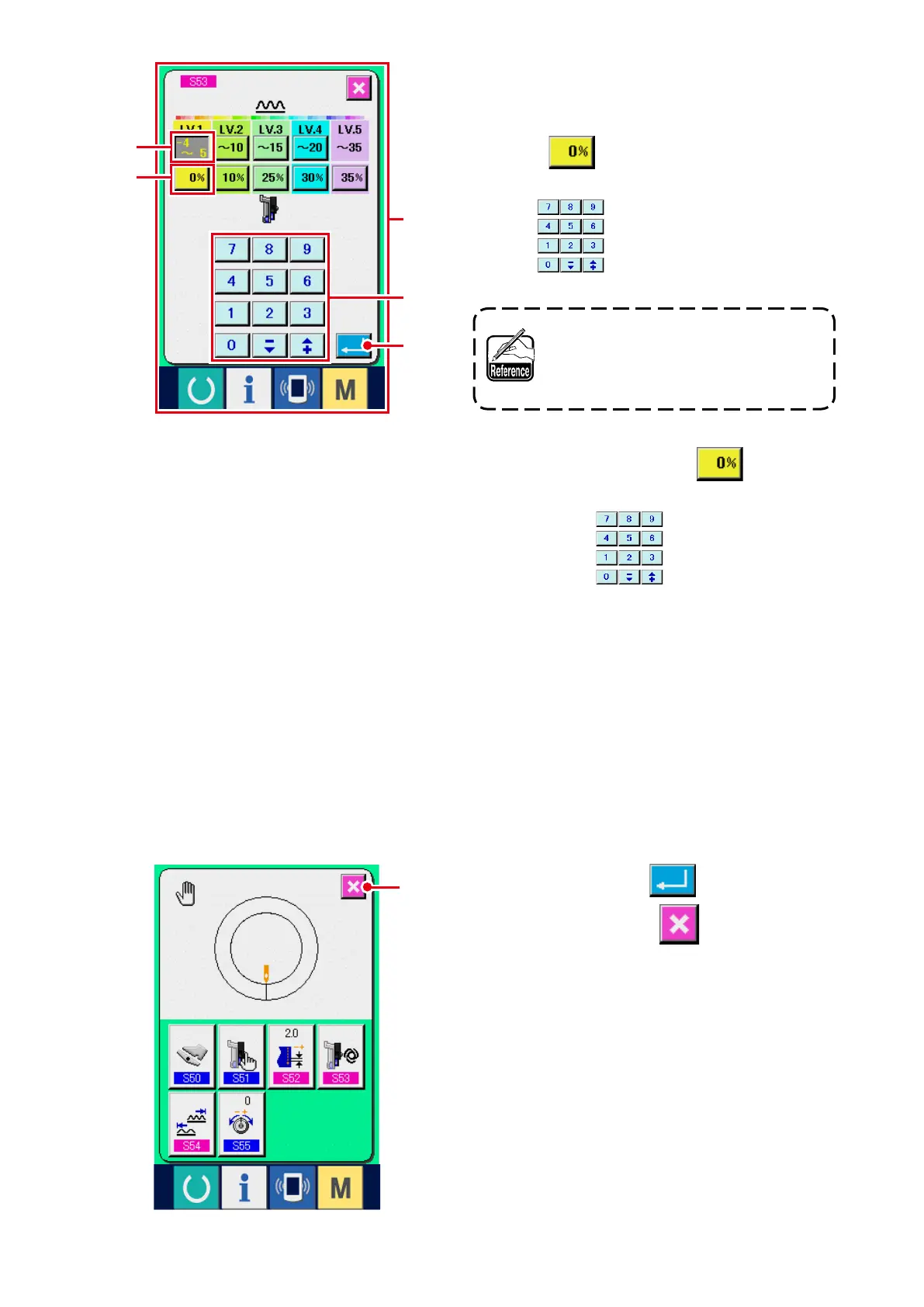
3) Perform the auxiliary feed interlock mode set-
ting.
1. Press SHIRRING AMOUNT RANGE SETTING
button
3
of LV.1 and input the upper limit
value of shirring amount range of LV.1 with ten
keys
5
.
When inputting the minus numeral in
the ten key pop-up screen, press the
minus button after inputting "0" and
input the numeral.
2. Next, press AUXILIARY FEED SHIRRING
AMOUNT SETTING button
4
of LV.1 to
input auxiliary feed shirring amount value of LV.1
with ten keys
5
.
Similarly, set the value of LV.2, LV.3, LV.4 and LV.5.
Display A in the screen shows as follows :
• When shirring amount is – 4 to 5, auxiliary feed shirring amount value is 0%.
• When shirring amount is 6 to 10, auxiliary feed shirring amount value is 10%.
• When shirring amount is 11 to 15, auxiliary feed shirring amount value is 25%.
• When shirring amount is 15 to 20, auxiliary feed shirring amount value is 30%.
• When shirring amount is 21 to 35, auxiliary feed shirring amount value is 35%.
* When inputting ratio (%), the set value is corrected by 5% unit.
A
3
4
5
6
7
4) Press ENTER button
6
.
5) Press CANCEL button
7
.



 To Next Page