–
107
–
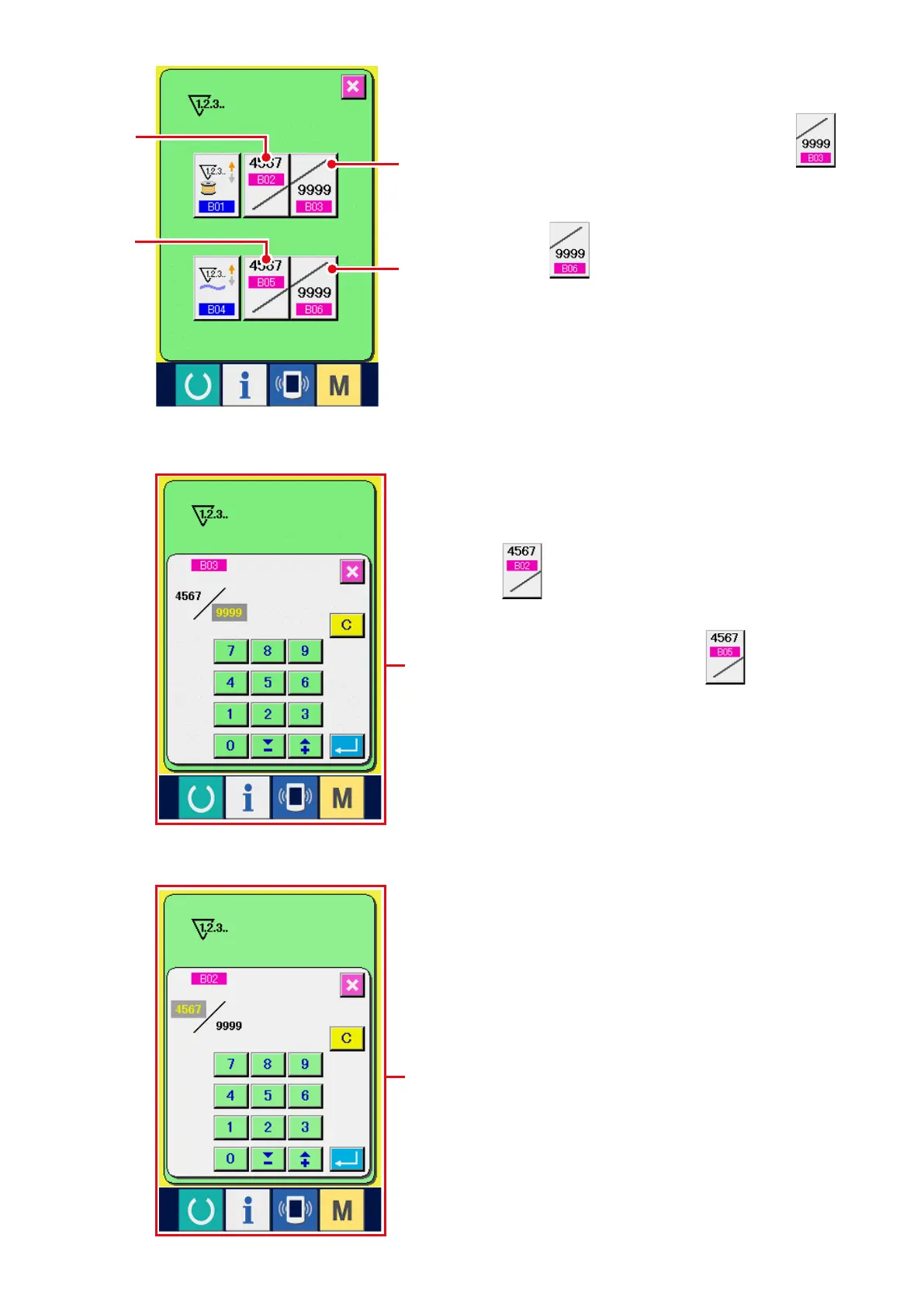
3) Change of counter set value
In case of the sewing counter, press SEWING
COUNTER SET VALUE CHANGE button
1
, and in case of the No. of pcs. counter, press
NO. OF PCS. COUNTER SET VALUE CHANGE
button
2
, and the set value input screen
is displayed. Here, input the set value.
(Refer to screen
A
.)
4) Change of counter existing value
In case of the sewing counter, press SEWING
COUNTER EXISTING VALUE CHANGE button
3
, and in case of the No. of pcs. counter,
press NO. OF PCS. COUNTER EXISTING
VALUE CHANGE button
4
and the
existing value input screen is displayed. Here,
input the existing value.
(Refer to screen
B
.)
A
B
1
3
4
2



 To Next Page