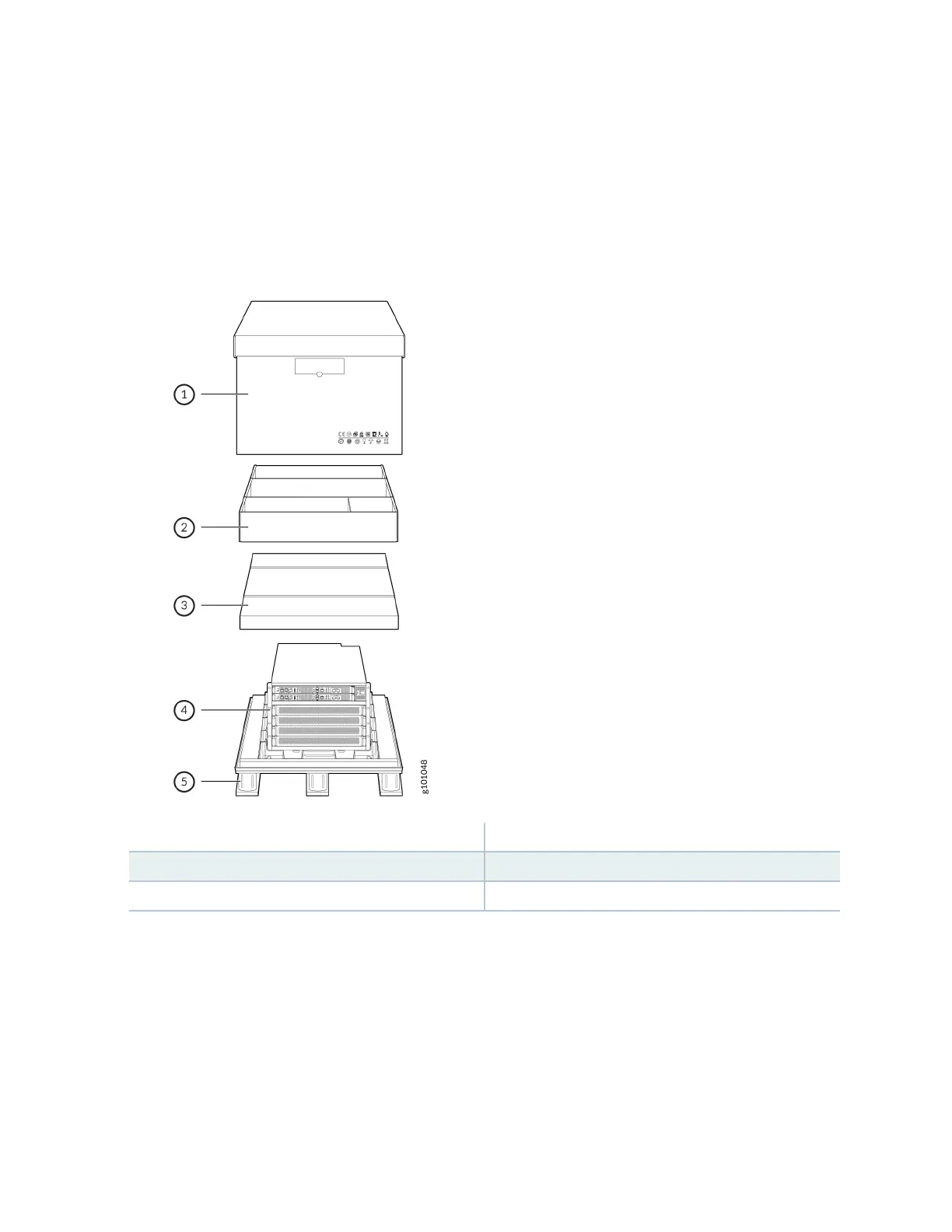
The shipper has the opon to either ship the front panel separately or ship it along with the chassis. If
the front panel arrives with the chassis, set aside the front panel box unl you are ready to verify the
contents of the order. See Figure 34 on page 109.
Figure 34: Shipping Crate and Accessory Box
1—
Cardboard shipping box
4—
MX10004 chassis
2—
Cardboard accessory box
5—
Wood pallet
3—
Foam cover
To unpack the chassis:
1. Move the shipping box to a staging area as close to the installaon site as possible. While the
chassis is bolted to the pallet, you can use a forkli or pallet jack to move the shipping box. Make
sure there is enough space to remove components from the chassis.
2. Posion the shipping box with the arrows poinng up.
3. Use the box cuer to slice the nylon straps that secure the shipping box to the pallet.
4. Li the shipping box o the chassis.
109











 To Next Page