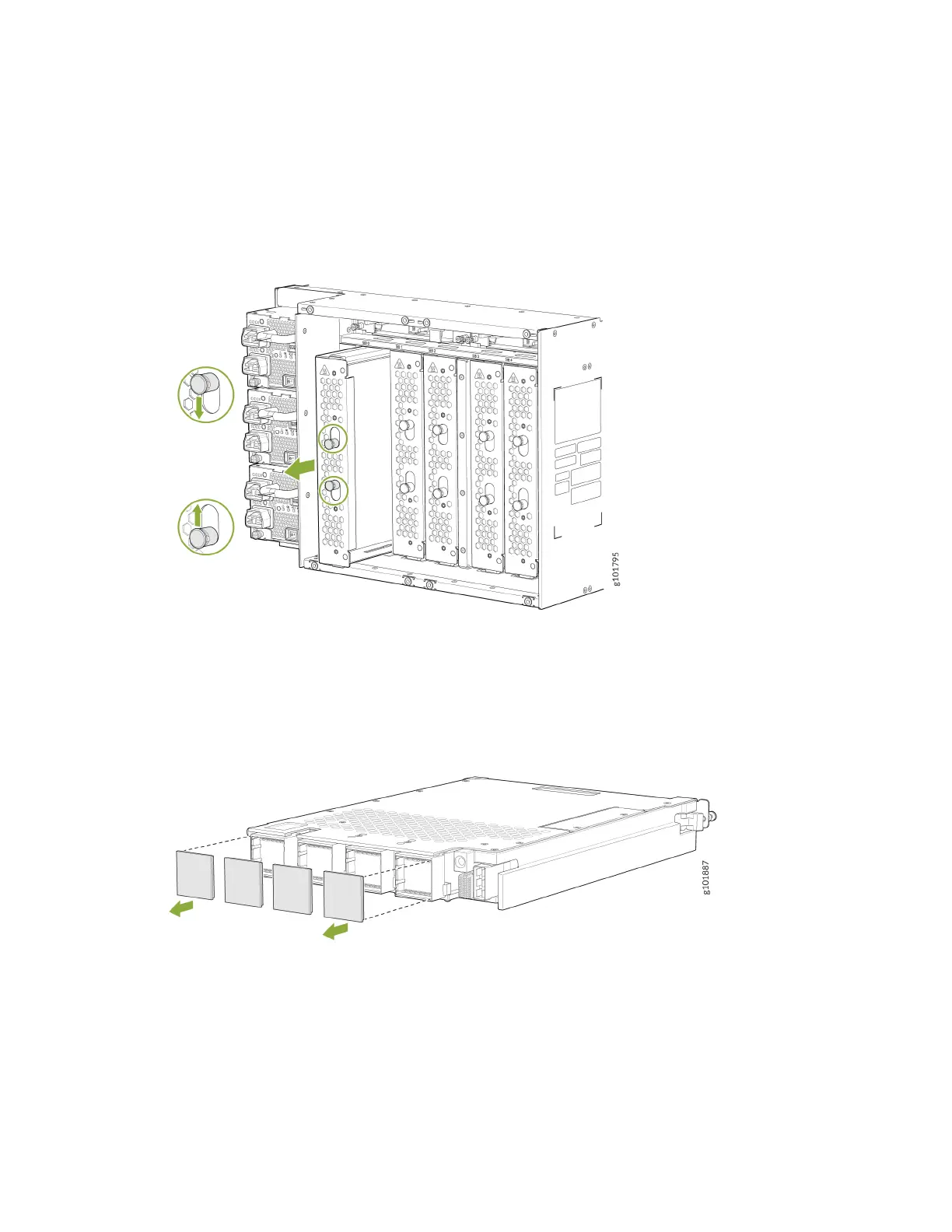
4. Either remove the failing SFB (see "Remove an MX10004 Switch Fabric Board" on page 180) or
remove the cover by grasping each side of the plate and pulling straight out (see Figure 76 on page
178).
Figure 76: Remove an SFB Cover on an MX10004
5. Remove the protecve plasc covers that are on the fabric interface connectors of the SFB. Save
the plasc covers for future use (see Figure 77 on page 178).
Figure 77: Remove Protecve Plasc Covers from JNP10004-SF2 SFB Interface Connectors
6. Li the SFB by the handle with one hand and support the lower edge with the other hand.
7. Hold the SFB vercally and slide the SFB into the open slot unl the ejector handles engage and
start to close.
178











 To Next Page