09 Creating your own voices | 97
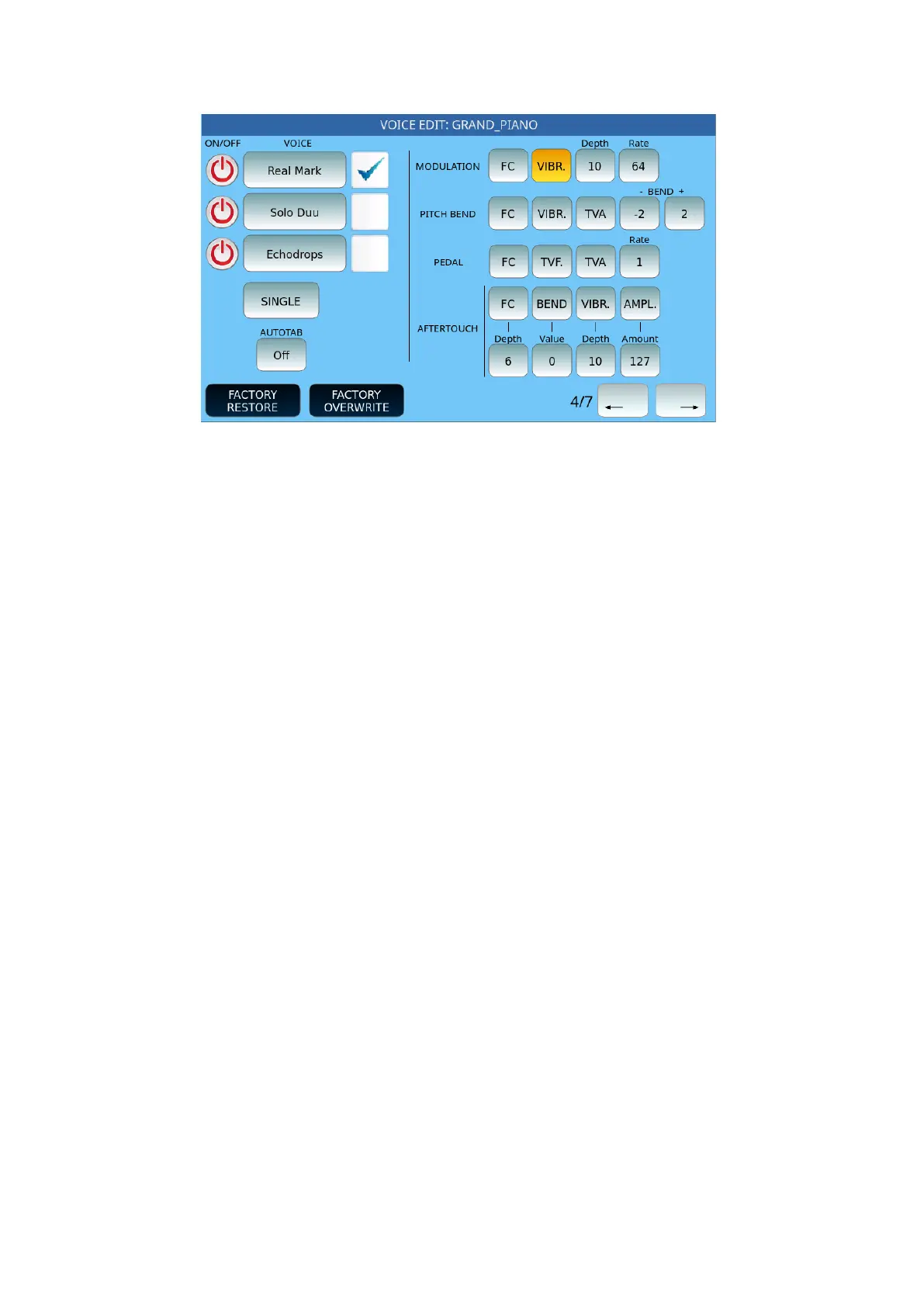
It follows page 4 on the screen:
Options:
• Each of the three Voices has a check mark to activate or not control via
modulation wheel, Pitch Bend and Aftertouch.
• MODULATION If you enable modulation control for a voice, you can also
customize the parameters.
o FC: Toggles filter control.
o VIBR: Activates/deactivates vibrato.
o Depth: Defines the depth of vibrato (from 3 to 64).
o Rate: Defines the vibrato speed (from 42 to 100).
• PITCH BEND:
o FC: Toggles filter control.
o VIBR: Activates/deactivates vibrato.
o TVA: Toggles sending amplitude modulation to the oscillator.
o Bend: Determines the range of variation of notes in the Pitch Bend (possible
valora from -24 notes to +24).
• PEDAL:
o FC: Toggle filter control.
o TVF: Toggle filter control.
o TVA: Toggles sending amplitude modulation to the oscillator.
o Rate: Defines the range of note variations (from -24 notes to +24).
• AFTERTOUCH:
o FC: Toggles filter control.
o Depth: Defines the depth of the aftertouch.
o BEND: Determines the possible variation of the Pitch at the press of the key.
o Value: The possible values of the Pitch Bend range from -128 to +127).
o VIBR: Activates/deactivates the vibrato by pressing the button.
o Depth: Defines the depth of the vibrato by pressing the key (from 3 to 64).
• AUTOTAB: If there is at least one setting in the entries related to AFTERTOUCH, it
turns on the button of the panel.



 To Next Page