10 Creating your own styles | 113
BASS
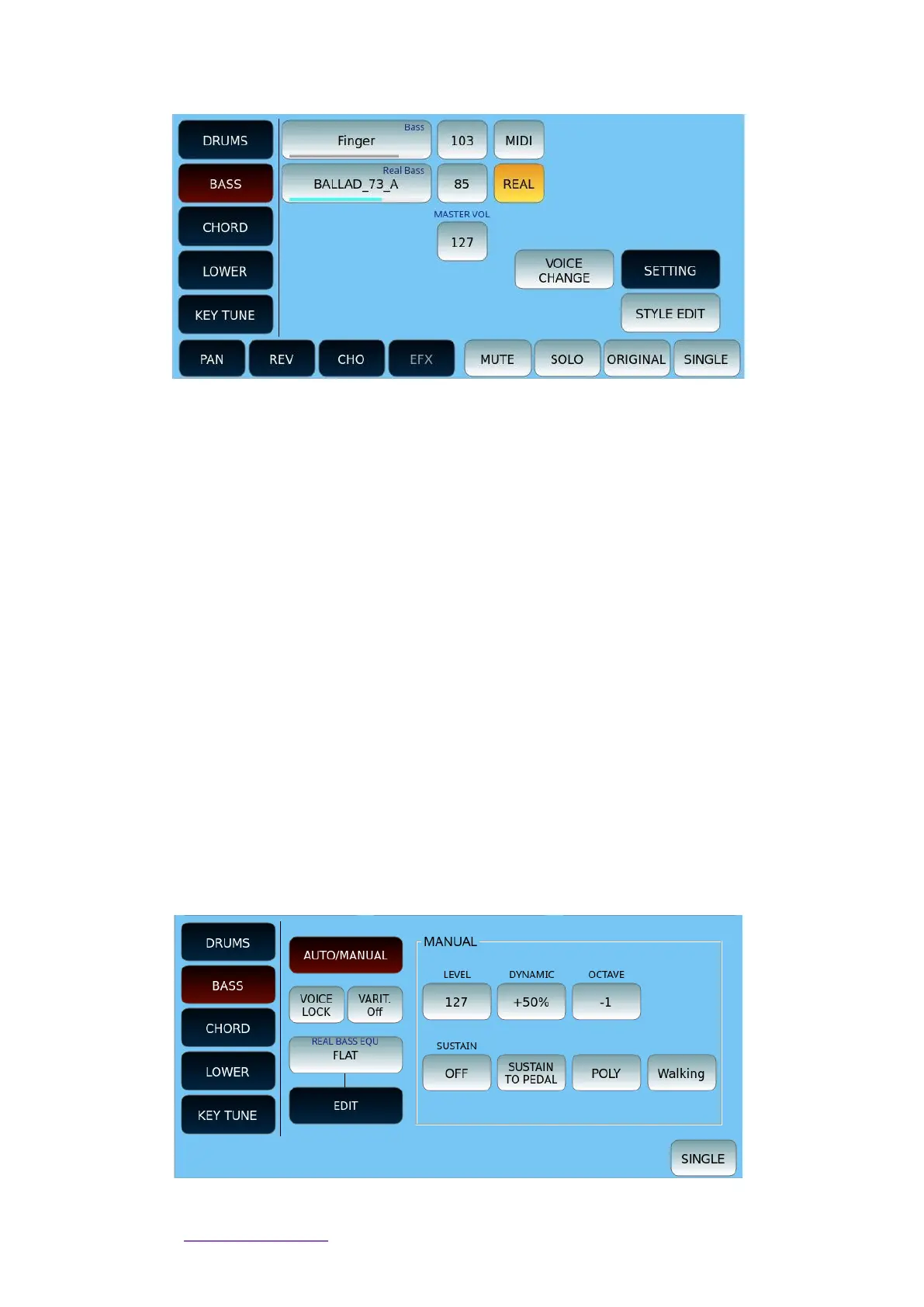
On this page, you can customize the BASS part of the style.
• You can assign a pattern to either the MIDI Bass or the Real Live Audio Bass part.
• Each part is shown with the volume level icon next to it. This is also represented by
the blue line (track contains data) or grey line (track is empty) below the part
name.
• Touch an option and then the UP/DOWN buttons to open the search page
among the many available patterns in each category.
• Select MIDI or REAL according to your choice to work with or without Audio bass
patterns.
• The VOICE CHANGE button allows you to change the voice for MIDI parts. After
activating it, touch the Bass MIDI part and this time, instead of selecting the
pattern, you can choose the bass voice.
• Master Volume is a dedicated button.
Now let us see the SETTING page (all the other on-screen buttons are illustrated in the
general description above).
Depending on the choice of the AUTO/MANUAL button, two different pages may appear.
Here is the MANUAL version.
On this page, pay attention to the Walking option that allows you to expand the options
provided for Play the bass part.



 To Next Page