13 Global menus and settings | 161
• The workbook where the user should save WAV samples in bulk or organized into
subfolders for editing is \SAMPLE.
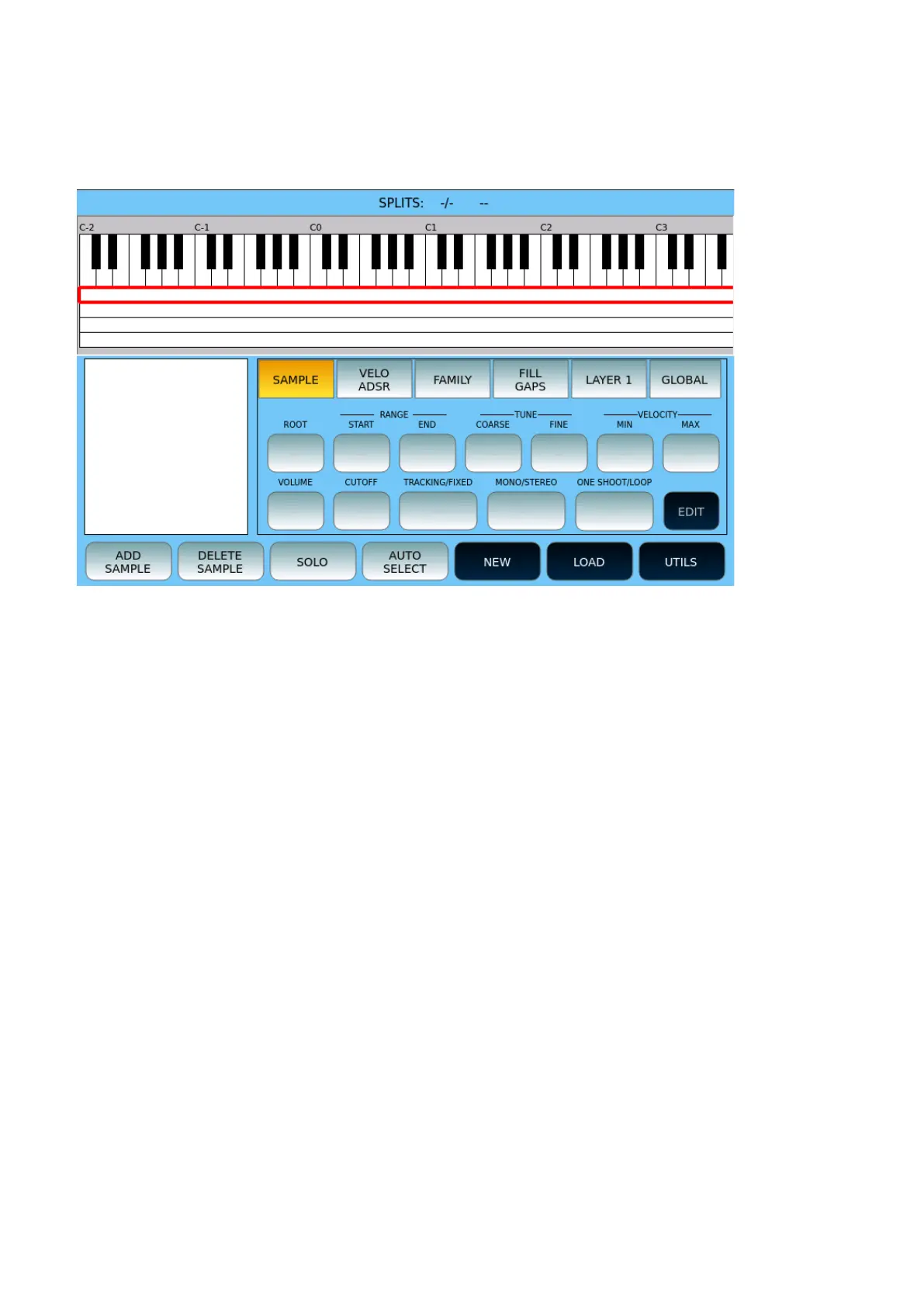
SAMPLER home page
Select a swatch on the left box or use the UP/DOWN buttons to scroll through all the
swatches loaded in the current LAYER.
Options:
• Enable the SAMPLE button on the screen to be able to act on the parameters
ROOT, RANGE of notes on the keyboard START/END, TUNE (COARSE/FINE),
VELOCITY (MIN/MAX), VOLUME, CUTOFF, TRACKING/FIXED, MONO/STERO and
ONE SHOOT/LOOP.
• Enable the VELO ADSR button on the screen to act on FILTER
(OFFSET/SLOPE),VELOCITY (OFFSET/SLOPE), ADSR.
• With the FAMILY button, you can assign the INSTRUMENT (GLOBAL) to sound
group (Piano, Strings, Organ, Brass, Pad, Synth, Guitar, Sax, Bass, Ethnic).
• FILL GAPS allows you to fill any holes on a Layer after importing samples.
• With the LAYER icon you can select one of the four available layers and activate it
as the current LAYER.
• Enable the GLOBAL mode and all changes made to a sample will also be applied
to all other samples of the selected LAYER.
• TRACKING/FIXED:
o The TRACKING mode allows the Sample to be tracked in the keyboard
extension. This means that the Sample will undergo the chromatic
variations of an instrument tuned with semitone heights.
o In FIXED mode, the Sample is not traced, so it always remains with the
source tuning (this is the method used for percussive and EFX sounds).
• MONO/STEREO: Enables/disables the right channel of a sample, if any.



 To Next Page