166 | 13 Global menus and settings
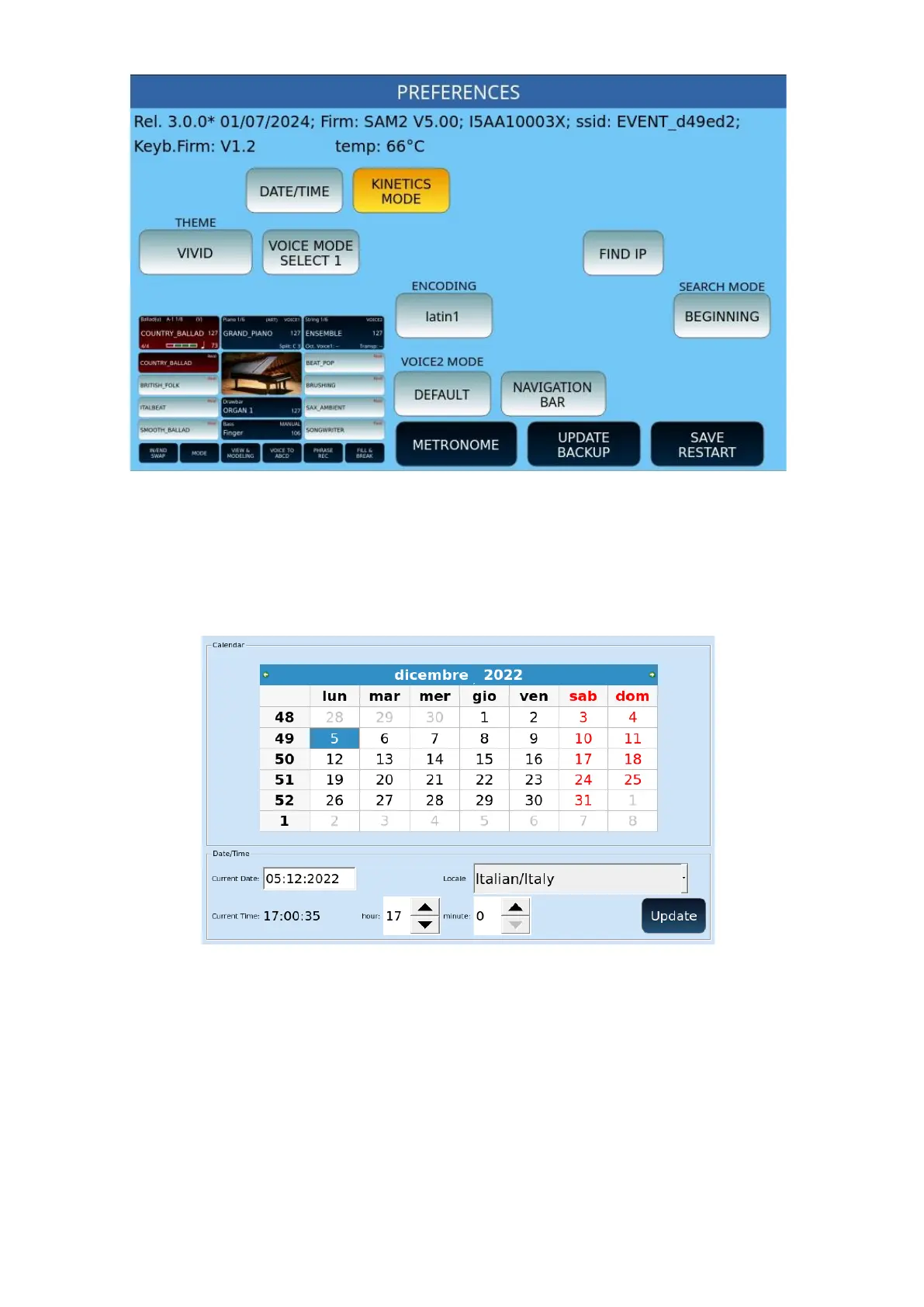
It also allows you to customize the parameters:
• DATE/TIME: Opens the time zone and date/time of day setting page, as follows.
Use the UP/DOWN buttons to scroll through the months and then touch date of
the day. At the end, press UPDATE to confirm.
• KINETICS MODE:Enables/disables scrolling of file lists on the PLAYER.
• THEME: Choose the theme of the touchscreen functions (a preview helps you
understand the difference between different options).
o VIVID
o CLASSIC
o SMOOTH
o AQUAMARINE
o FLAT
• VOICE MODE:



 To Next Page