13 Global menus and settings | 167
o SELECT 1:When you select a different voice family, the tone also changes to
select a tone from the target family.
o SELECT2: When you select a different family, the tone does not change this
time.
• FIND IP: Query the current IP address assigned to your instrument.
• ENCODING: Configure the character encoding for reading files (MIDI, MP3, etc.)
from the disk. The available encodings are Latin1 and UTF-8. It requires a restart to
apply the change.
• SEARCH MODE: This parameter controls the alphanumeric keypad:
o BEGINNING searches for the string only at the beginning of the search term.
o ANY search is also done halfway.
• VOICE 2 MODE: This choice can be saved in the CUSTOM STARTUP.
o DEFAULT: VOICE 2 remains on, even if on page 1 of the Edit Voice the
VOICE 2 switch is OFF.
o DRIVEN ONLY BY VOICE 1: VOICE 2 is turned on or off depending on how
the VOICE 2 On/Off switch is set up on page 1 of the Edit Voice.
• NAVIGATION BAR: Option applied to changing voices and styles. If active, press
the ENTER button to display, press EXIT to leave.
At the bottom of the screen there are the buttons: METRONOME, UPDATE BACKUP and
SAVE RESTART. Touch these to open the specific pages to grant you access to these various
functions:
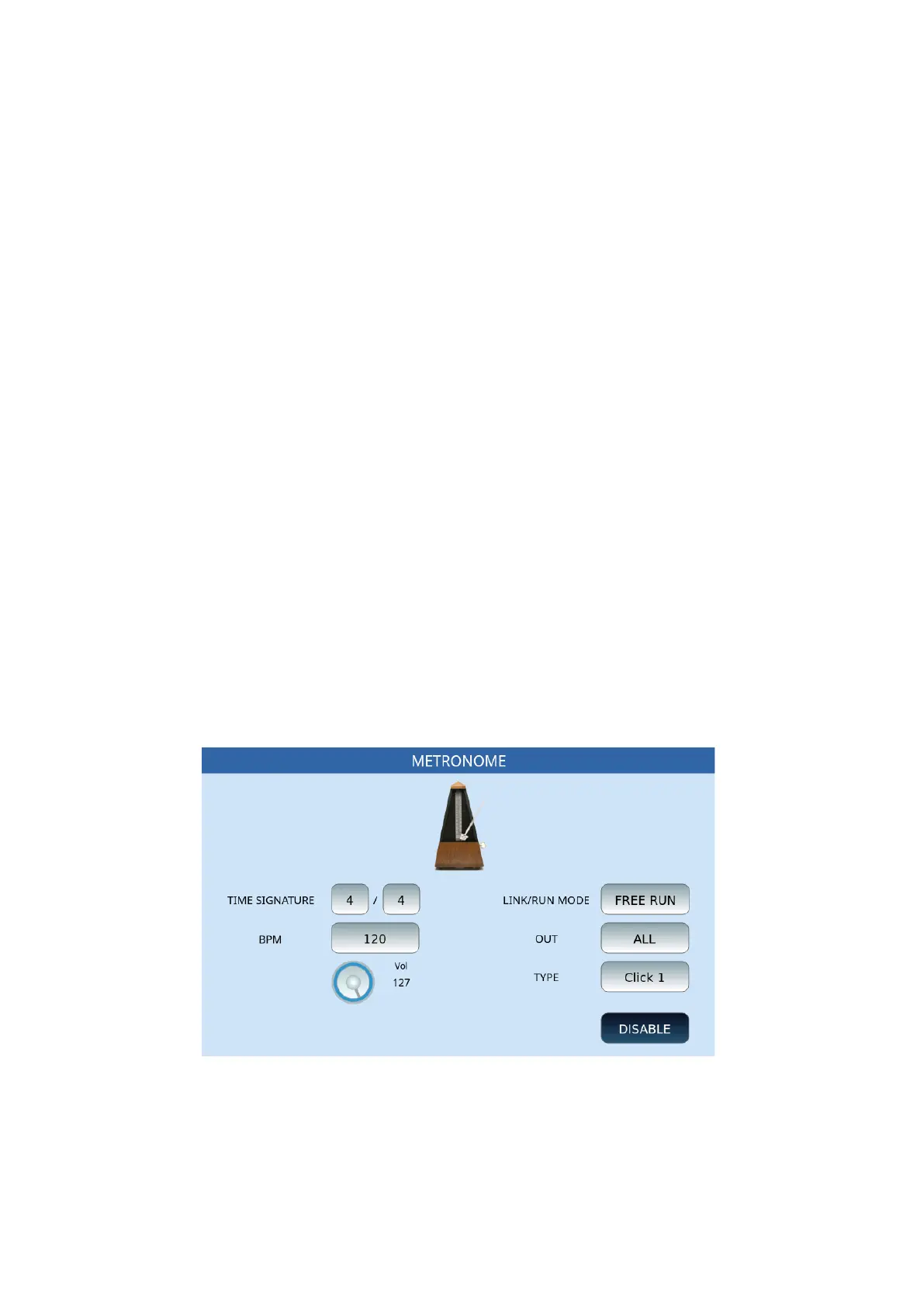
METRONOME
This page is dedicated to managing the integrated metronome into the instrument.
Options:
• TIME SIGNATURE: Set the unit of measurement of time by selecting each button
before changing its value with the data knob.
• LINK/RUN MODE: This button can be set using the data knob, under three
different conditions:



 To Next Page