14 Inputs and Outputs | 187
5. Turn on the instrument.
Note: If the instrument does not start up or if the touch screen does not work, turn off the
instrument, try changing the USB port or USB cable, and restart the system.
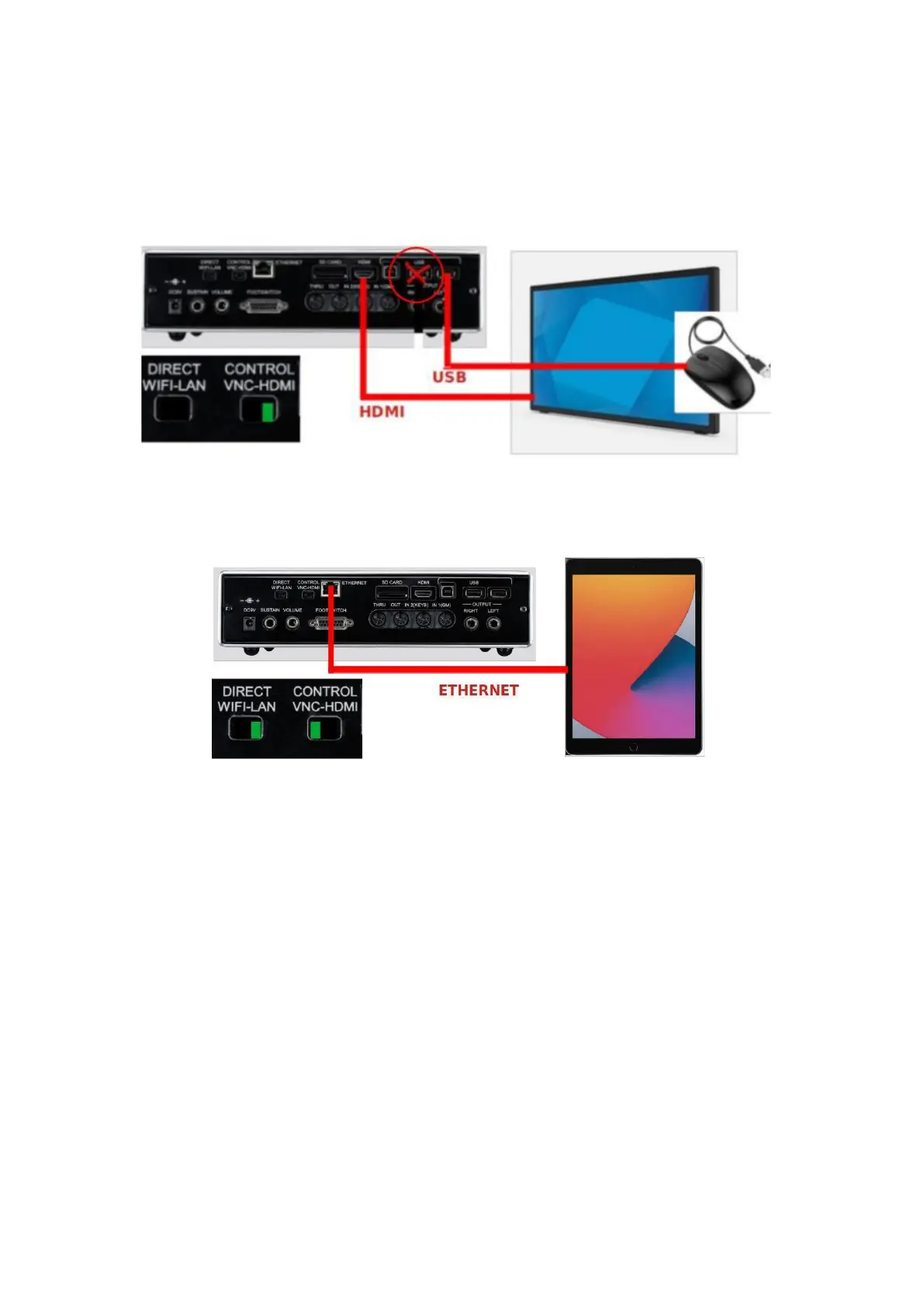
Method 2: Touch screen via HDMI + mouse
It is the same as method 1, with only the addition of a USB mouse.
Method 3: Direct VNC via LAN network cable
Step by step:
1. Connect one end of the ETHERNET cable to the ETHERNET port on the instrument
and the other end to the control device (some devices may require additional
ETHERNET to USB adapters).
2. Set the VNC/HDMI switch to VNC and the WIFI/LAN switch to LAN.
3. Turn on the instrument.
4. Wait until the instrument is fully operational (all LEDs will stop flashing).
5. Open the VNC client and connect to the IP address: 192.168.5.1, port 5900.



 To Next Page