198 | 15 Media
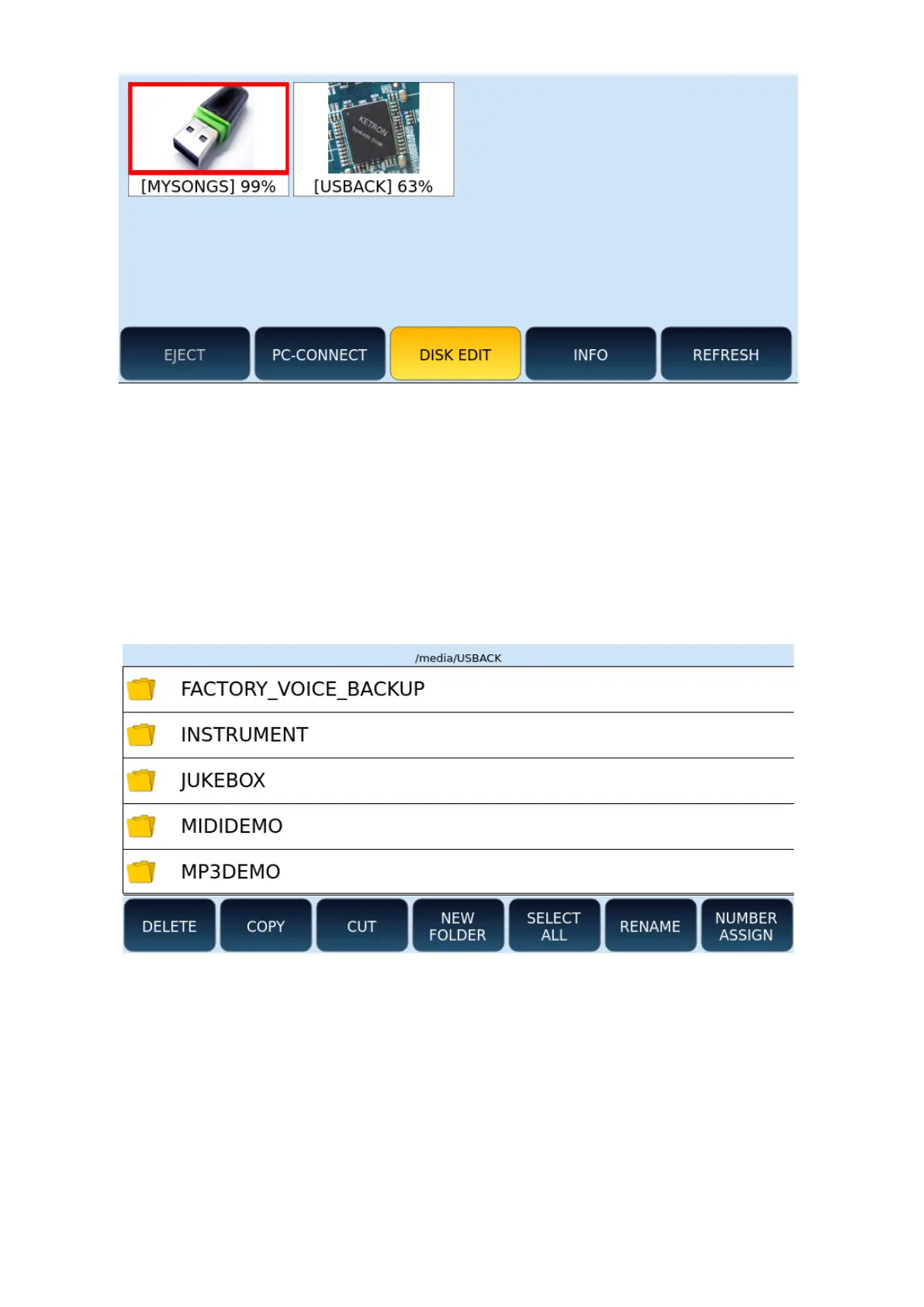
1. Touch MEDIA button on the panel.
2. Touch the DISK EDIT button on the screen.
3. The instrument enters DISK EDIT mode: this requires the dedicated system and,
therefore, all other features will be temporarily disabled.
4. At the end of all operations, remember to come back here and press DISK EDIT
again to return to using the instrument in full functionality.
Options:
• DELETE: Deletes files or folders.
• COPY: Copy and paste files between internal/external folders or storage devices.
• CUT: Cut and paste (then move) files between internal/external folders or storage
devices.
• NEW FOLDER: This button allows you to create new folders on the selected
memory device.
• SELECT ALL: Select all folders and files from the selected folder.
• RENAME: Rename files or folders.



 To Next Page