15 Media | 199
• NUMBER ASSIGN: assigns or removes file indexes, which are useful for sorting
resource lists on the screen. More details in the paragraph dedicated to Finding
files and music.
Now let us see in detail each of these buttons.
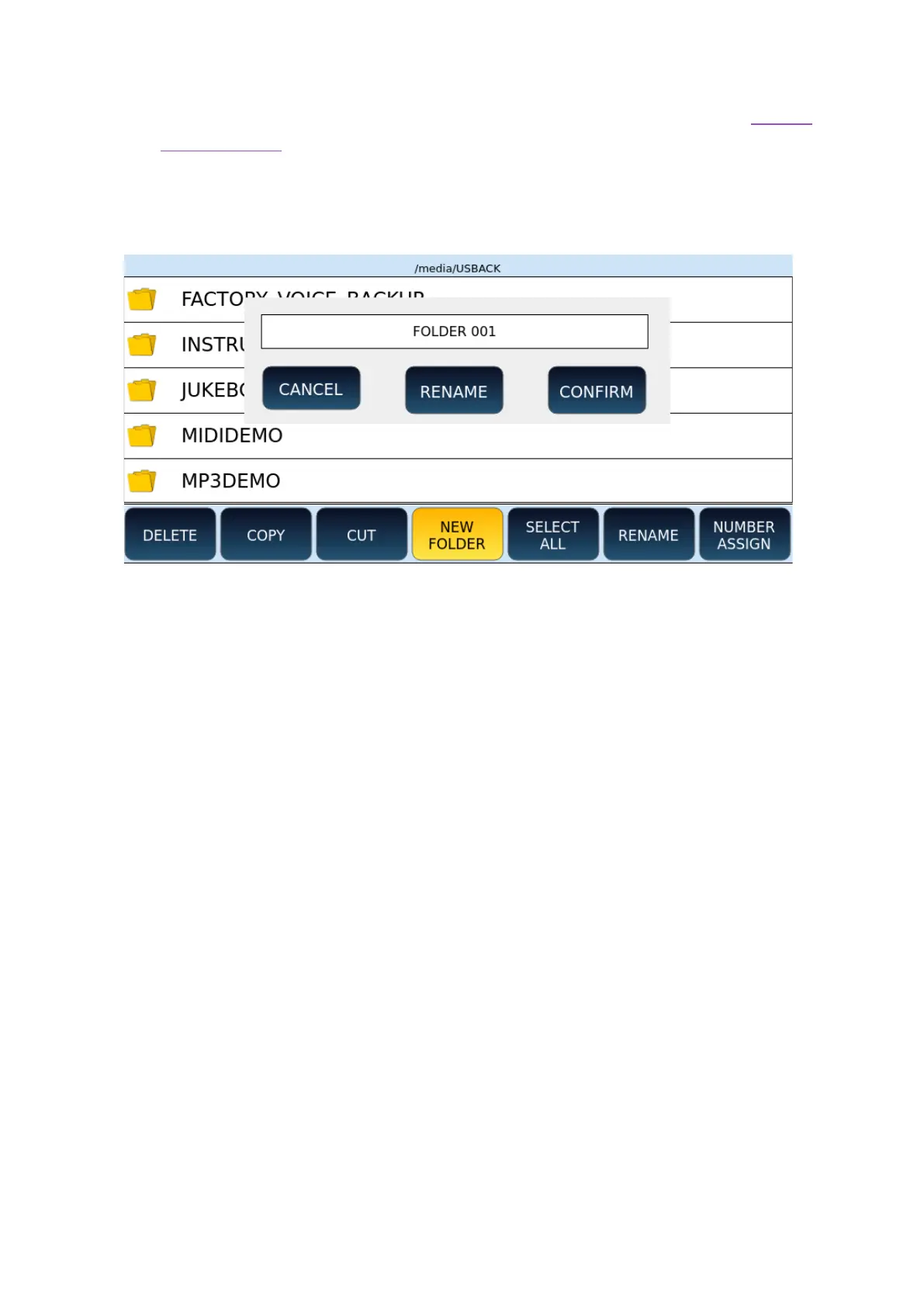
Create a new folder
Operational steps:
1. Touch the NEW FOLDER button on the screen to create a new folder. The system
proposes the name FOLDER 001.
2. Press the ENTER key on the panel to confirm that you want to create the folder. If
a folder with the same name already exists, an error message appears on the
screen.
3. Press the RENAME button on the screen to give the new folder a different name.
A virtual alphanumeric keyboard appears on the screen. Dial the new name and
then press the ENTER key on the panel.
4. Press the CANCEL button on the screen to cancel the new folder creation
operation.
Copy and paste
Operational steps:
1. Select by tapping the items you want to copy on the screen, and they will be
highlighted in grey. Use SELECT ALL if you want to select all files at once in the
current folder.
2. Press the COPY button on the screen: a message appears informing you that you
need to locate the destination folder of the copy now.



 To Next Page