02 Playing the voices | 21
Drawbar View
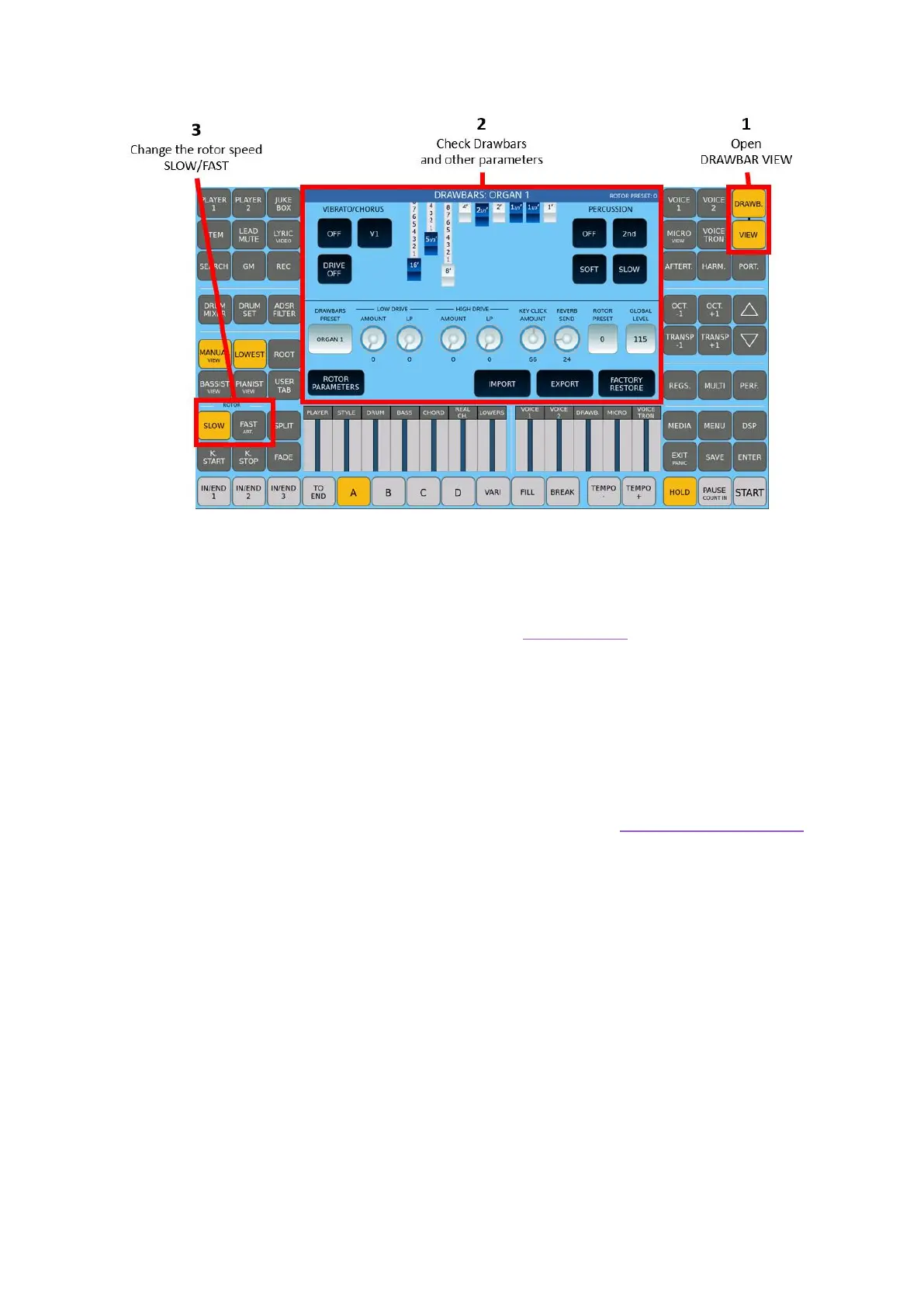
After enabling the Drawbar voice, you can exploit its potential as follows:
1. Press the DRAWBAR VIEW button on the panel.
2. The display is shown as above. More on the referral page.
3. Use the nine digital faders on the screen as real Drawbars to edit the current
DRAWBAR Sound as needed.
4. Use the ROTOR control SLOW/FAST buttons to manage the speed simulation of
the rotary speakers.
5. The many editable parameters/options are described in Drawbar voice editing.
6. To exit the DRAWBAR VIEW page, press the DRAWBAR button or the EXIT
button.



 To Next Page