34 | 03 Playing with the styles
Parameters:
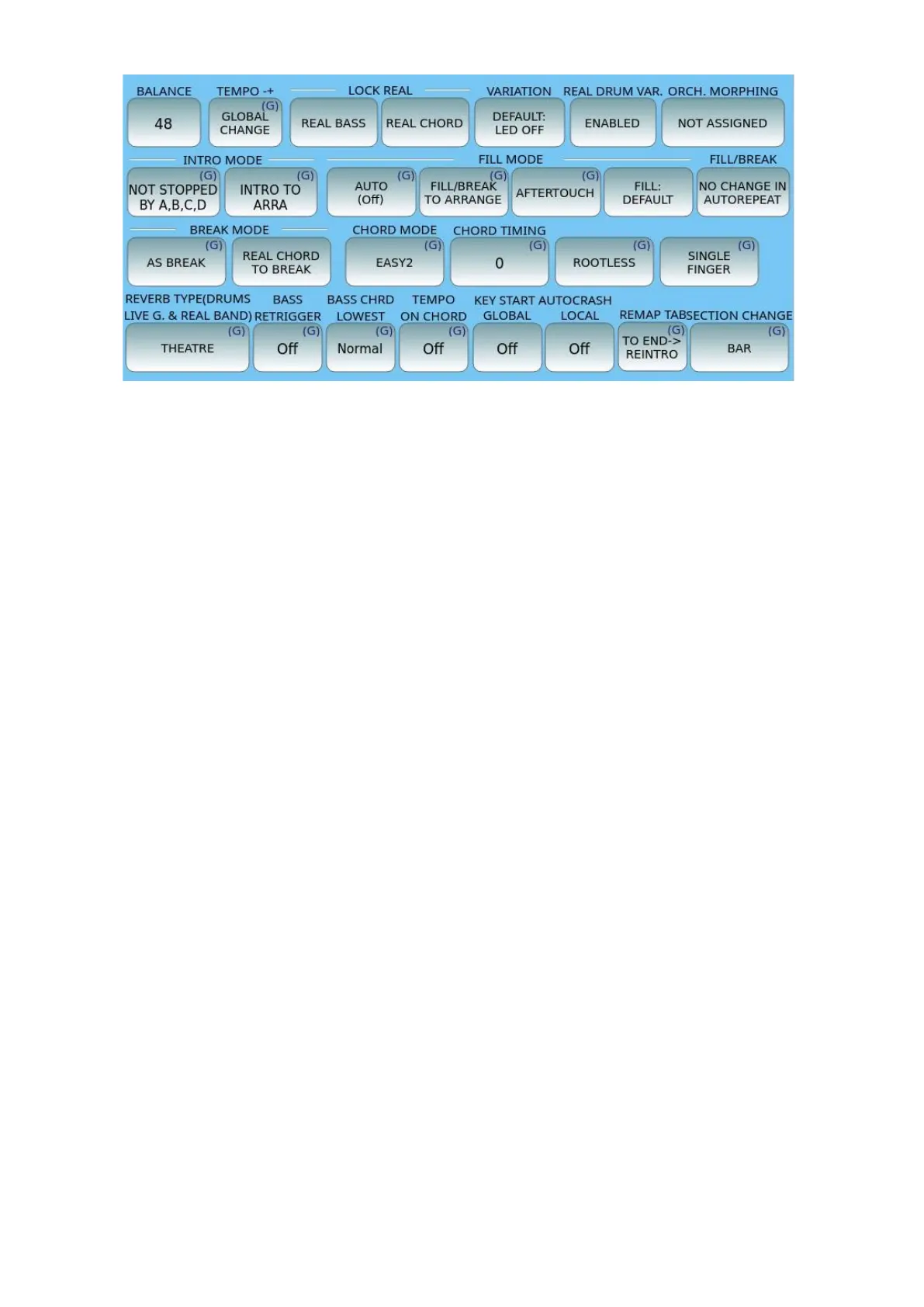
• BALANCE: represents the volume of the arranger section, which is a value
between 16 (low) and 63 (high) and relates to the position of the style volume
slider on the panel.
• TEMPO -+:
o If you leave GLOBAL CHANGE (the default), the time change of a style is
relative to all arranger sections.
o If you set SECTION CHANGE, the change is for only the selected change. In
Section Change mode, styles that do not have tempo variations between
sections continue to behave as in Global Change. The function is global and
is saved in CUSTOM STARTUP.
• LOCK REAL: allows you to "freeze" the chord of the audio tracks of the style, while
the MIDI CHORD track follows the chord changes according to what is played by
the keyboard. This lends itself to being useful in certain Funky and Dance contexts;
you can set which parts (REAL BASS and / or REAL CHORD) are locked here.Once
this is active, now to apply the ‘lock/freeze’ in real time, simply press the LOCK
BASS (search) or LOCK CHORD (GM) button on the panel next to the musical
tempo buttons.
• VARIATION: When the VARI LED is on, the operation of the Variation is enabled if
this is available within the LIVE DRUMS, or the chords or on the three Grooves
(subtle drum and groove variations and drum riffs). Variations can also be applied
to chords 3, 4 and 5, and configuring this is possible on the Settings page. The
Variation for Grooves 1 and 2 is displayed on the first DRUMS (Groove Variation
On/Off) page.
• REAL DRUM VARIAT.: When ENABLED, this allows you to activate the rhythmic
variation associated with the VARI key; when DISABLED, rhythmic variation is not
allowed, even if the VARI button is active.
• ORCH. VARIAT. MORPHING: This is a new feature in the world of arrangers
which allows you to quickly switch from one sound to another in a gradual way
with interpolation of the sound (morphing) in the accompanying parts; for
example, it allows you to switch from an organ sound with a slow Leslie effect to a



 To Next Page