04 Singing | 47
frequencies (HIGH) and by two bell filters, one for medium-low frequencies (MID-LOW) and
one for medium-high frequencies (MID-HIGH).
Options:
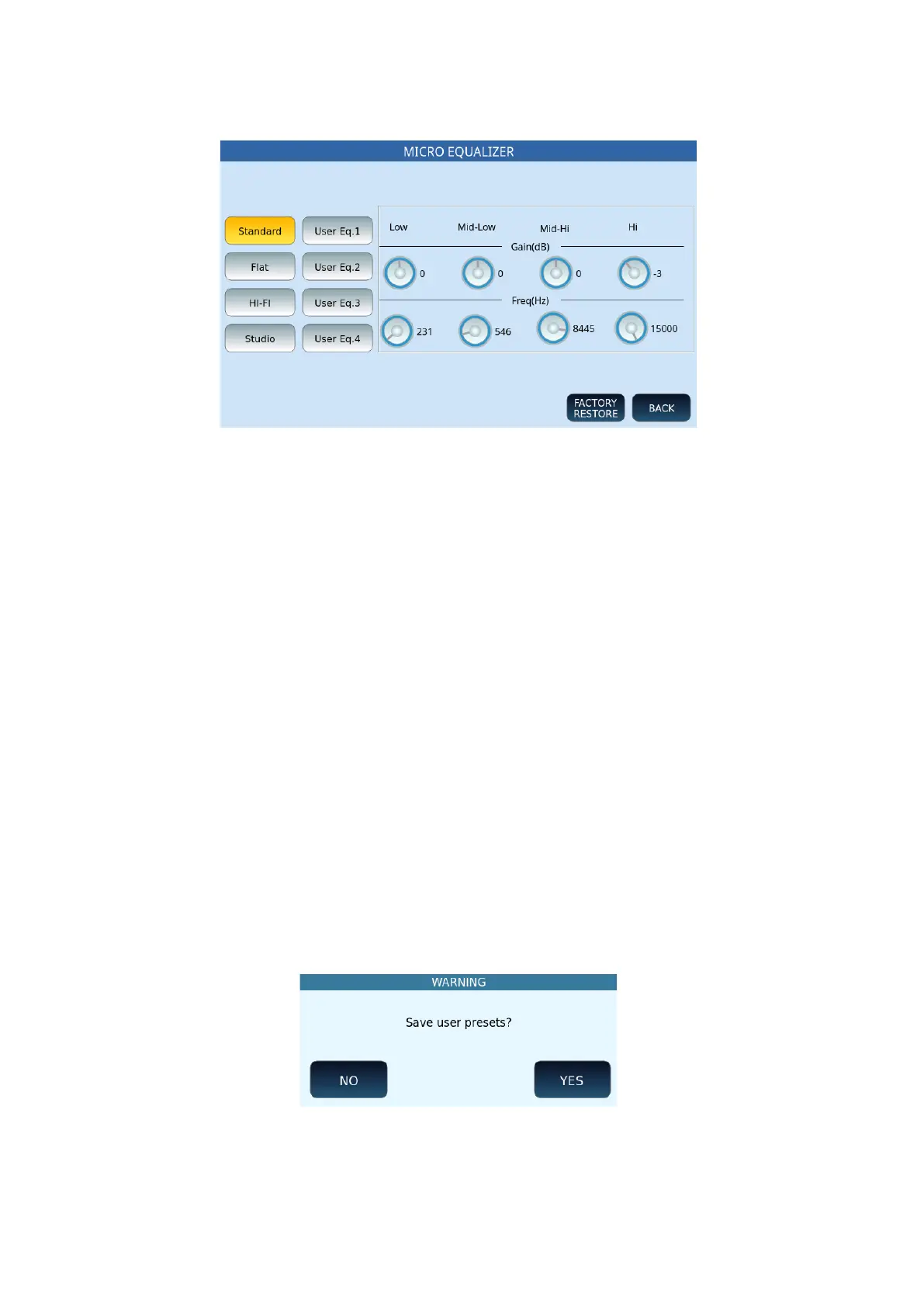
• Select one of the buttons on the left to call up one of the eight settings (four
defaults and four USERS): Standard, Flat, Hi-Fi, Studio, User Eq. 1/2/3/4.
• Gain (dB): Adjust the cut or increase below/above the centre frequency. The
range is from -12 to +12 dB.
• Freq (Hz): Set the centre frequency. The ranges of the different bands are from 80
to 2000 Hz (BASS), from 60 to 3000 Hz (MID-BASS), from 60 to 10300 Hz (MID-
HIGH) and from 500 to 15000 Hz (HIGH).
The BACK button returns to the previous page.
The FACTORY RESTORE button restores the factory defaults.
Otherwise proceed with saving as follows.
Saving a personal microphone setup for instant future recall on stage or at the studio
All microphone-related parameters such as volume, reverb and echo, effects and equalizer
parameters can be saved in a user memory.
After changing the settings at one of the four User locations (Eq.1, Eq.2, Eq.3, or Eq.4),
proceed.
1. Tap SAVE on the panel.
2. At the first pop-up window, confirm YES to save USER EQ to memory.
3. Touch NO to cancel the operation.



 To Next Page