46 | 04 Singing
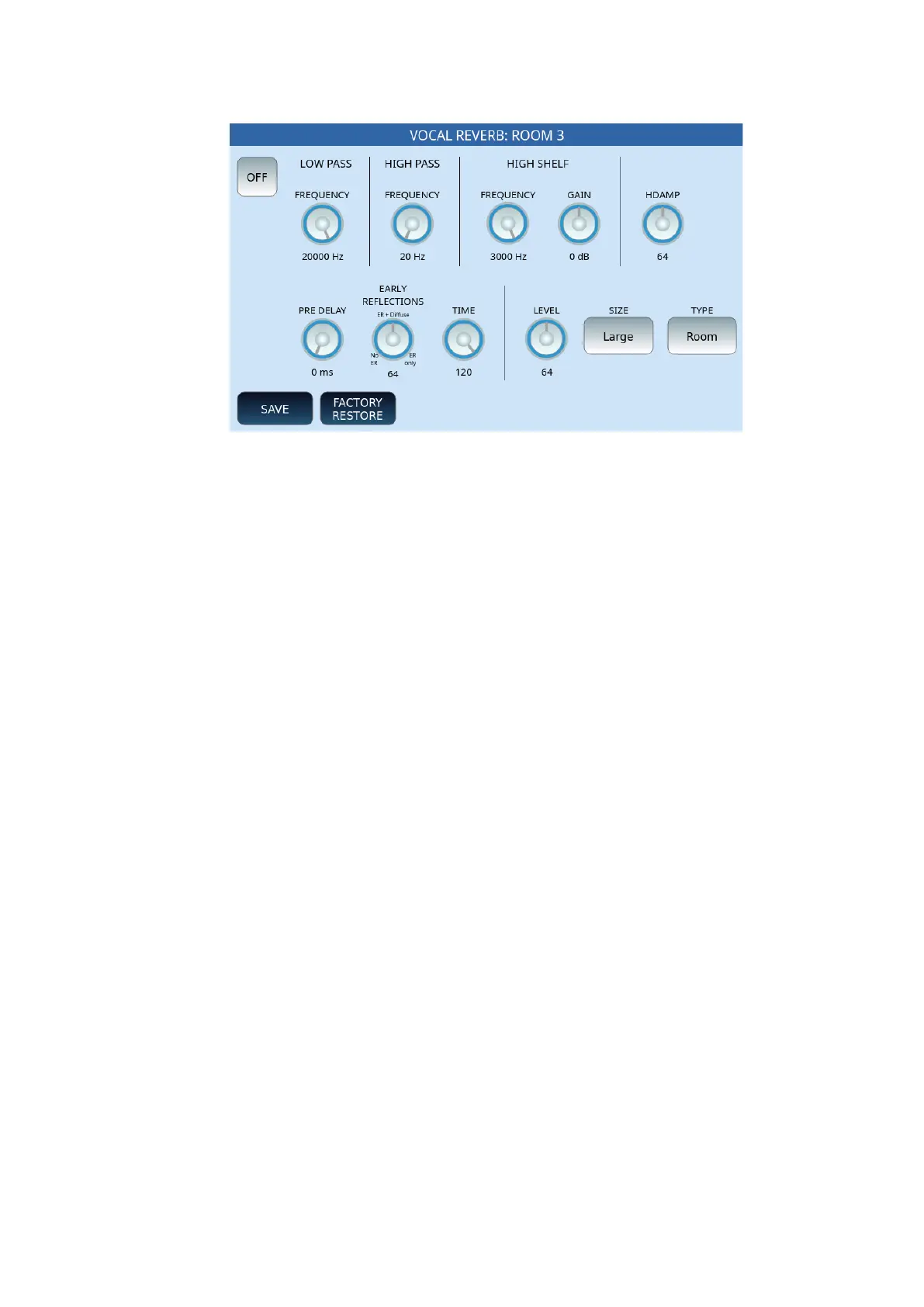
Reverb settings
Options:
• LOW PASS FREQUENCY: the low-pass filter, which allows the passage of
frequenciesbelow the cut-off frequency andblocks high frequencies, is adjustable
between 500Hz and 20000Hz.
• HIGH PASS FREQUENCY: the high-pass filter, which allows the passage of
frequencies above the cut-off frequency and blocks low frequencies, is adjustable
between 20Hz and 1000Hz.
• HIGH SHELF FREQUENCY and GAIN: enhances or attenuates the high frequencies
by adjusting them between 800 Hz and 3000 Hz, while the gain ranges from -12dB
to 6 dB maximum.
• HDAMP: is the progressive attenuation of acute frequencies (High Frequency
Damping), a value between 0 and 127.
• PRE-DELAY: da 0 ms.a 250 ms.
• EARLY REFLECTIONS: from 0 (no ER), to 64 the intermediate value of diffuse ER,
127 (ER only).
• TIME: from 0 to 120.
• LEVEL: Set the reverb length and level from 0 to 127.
• SIZE: Select SMALL, MEDIUM or LARGE.
• TYPE: Select the reverb type between Room, Hall, Plate 1, or Plate 2.
At the bottom, press the SAVE button on the screen to save the settings.
Next to it, the FACTORY RESTORE button allows you to restore this effect to factory
configurations.
Microphone EQ
Touch the Equalizer icon on the MICRO page to configure the microphone EQ. The signal is
processed by two Shelving filters, one for low frequencies (LOW) and one for high



 To Next Page