Section 5 AutoCAD Driver
5-8
4.0 Configuration
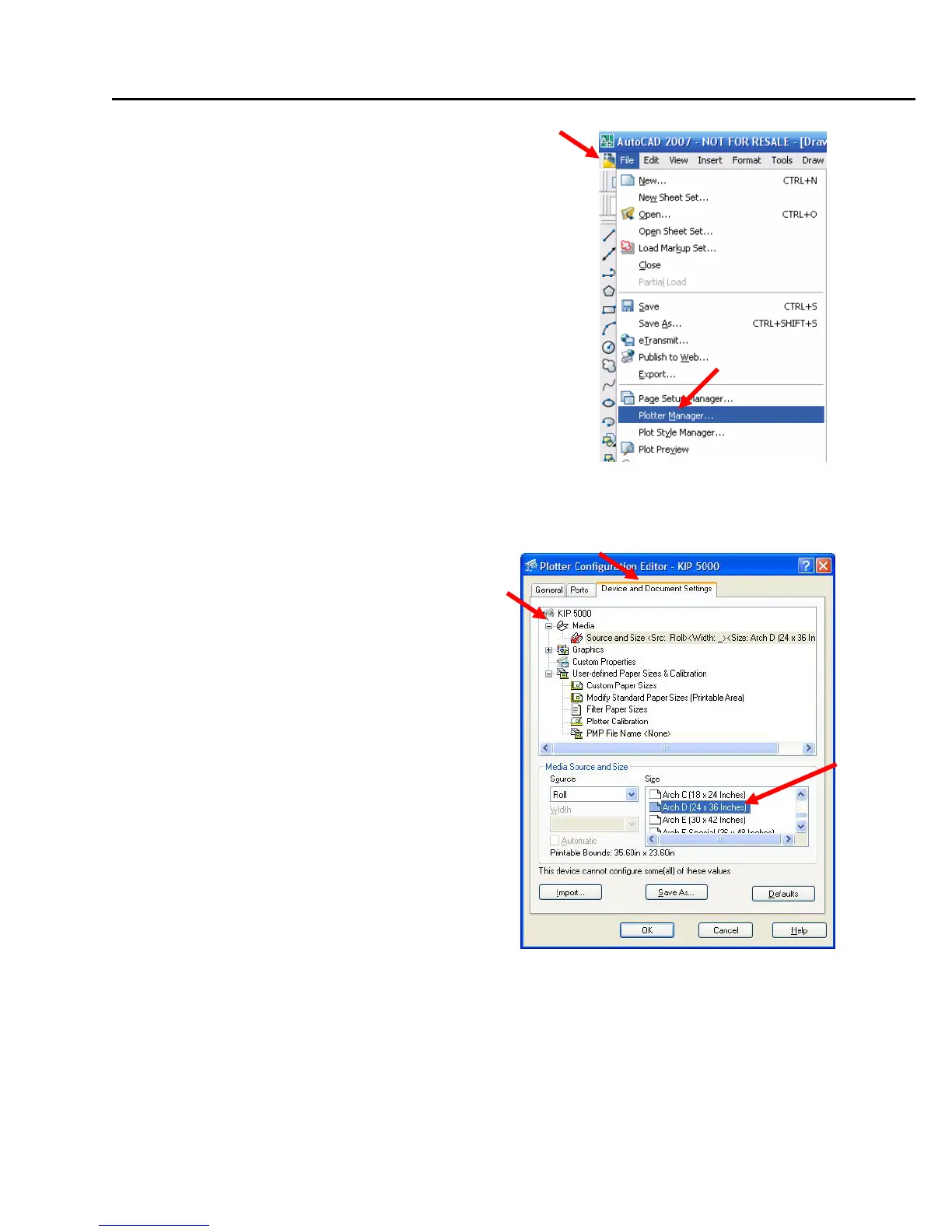
Click on File, and then Plotter Manager
1) Double-click on the .PC3 file of the KIP printer to
open the Plotter Configuration Editor.
Navigate to the “Device and Document Settings” tab
4.1 Media
1) Click the “+” sign next to “Media”. This will
open up the Media Options and allows
selection of the Media Source (which is
“Roll’) and Media Size.
2) Select your media size to suit your image.



 To Next Page