Section 5 AutoCAD Driver
5-9
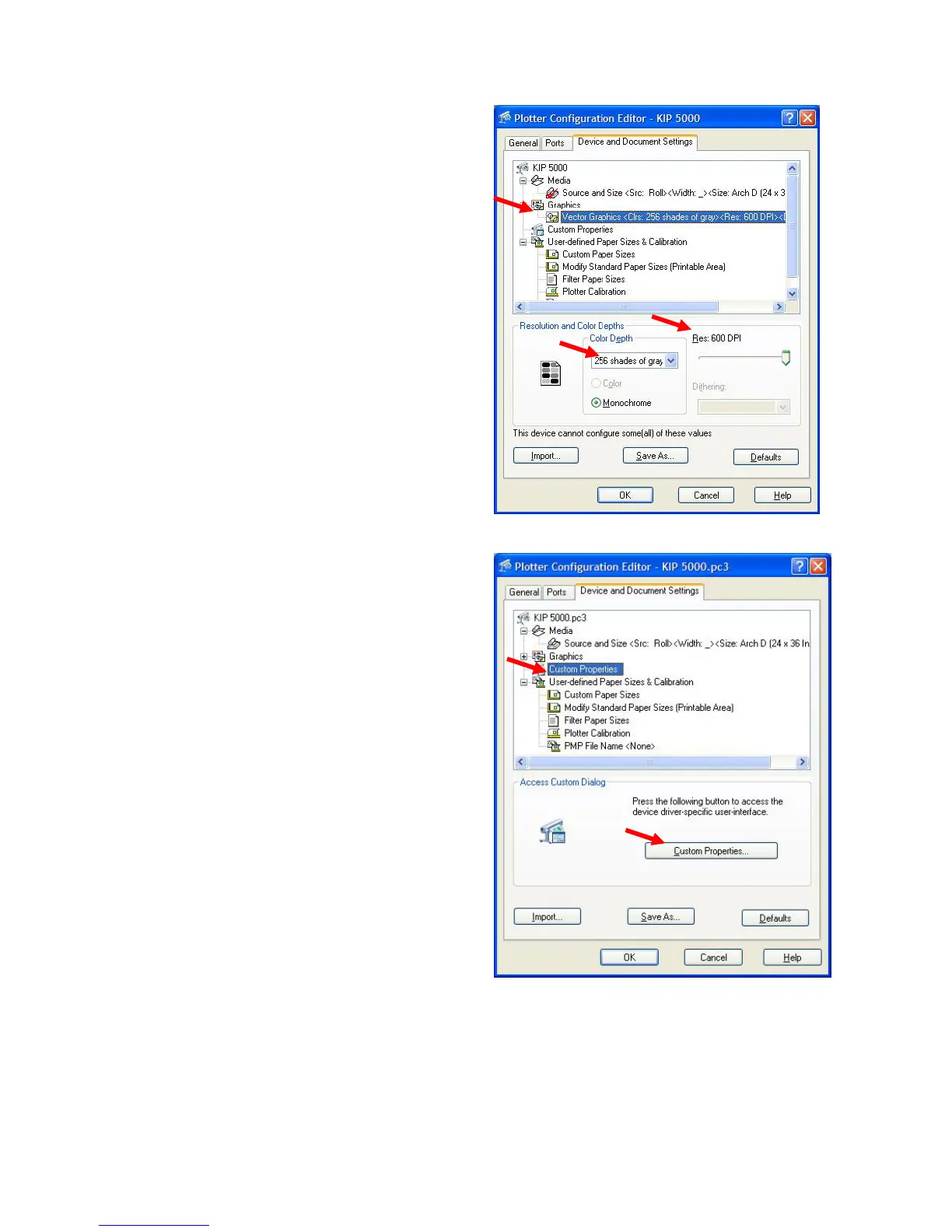
4.2 Graphics
1) Click the “+” sign next to “Graphics”.
This will open up the Graphics options
and allows the selection of the Color
Depth (in this case “256 shades of
gray” ) and the resolution.
The KIP 5000 has 600DPI resolution.
4.3 Custom Properties
1) Click on Custom Properties
2) Then click on the button to see the KIP
Custom Settings dialog box.
3) A number of the features of the KIP
Request software have been directly
integrated into the KIP HDI driver;
these features are enabled by “linking”
the HDI driver to the KIP Request
software.



 To Next Page