Ch.4 Description of Screens
< 135 >
REGIUS Console CS-3 OPERATION MANUAL Ver. 1.10 2005.2
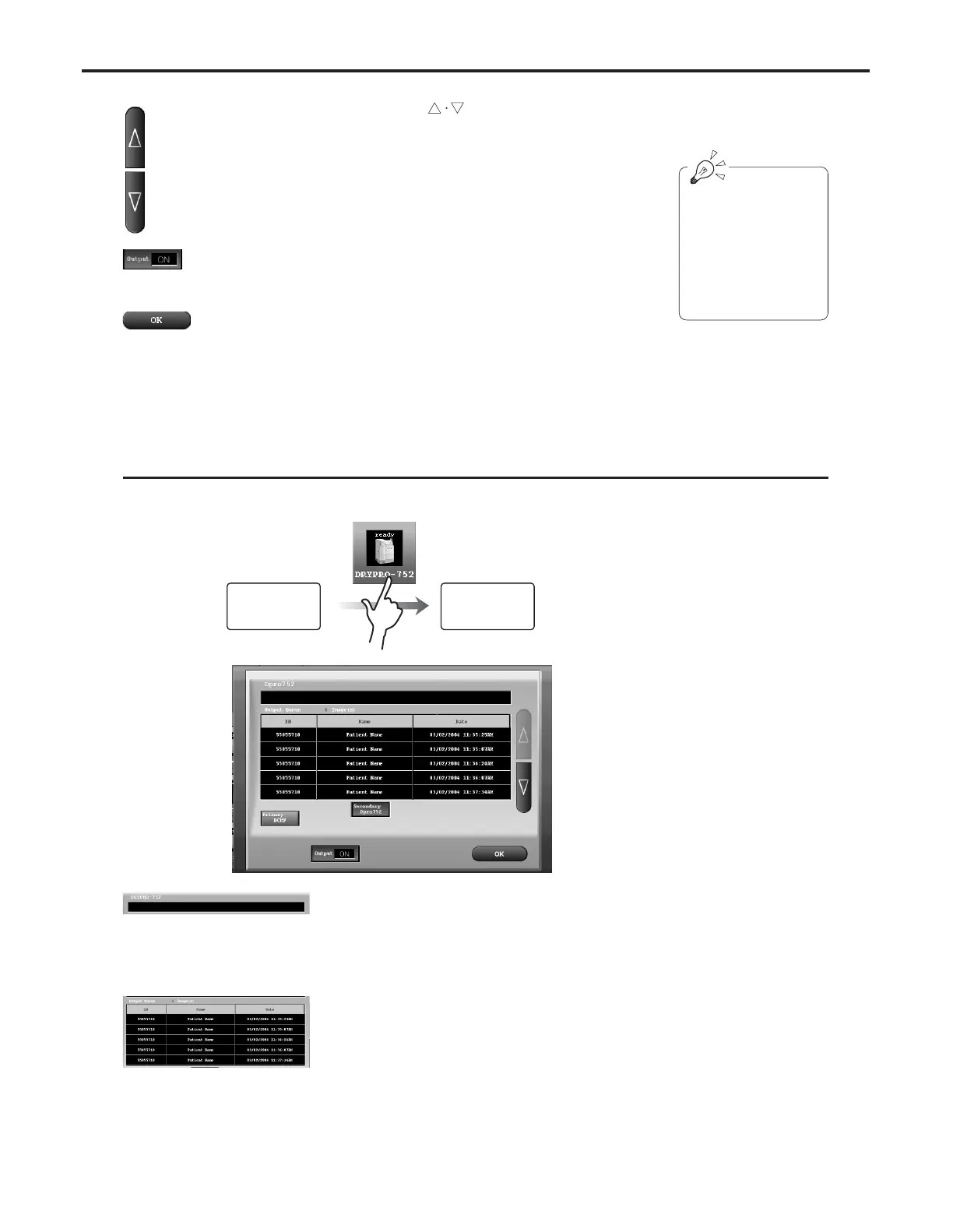
Enables checking of the printer status.
Printer Status Check Screen
Error Message Display
In the event of a printer error, an error message is dis-
played in red characters.
For details of errors and remedies, refer to the printer
operation manual.
[Output] Button
Turns output to the host ON/OFF.
[OK] Button
Closes the host status check screen.
Scroll Button [ ]
Scrolls the output queue display.
If the [OK] button is
touched on the exami-
nation check screen
with the [Output] button
kept OFF, only the out-
put queue will be stored
without being output.
System Status
Screen
Printer Status
Check Screen
Output Queue Display
A list of output reserved examination data for which
examination has been completed is displayed.



 To Next Page