Ch.2 Operation
< 23 >
REGIUS Console CS-3 OPERATION MANUAL Ver. 1.10 2005.2
Start Up
The procedure for start up of CS-3 is described below.
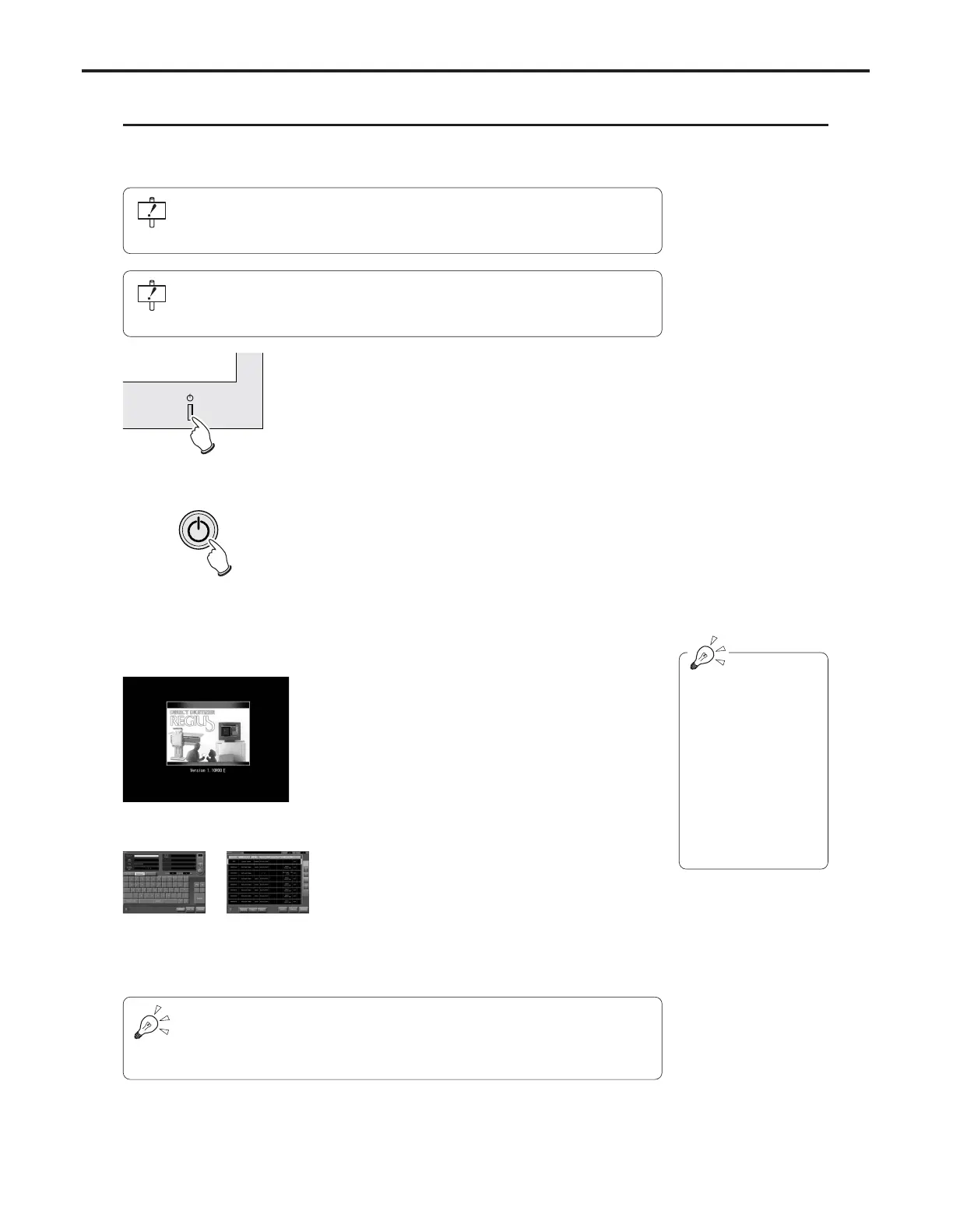
Exam Search Screen Exam List Screen
System Start Up Screen
The CS-3 software ver-
sion will be displayed
under the heading
"Version" during display
of the system start up
screen.
Initialization will be
completed approxi-
mately three minutes
after switching on
power.
1 Switch on the CS-3 Operation Unit stand-by but-
ton.
2 Press the Power button located on the front of
the CS-3 Control Unit.
•A CS-3 start up message and an OS (Operating
System) start up message will be displayed in
order on the CS-3 Operation Unit.
• After a short time, the CS-3 system start up screen
will be displayed. During display of this screen,
internal system initialization will be executed.
• After completion of initialization, the CS-3 initial
screen (examination search screen or examination
list screen) will be displayed; this indicates that
the CS-3 can be operated.
Before turning on the CS-3, check that all devices (Cassette Readers, Upright
Readers, Printers, Viewers, Servers, etc.) are properly connected to the CS-3 and
switched on.
Check that a floppy disk is not inserted in slot of the CS-3 Control Unit. If it is insert-
ed, push the eject button to remove it. CS-3 will not start up with the floppy disk
inserted.
There are two types of display shown on the CS-3 initial screen; these are the
examination search screen and the examination list screen. Which of the two will be
displayed should be selected through the system menu depending on factors such
as the system configuration of the CS-3.



 To Next Page