Ch.7 Optional Functions
< 174 >
REGIUS Console CS-3 OPERATION MANUAL Ver. 1.10 2005.2
Scroll [ ] Button
Scrolls the list by one order.
Scroll [ ] Button
Scrolls the list by 9 orders.
Order List
Orders before stitching and after stitching are listed in the
form of buttons.
Touching the order button will select itself and change its
frame to green.
One order will be added to the list for the image that has
been composited by stitching.
• Maximum 9 orders will be displayed in the list. For more
than 10 orders, scroll the list using the scroll button.
Composite Image Select Screen
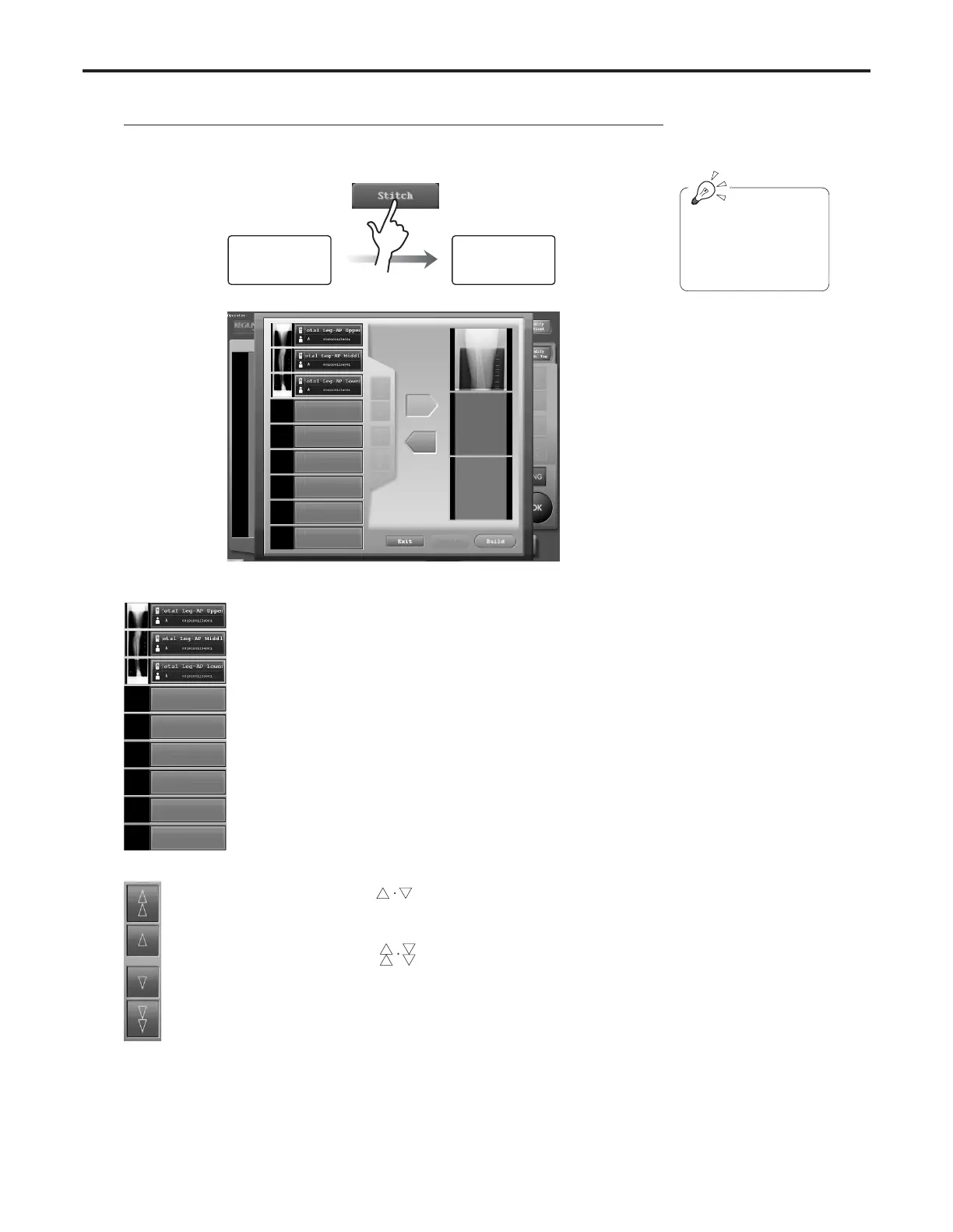
Images to be stitched can be selected from the exposed exam order using this screen.
Exam Check
Screen
Composite Image
Select Screen
[Stitch] button appears only
when the examination is
made using the examina-
tion tag key for long body
parts.



 To Next Page