Commissioning
Operating manual for INVEOR α | DOC01539818 - 0004 | 2017-01 | V2.0 EN 57
4.4.1 Commissioning using the PC:
1. Please install the INVEORpc software. The programming software is available free of charge
from the KOSTAL website. Operating system required: Windows XP or Windows 7
[32 / 64 bit]). We recommend undertaking the installation process as an administrator.
2. Unscrew the transparent screw connection.
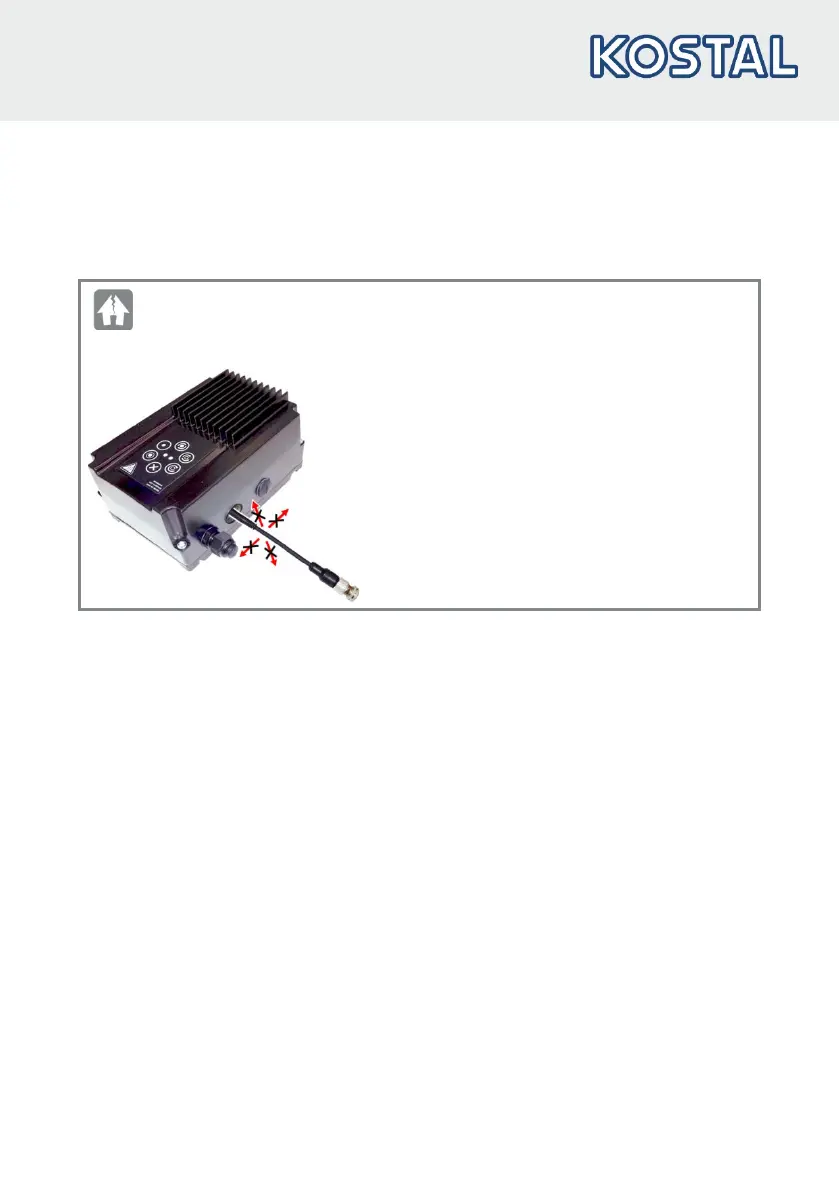
DAMAGE TO PROPERTY POSSIBLE
The drive controller may be damaged if the notices are not observed!
When connecting to the jack plug, do not move
the INVEOR α adapter cable in the directions
indicated by the arrows.
Only connect the INVEOR α adapter cable to the
jack plug in a straight line.
3. Use the optional PC connection cable (art. no. 10023950) to connect the PC to the M12 plug
M1 (adapter plug option, art. no. 10118219).
4. Load or determine the motor data record (parameters 33.030 to 33.050); it may be necessary
to optimise the speed control (parameters 34.100 to 34.101).
5. Perform the application settings (ramps, inputs, outputs, target values etc.).
6. Optional: Define an access level (1 – MMI, 2 – user, 3 – manufacturer).



 To Next Page