Status
Icon
Description
Flashing DEF Lamp with Stop Engine
Lamp. Illuminates when the DEF tank is near
zero, further limiting power. Rell DEF tank
immediately to avoid damage! Normal
power will restored when DEF tank is lled.
Insufcient DEF can result
in damage to the DEF injector and other
components.
Flashing DEF Lamp with Red Stop Engine
Lamp. Illuminates when the DEF has read
zero for 30 minutes. Power will be limited to
IDLE. STOP the machine and rell the DEF
tank immediately! If relling the DEF tank
does not turn the lamps off and/or restore
normal engine power, stop operation and
contact your authorized dealer immediately.
High Exhaust System Temperature (HEST)
Lamp. May illuminate when higher than
normal exhaust temperature exists due to
regeneration.
Ensure the exhaust
pipe is not directed at any ammable
or combustible surface if any high
temperature icons illuminate.
DPF Regeneration Set to Inhibit — The
user may choose to inhibit the REGEN
if conditions are too hazardous for high
exhaust temperatures. When this lamp is
illuminated, a REGEN cannot be performed
and soot levels will continue to rise.
Unless hazardous
conditions exist, the REGEN Inhibit switch
and this lamp should remain off.
Exhaust System Cleaning. Illuminates
when the exhaust system is unable to
complete regeneration. As soon as
possible, performed a parked regeneration
procedure. (Pages 4-14 to 4-15) The icon
will ash during regeneration and stop once
regeneration is complete.
Exhaust System Cleaning and Check
Engine Lamps. Indicates a failure of the
emission system because the operator failed
to perform regeneration in a timely manner.
Engine power will be signicantly reduced.
Perform parked regeneration immediately.
Contact your authorized dealer for
assistance if engine power does not return.
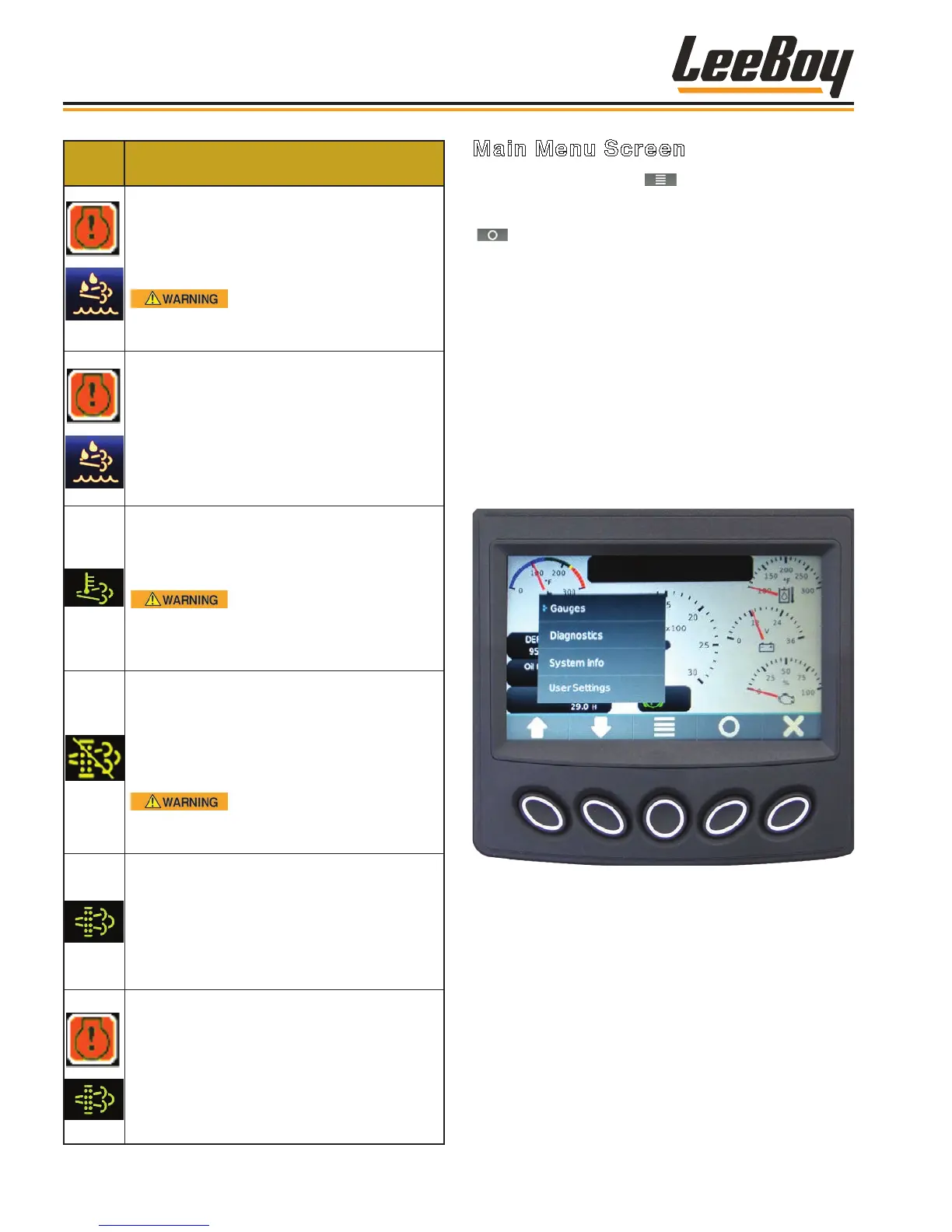
Main Menu Screen
Pressing the Main Menu ( ) soft key navigates to the
Main Menu action items. (Figure 4-7) Scroll through
the list using the UP/DOWN arrow keys, then press the
( ) key when the cursor (>) points to screen you wish
to view to select that screen mode. The Main Menu
choices are listed below and described on the following
pages:
• Gauge (default screen)
• Diagnostics
• System Info
• User Settings
• Tier 4
NOTE: Continue scrolling using the DOWN arrow
key to access the Tier 4F menu action items.
(Page 4-14)
Figure 4-7. Main Menu Screen
Operation
LeeBoy 685D Motor Grader4-10



 To Next Page