Diagnostics
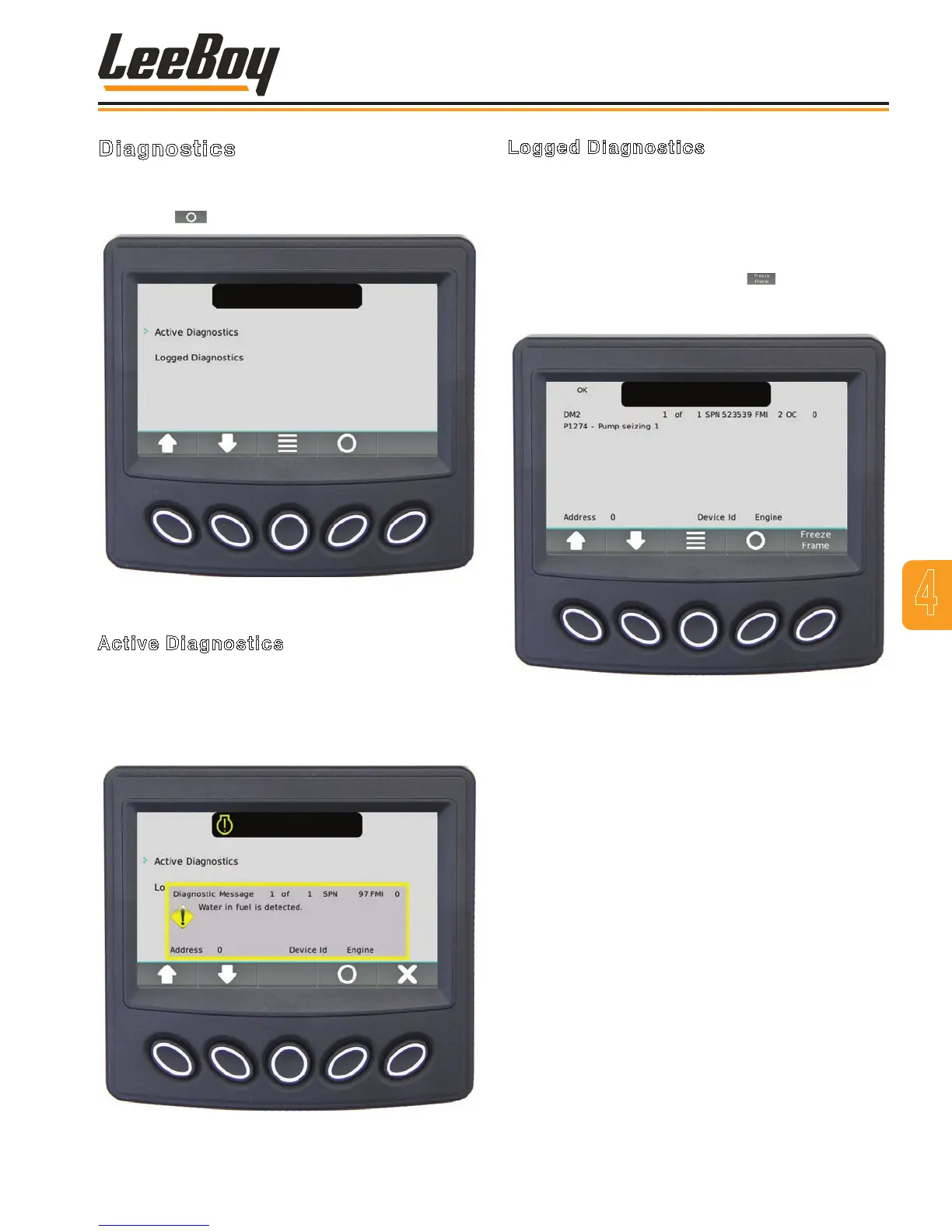
Use the UP/DOWN soft keys and stop the cursor (>) for
to view either active or logged diagnostics, then press
the Select ( ) soft key. (Figure 4-8)
Figure 4-8. Diagnostics Screen
Active Diagnostics
The Active Diagnostics screen displays active warnings
or faults with the appropriate Suspect Parameter
Number (SPN) and Failure Mode Indicator (FMI).
(Figure 4-9) Use the UP/DOWN soft keys to scroll
through list if needed.
Figure 4-9. Active Diagnostics Screen
Logged Diagnostics
The Logged Diagnostics screen displays nonactive
warnings or faults with the appropriate Suspect
Parameter Number (SPN) and Failure Mode Indicator
(FMI) that are stored in the system. (Figure 4-10) Use
the UP/DOWN soft keys to scroll through list if needed.
NOTE: Select the Freeze Frame ( ) button to
request that frame data from the ECU when
faults are present.
Figure 4-10. Logged Diagnostics Screen
4
Operation
LeeBoy 685D Motor Grader 4-11



 To Next Page