Date and Time Setting
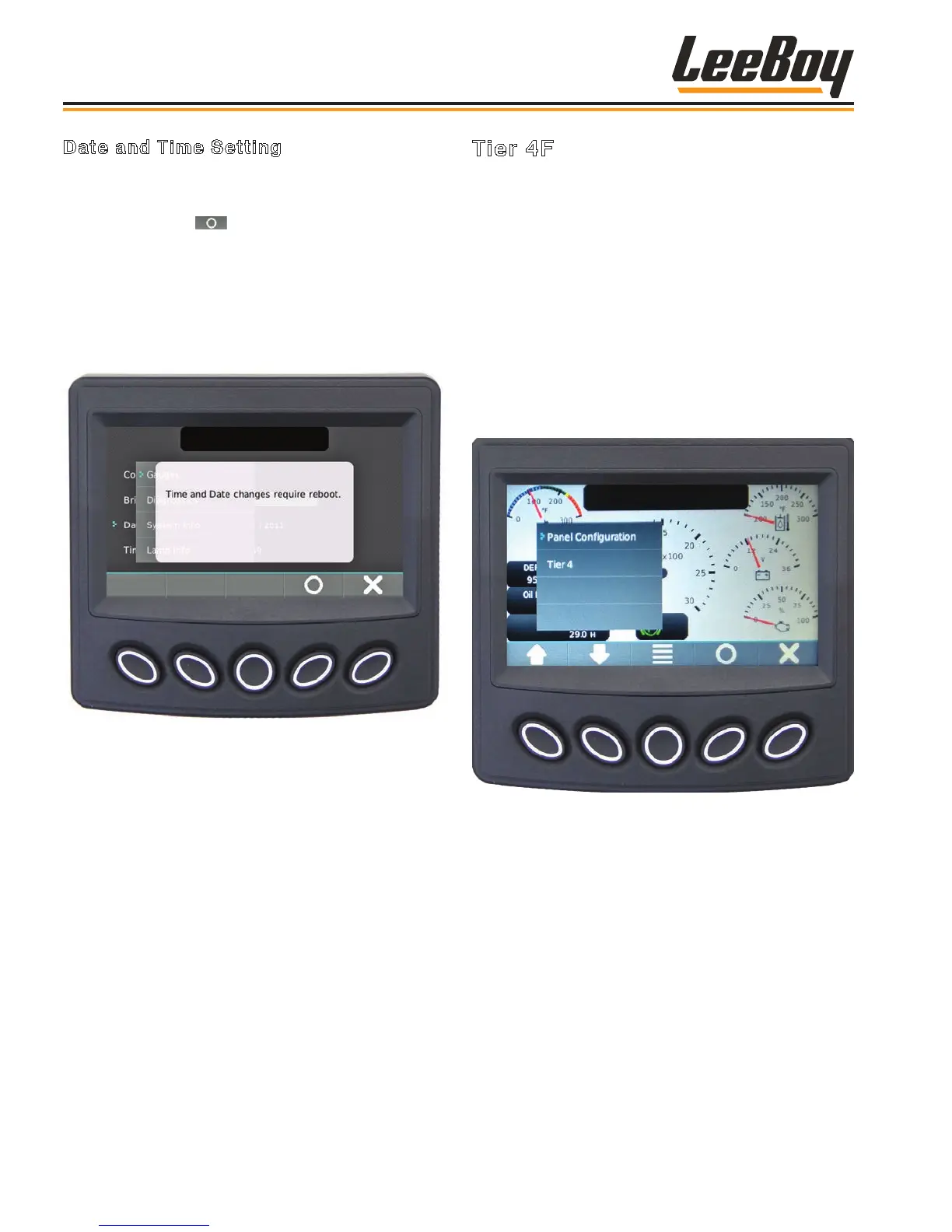
Use the UP/DOWN soft keys and stop the cursor (>)
next to the action item Date or Time. (Figure 4-18)
• Press the select ( ) soft key to initiate change to
the month value. Use the (+/–) soft keys to increment
or decrement the number.
• Use the DOWN arrow to reach the day value and year
value, using the +/– soft keys to make changes.
NOTE: A reboot is required for changes to the Date
Setting to take effect.
Figure 4-18. Time Setting Screen
NOTE: Pressing the “X” button closes the pop-up
messages.
Tier 4F
During normal operation, the regeneration process
begins automatically. If for some reason automatic
regeneration does not proceed, the operator should
navigate to the Tier 4 screen from the Main Menu.
(Figure 4-19) Use the UP/DOWN soft keys and stop the
cursor (>) next to the action item.
The machine should be maintained in an operating
condition so the system can automatically regenerate.
(A complete listing of Fault Codes is shown in
Troubleshooting, Section 5.)
NOTE: Only an authorized technician can access
the Panel Conguration screen for service
purposes.
Figure 4-19. Tier 4 Navigation
The engine speed will increase during regeneration
and there may be a noticeable sound difference.
It is important not to shut off the engine as the
regeneration cycle will fail and could possibly
damage the engine. Once regeneration is complete,
the engine will return to normal idle speed. If the
regeneration cycle fails, the ECU may attempt a second
regeneration.
Operation
LeeBoy 685D Motor Grader4-14



 To Next Page