• Unless otherwise stated, reinstall the parts in reverse order of removal.
• When reinstalling a part held with several screws, start all screws before the final tightening.
Left side removals
Left cover removal
1 Position the printer so that it sits on its right side.
2 Open the front door.
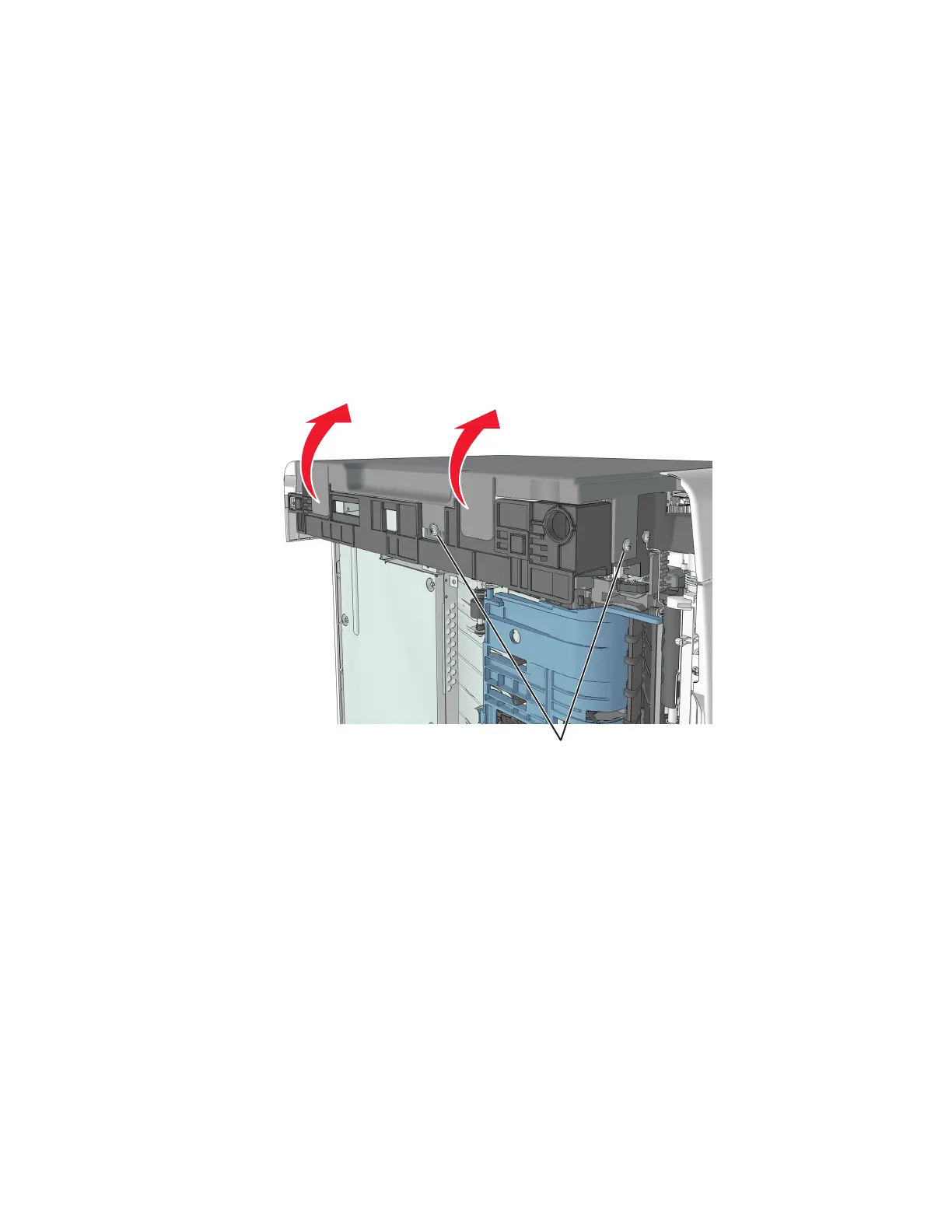
3 Remove the two screws (A) securing the left cover.
4 Release the latches, and swing the left cover upward to remove.
A
4514-2xx
Parts removal
194


 To Next Page