The User Interface
130
The button legend toggles between ‘Capture’, which indicates that the process has not been
started and ‘Stop’, which indicates that the process has been started.
The information displayed in each of the tabbed panes is as follows:
■
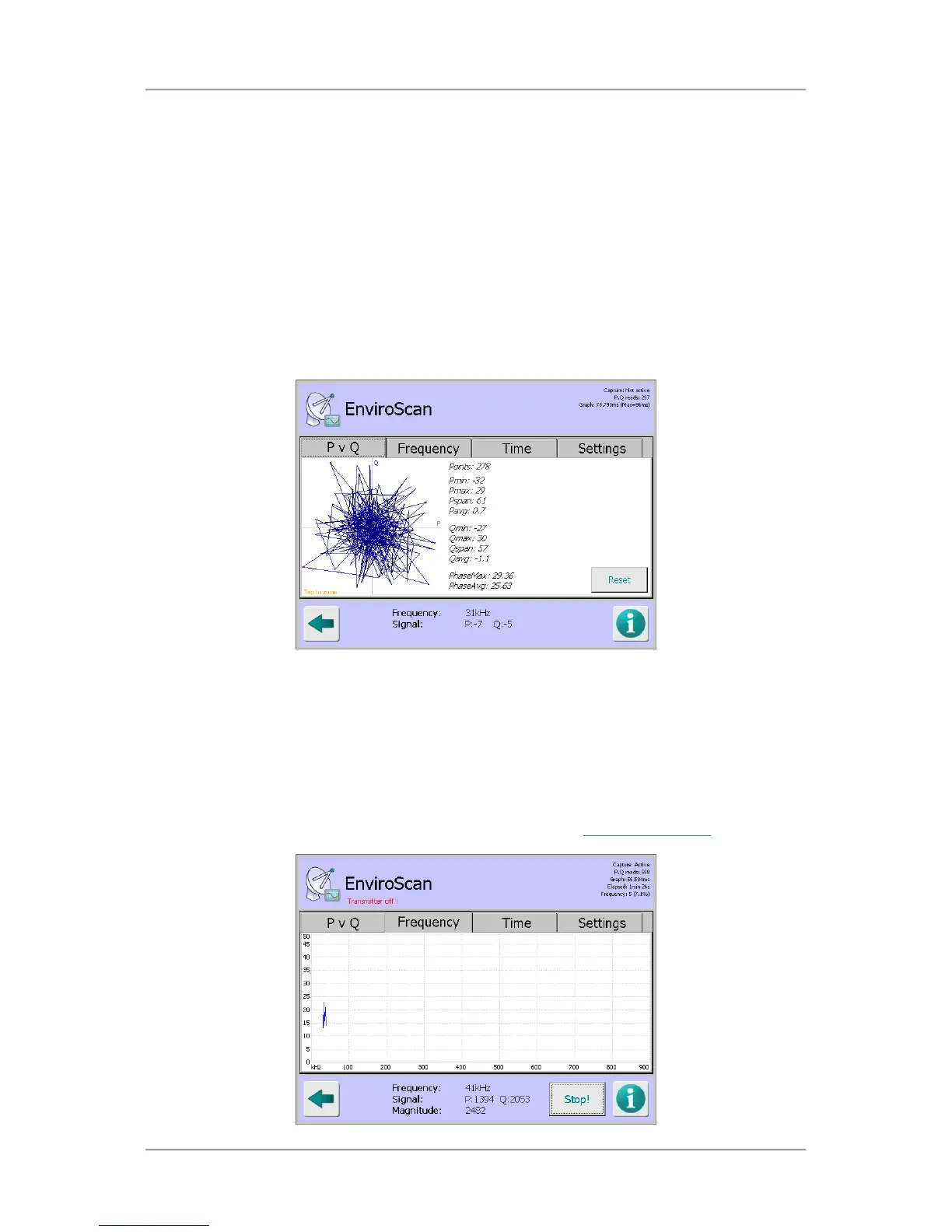
P v Q tab
Tapping on the Reset button with the P v Q tab selected starts a process that captures a
graphical signal "noise ball" for the system when no product is passing through the head. This
can help to identify sources of RF interference or contamination on the belt.
By passing uncontaminated product through the metal detector, the full range of expected P,Q
values during production can be displayed.
As well as the graphical display the screen also includes data values and phase angle
information for the background noise detected.
■
Frequency tab
Tapping on the Capture button with the Frequency tab selected starts a process that steps
through each of the 70 available frequencies, captures the background noise levels at each
frequency and displays them on a graph which updates in real time.
If any frequency is particularly noisy, it may be possible to identify the source of the noise. For
example, there may be another machine, such as a metal detector, close by that is producing
interference at that frequency. If this source of noise cannot be corrected, this frequency should
be avoided during setup of the metal detector. This can often be done by selecting an
appropriate frequency Band to be used by the detector in the Search Head Setup
screen.



 To Next Page