214713 173 Revision A
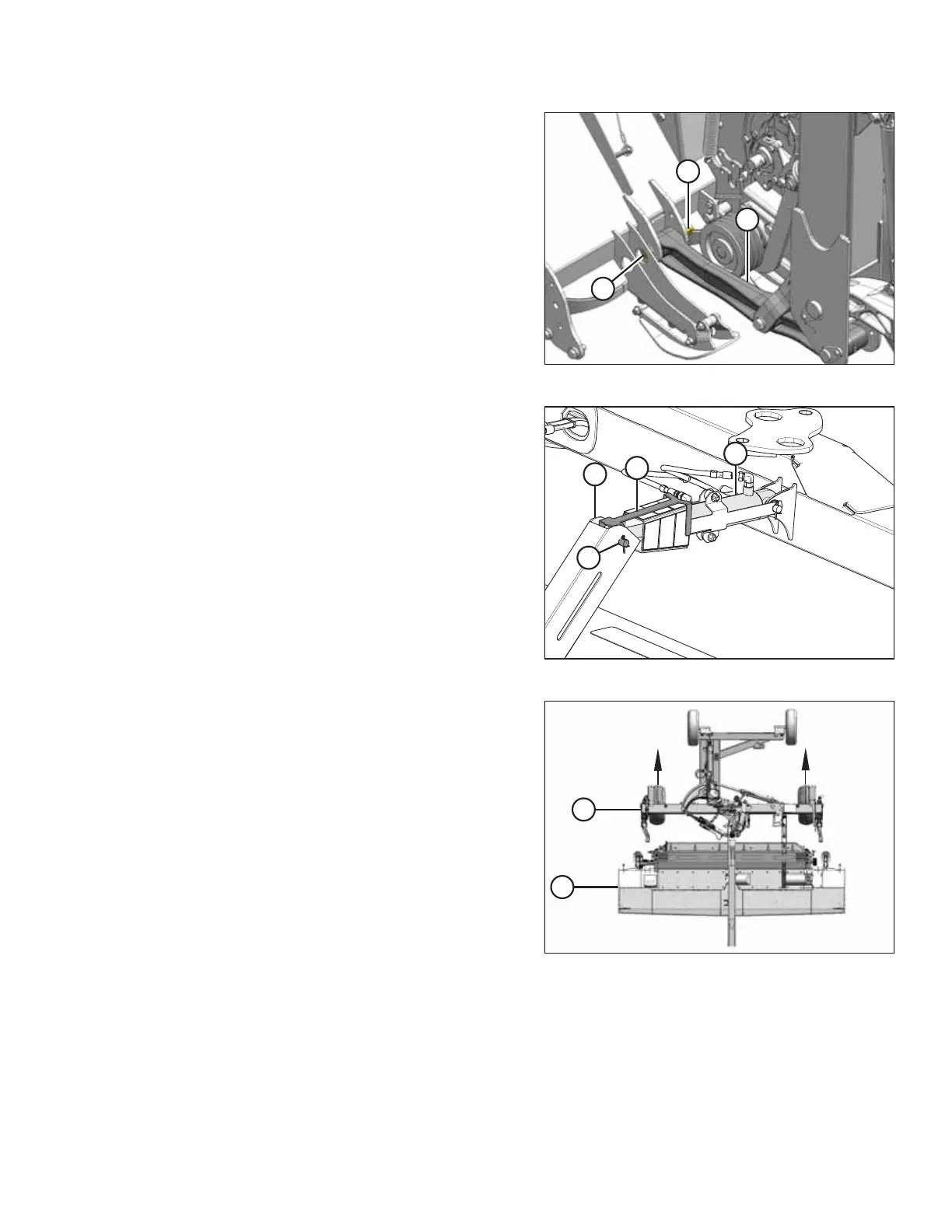
Figure 9.6: Left Side of Conditioner
15. Remove the M20 nut (A), washers, and hex head
bolt (B) securing carrier leg (C) to the left end of the
header.
Figure 9.7: Center-Link and Indicator
16. Remove clevis pin (A) connecting center-link (B) to
anchor (C), and separate center-link from anchor.
Reinstall pin in anchor to store.
17. Secure center-link (B) and indicator (D) to carrier frame
with a strap or wire to prevent them from contacting the
disc mower during separation.
Figure 9.8: Carrier Removed from Header
18. Start tractor, slowly back carrier (A) off header (B), and
maneuver carrier away from header.
CHANGING THE CONDITIONER





 To Next Page