214713 53 Revision A
Connecting Selector Valve and Transport Lighting Module
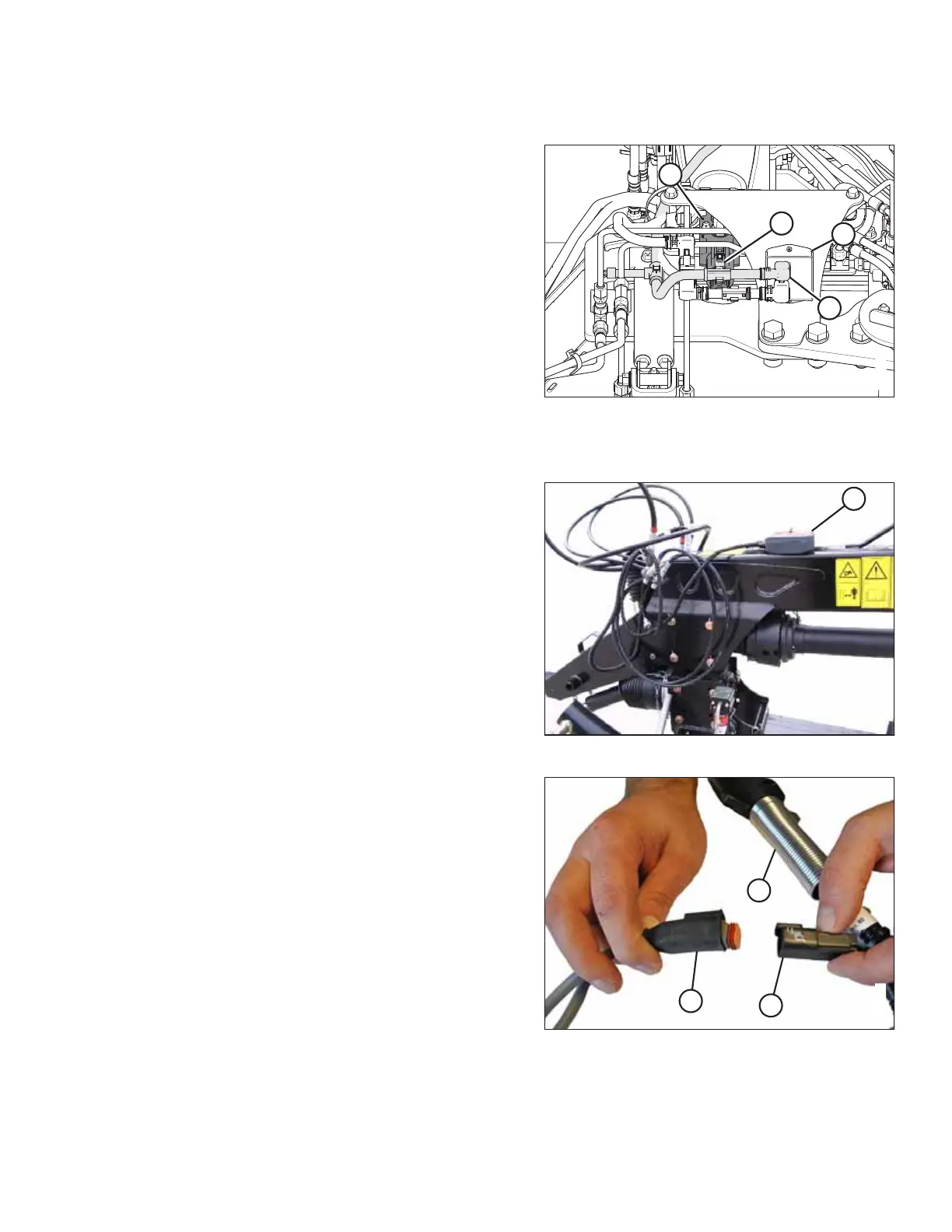
Figure 3.107: Selector Valve Supply
1. Locate plugs P102 (A) and P502 (B) on the transport
harness at the header end of the hitch. Route plugs
P102 (A) and P502 (B) towards selector valve (C).
2. Connect plug P502 (B) to the receptacle on selector
valve (C).
3. Connect plug P102 (A) to the upper input receptacle on
transport lighting module (D).
Installing Remote Control
Figure 3.108: Remote Control on Top of Hitch
1. Retrieve remote control (A) with wiring harness.
2. Place remote control (A) on hitch temporarily.
Figure 3.109: Transport Harness
3. Locate connector (C) that branches off the seven-pole
transport plug (A) and attach it to the remote wiring
harness (B).
ASSEMBLING THE DISC MOWER (WITH OR WITHOUT THE DEALER-INSTALLED TRANSPORT)





 To Next Page