214713 67 Revision A
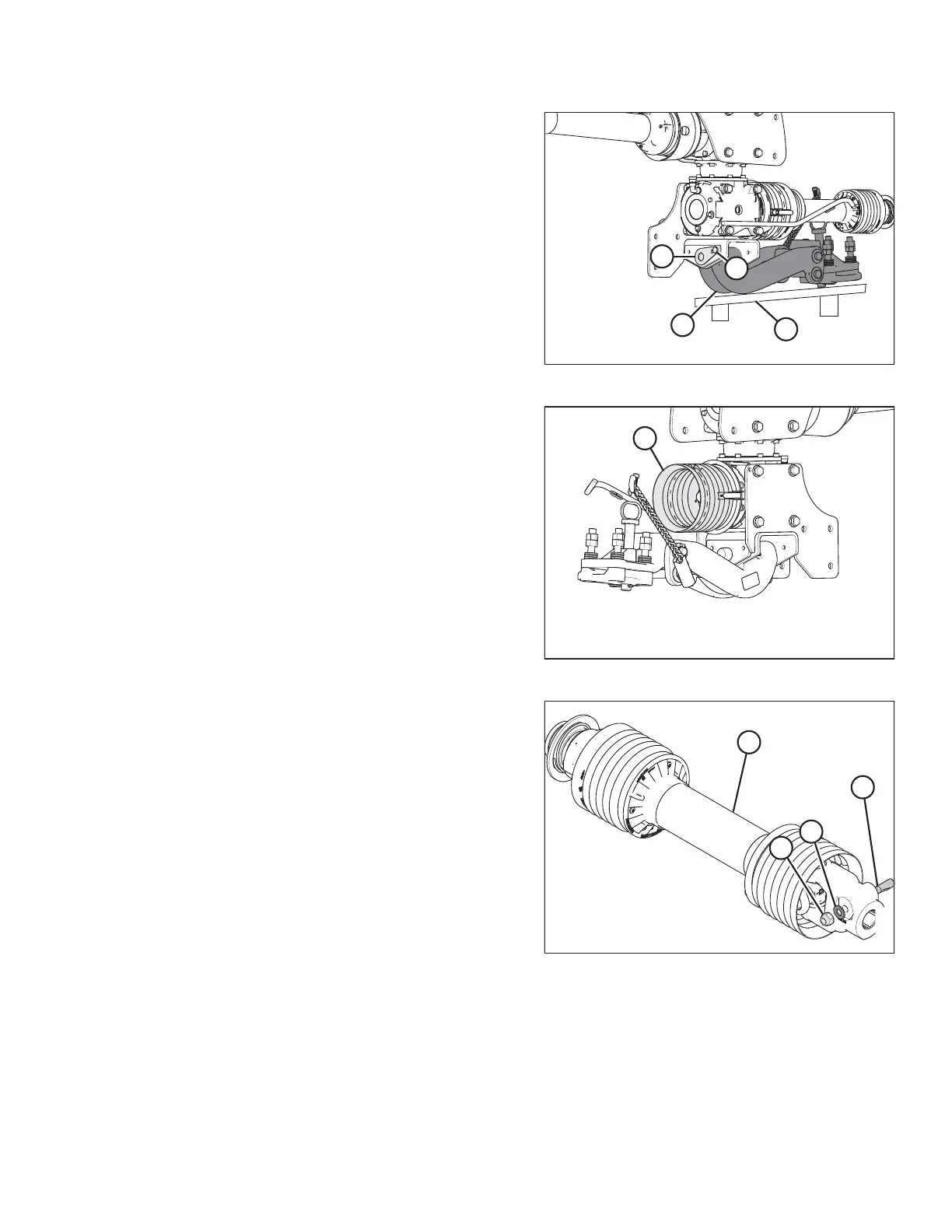
Figure 4.26: Drawbar Hitch
10. Using a floor jack or equivalent under pallet (A), raise
drawbar hitch (B) into position under the gearbox.
11. Move drawbar hitch (B) so pin (C) can be installed.
12. Secure pin with bolt (D) and nut.
13. Remove floor jack, and if necessary, remove remaining
strapping and pallet (A) from hitch adapter.
Figure 4.27: Cone Shield
14. Remove cone shield (A).
Figure 4.28: Primary Driveline
15. Retrieve the primary driveline (D) from the shipping
location.
16. Remove nut (C), washer (B) and pin (A) from the disc
mower end of the primary driveline (D).
ASSEMBLING THE DISC MOWER (FACTORY-INSTALLED TRANSPORT)





 To Next Page