MI 2893 / MI 2892 / MI 2885 Operating the instrument
31
3 Operating the instrument
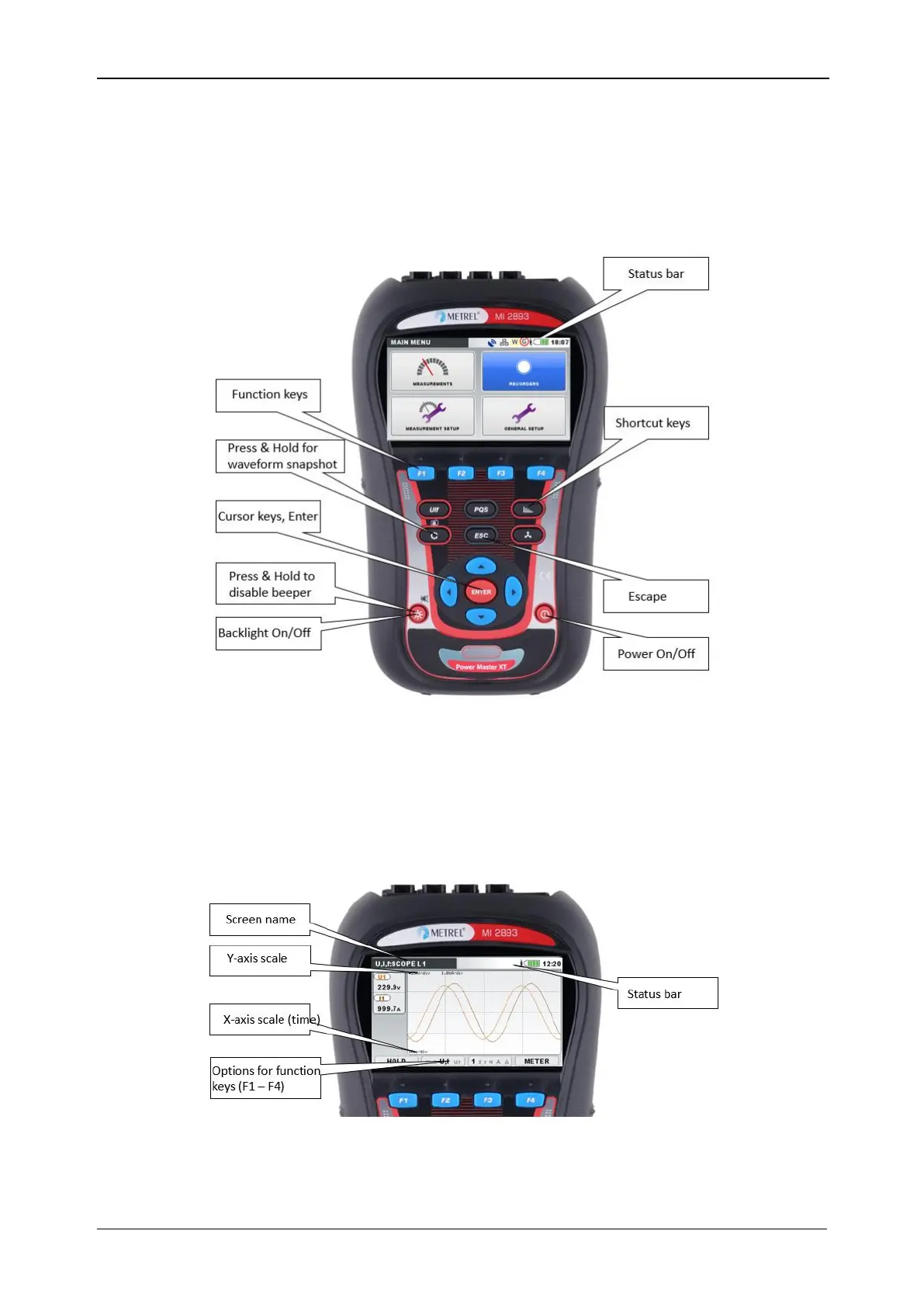
This section describes how to operate the instrument. The instrument front panel consists of a colour
LCD display and keypad. Measured data and instrument status are shown on the display. Basic display
symbols and keys description is shown on figure below.
Figure 7: Display symbols and keys description
During measurement campaign various screens can be displayed. Most screens share common labels
and symbols. These are shown on figure below.
Figure 8: Common display symbols and labels during measurement campaign














 To Next Page