Operator Maintenance 123
_______________________________________________________________________________________________
________________________________________________________________________________________________
MICROPLEX Operator’s Manual SOLID F90 HD Edition 1.0
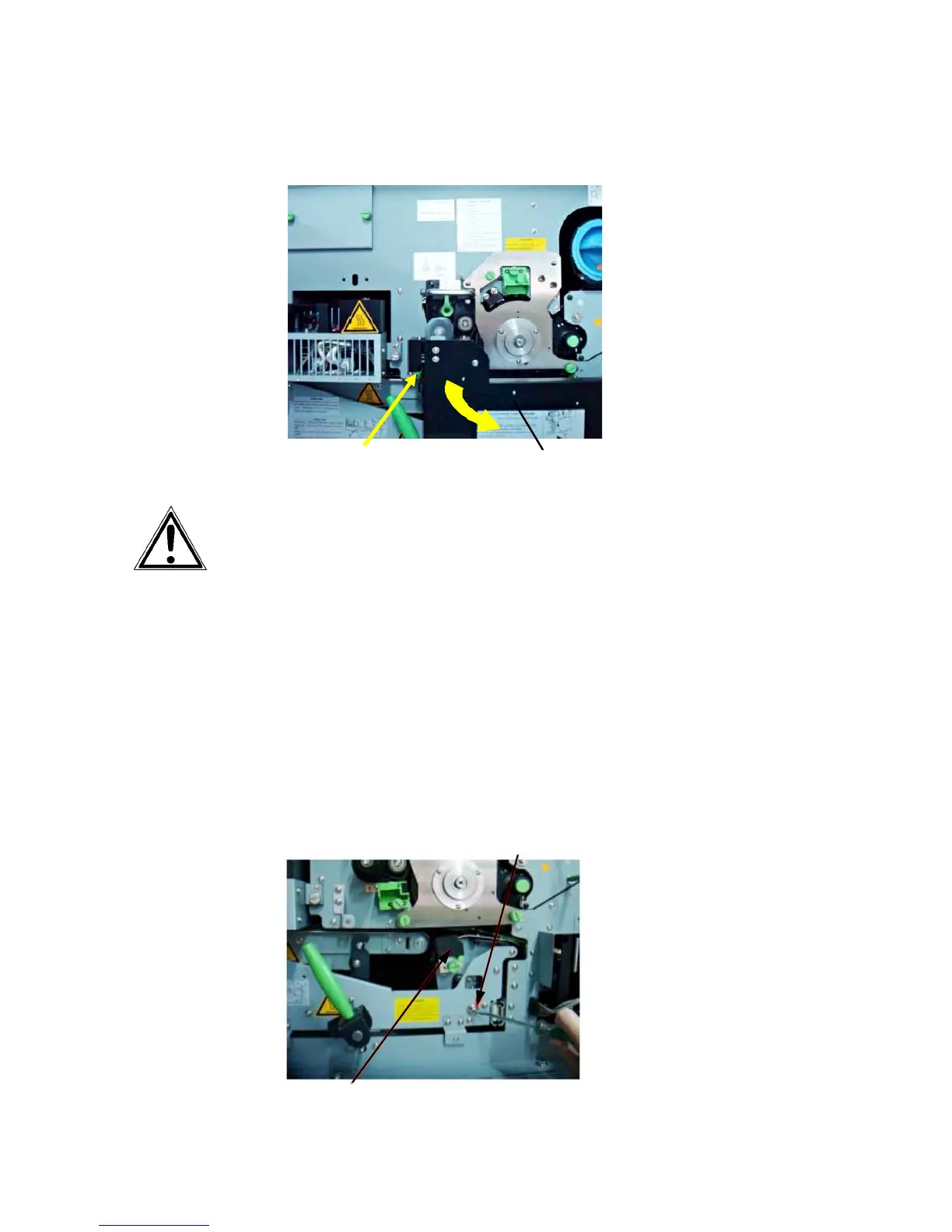
4. Open the waste toner recovery unit.
Waste toner recovery unit
Open lever (green)
Before perf
orming the next step make sure the transfer-/separator
charger is in its "down" position to avoid damaging the photoreceptor
drum.
Please go on like this:
- Take a slotted screwdriver and turn the transfer elevator drive shaft
(see
following figure) clockwise, for example. While doing this,
watch the movement of the transfer charger.
- If the charger has moved upwards, please turn the drive shaft
backwards now until the charger is in the down position.
-
If the charger has moved downwards, continue in turning the drive
shaft until the charger is in the deepest position.
Transfer elevator drive shaft
Transfer charger



 To Next Page