14
Getting Started
Verifying your System Configuration
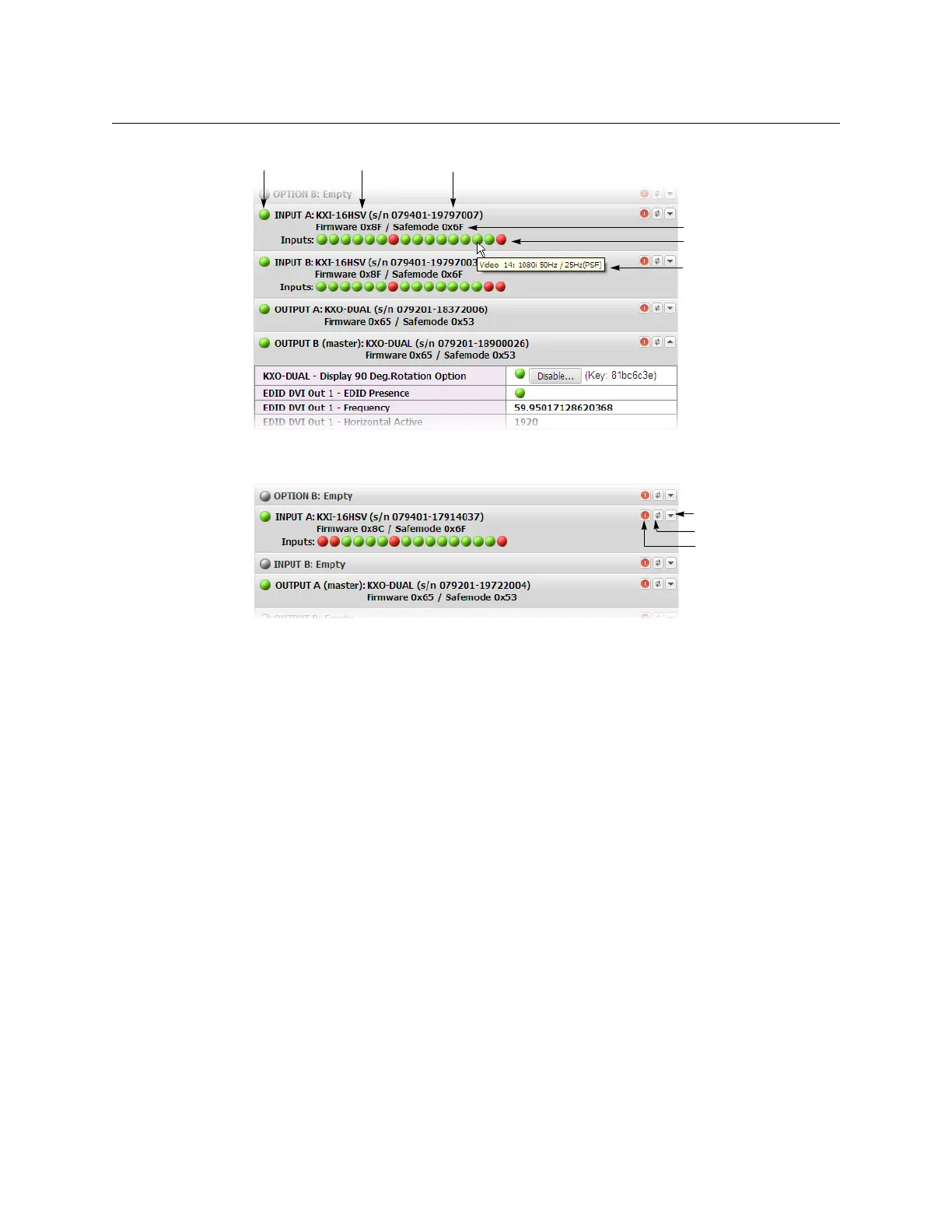
4 Click the arrow button at the end of a module’s heading row to view more detailed
information about this module.
• At any time you can click the Refresh button to make sure the data displayed for
the selected module is up to date.
•In the case of a Kaleido-X multiviewer, click the “Reset card” button at the end of a
card’s heading row to reset the card remotely, directly from your Web browser.
•In the case of a Kaleido-X16 or Kaleido-Modular multiviewer model, click the
“Reset multiviewer” button at the end of the multiviewer’s heading row to reset the
multiviewer remotely, directly from your Web browser.
•In the case of a Kaleido-IP multiviewer, clicking the arrow button does not yet
reveal any further details, and clicking the “Reset multiviewer” button is equivalent
to the procedure described under
Restarting a Kaleido-IP Multiviewer, on
page 439, except that, in the first case, you get no feedback from XAdmin.
5 Review the enabled options for each module, and make sure that no error is reported.
Card type Serial number
Version information
Input signal status
Input signal format
Status indicator
Expand details
Refresh
Reset card



 To Next Page