401
Kaleido-X
User’s Manual
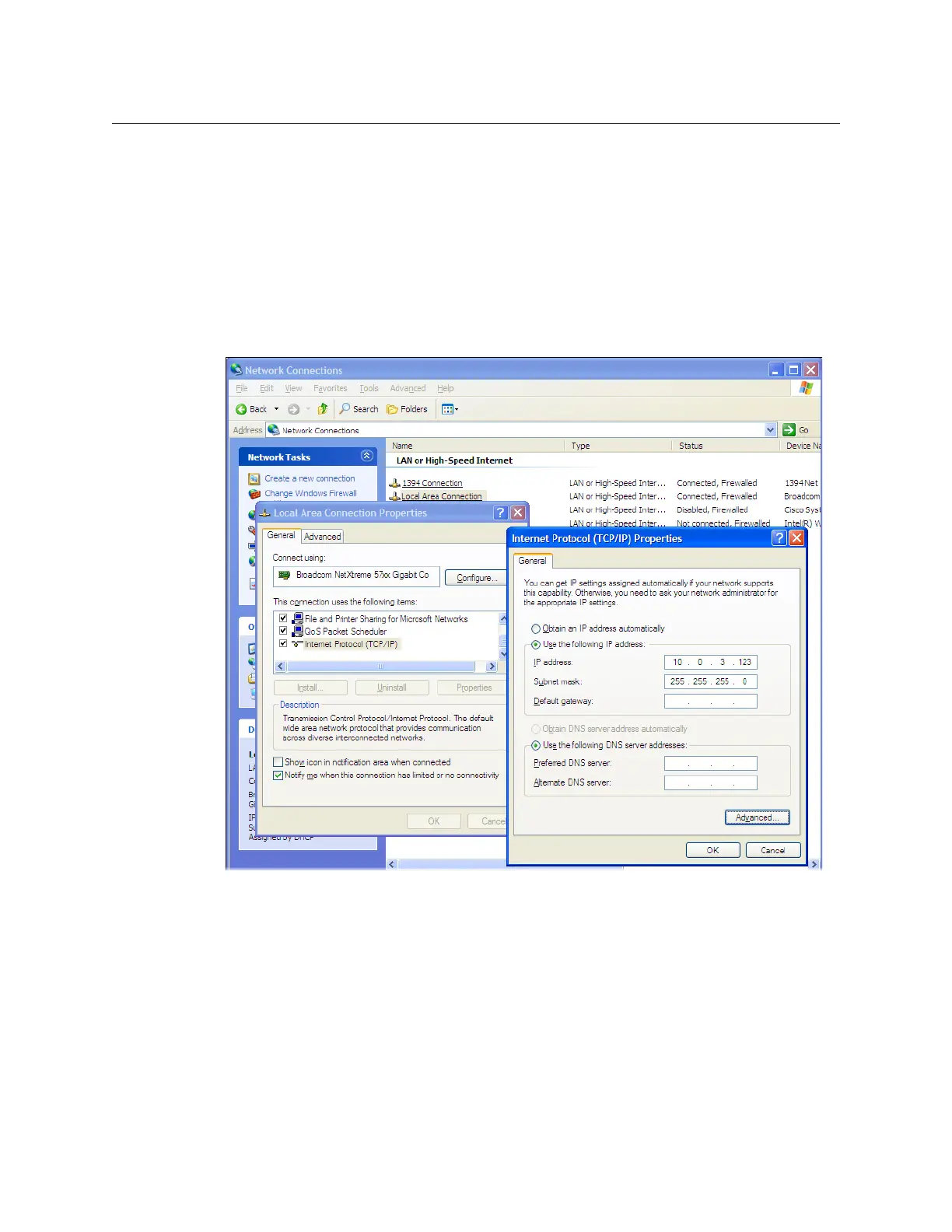
Changing an IP Address on Windows XP
To change the IP address of a client PC that has Windows XP
1 On the Windows XP Start menu, point to Control Panel, right-click Network
Connections, and then click Open on the shortcut menu.
2In Network Connections, right-click Local Area Connection, and then click Properties
on the shortcut menu.
3In Local Area Connection Properties, select Internet Protocol (TCP/IP) from the list on
the General tab, and then click Properties.
The Internet Protocol (TCP/IP) Properties window opens.
4On the General tab, click Use the following IP address.
5 Type an IP address in the same range as the default IP address of the Kaleido-X
multiviewer. For example, if the IP address of the Kaleido-X multiviewer is “10.0.3.70”,
then the IP address of your client PC could be “10.0.3.123”. If you are unsure, contact
your network administrator.
6 Type a subnet mask in the same range as that of the Kaleido-X.
7Click OK.
8In Local Area Connection Properties, click OK.



 To Next Page