400
Administration and Servicing
Assigning an IP Address to Each Device in Your System
Finding a Multiviewer’s System IP Address and Application Version
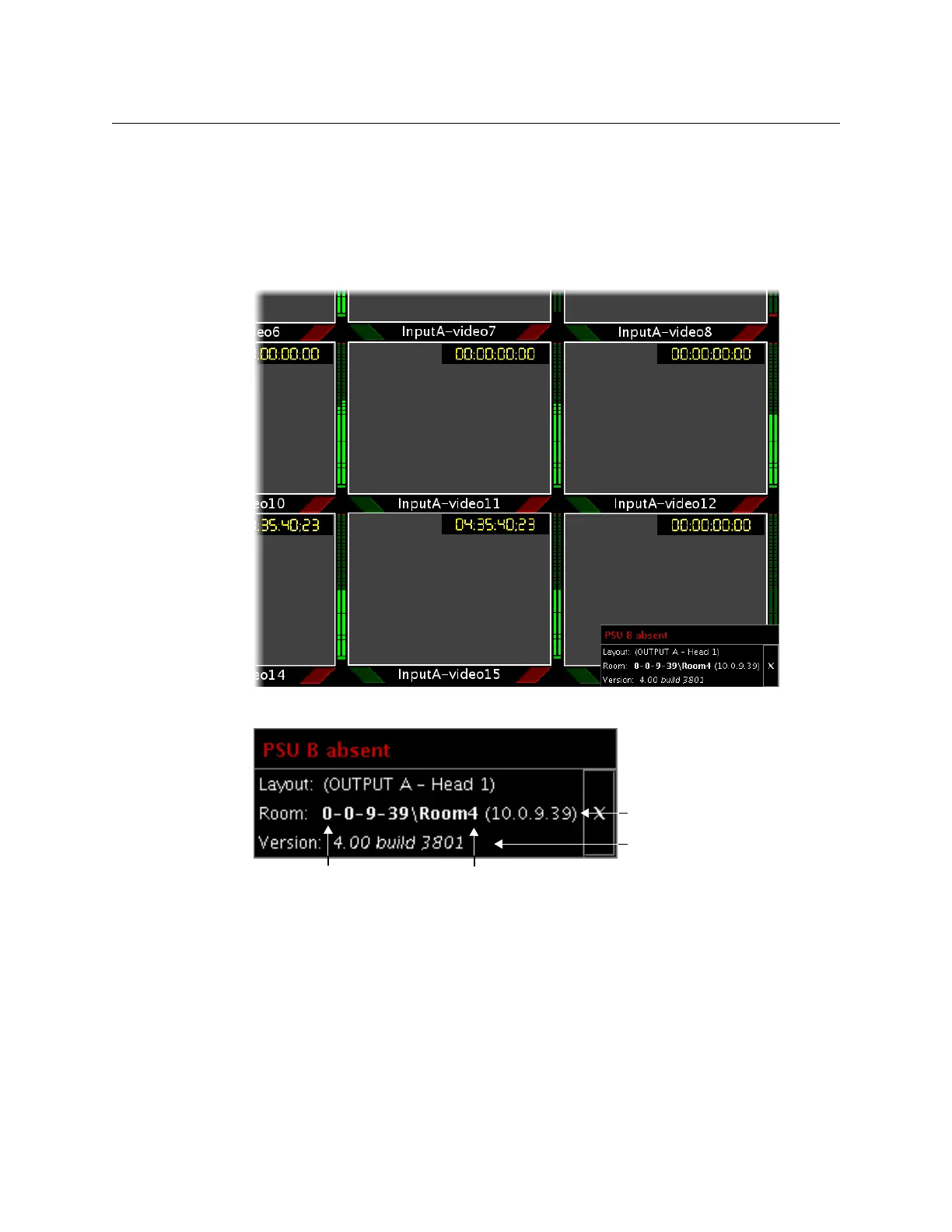
To find the system IP address, system name and application version
• Right-click anywhere on the monitor wall. On the shortcut menu, point to Monitor
wall, and then click Show dashboard to display the dashboard associated with the
current output head.
A small window appears, revealing the system IP address and the system version.
Partial view of a monitor wall display showing dashboard at the bottom right
Enlarged view of dashboard.
Changing the Client PC’s IP Address
Both the client computer that you will use to communicate with the multiviewer (via
XAdmin and XEdit) and the multiviewer itself must have IP addresses within the same
subnet. The following procedure applies to a typical Windows XP system. For Windows 7,
see
Changing an IP Address on Windows 7, on page 402.
Application version
System IP address
System name Room name



 To Next Page