238
Creating Layouts
Configuring Timers
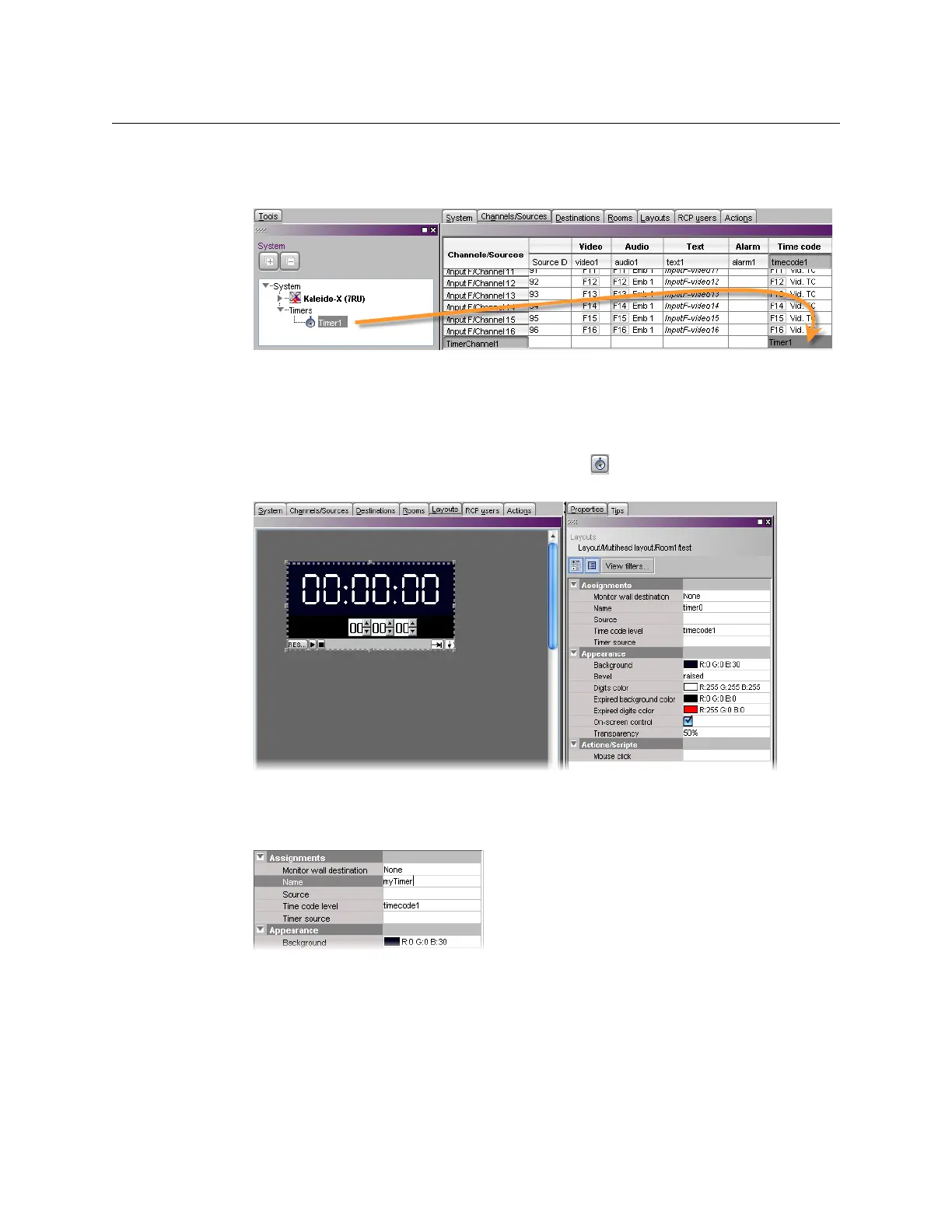
12 Click a cell in the time code level of the new logical source, and drag the timer you wish
to assign to this logical source from the filtered System list that appears in the Tools
pane, to the selected cell in the sources table.
13 Click Save.
Adding a Timer Monitor to a Layout
To create a timer monitor
1 In XEdit, open a layout and click the Timer button .
2 Click and drag to draw a timer monitor on the layout.
Alternatively, you can drag a timer monitor from the Timers library to the layout.
The timer’s attributes appear in the Properties pane.
3 Replace the default name, by typing a new name in the Name box.
4 If you wish to assign a logical source, drag the appropriate element from the
Channels/Sources list that appears in the Tools pane, to the timer monitor.



 To Next Page