329
Kaleido-X
User’s Manual
Configuring the Internal Router in a Kaleido-X (7RU)
To configure a Kaleido-X (7RU) multiviewer’s internal router cards
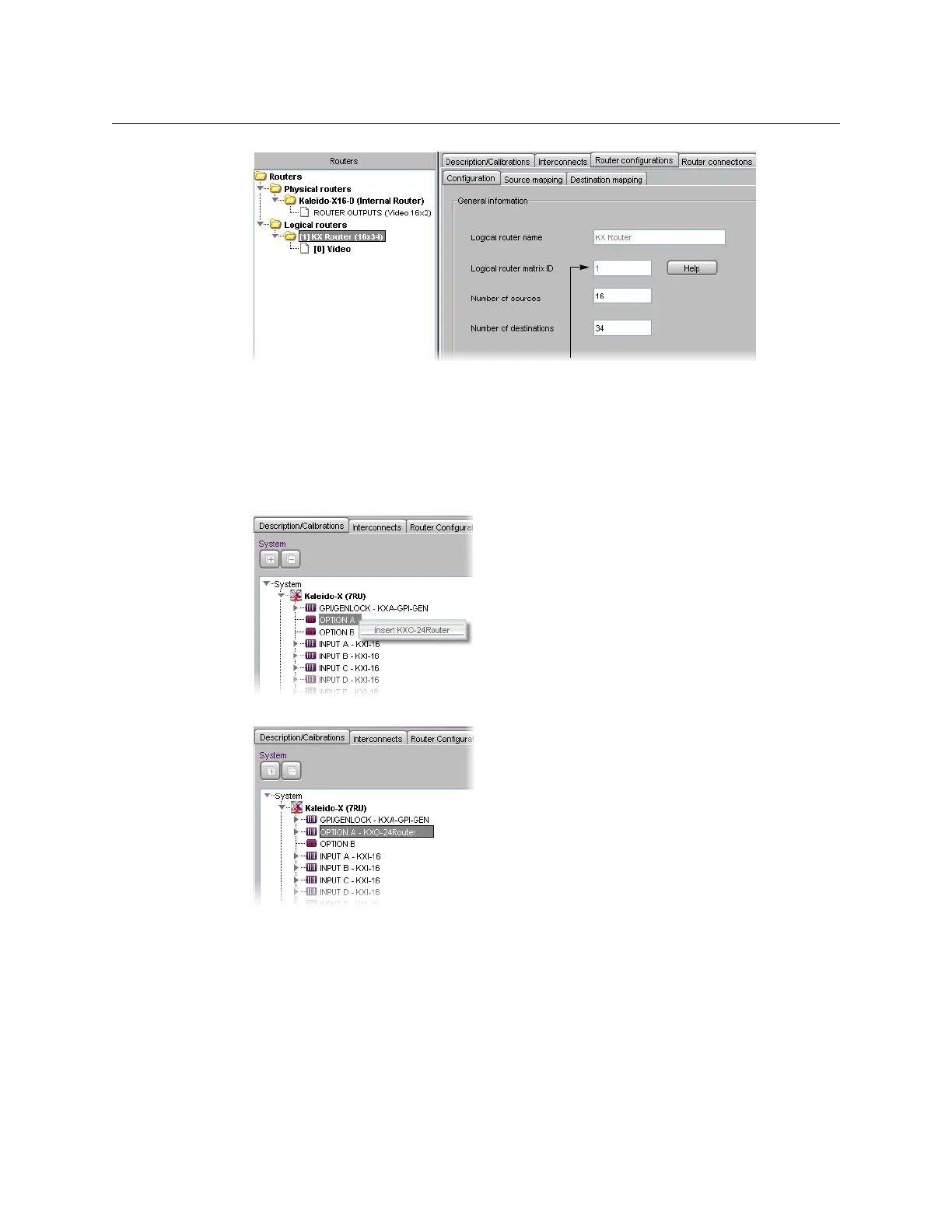
1 Make sure that the System list reflects your multiviewer’s router card configuration. To
add an internal router card, right-click OPTION A or OPTION B in the System list, and
then click Insert KXO-24Router on the shortcut menu.
A KXO-24Router card fills the selected slot.
2Click the Router configurations tab, and then navigate to the Kaleido-X (7RU)
(Internal Router) folder under Physical routers, in the Routers list.
The router protocol, connection type, host name and levels are predefined (and cannot
be modified).



 To Next Page