6 Functions and settings
Maschinenfabrik Reinhausen 2014 1112374092/04 EN TAPCON® 260
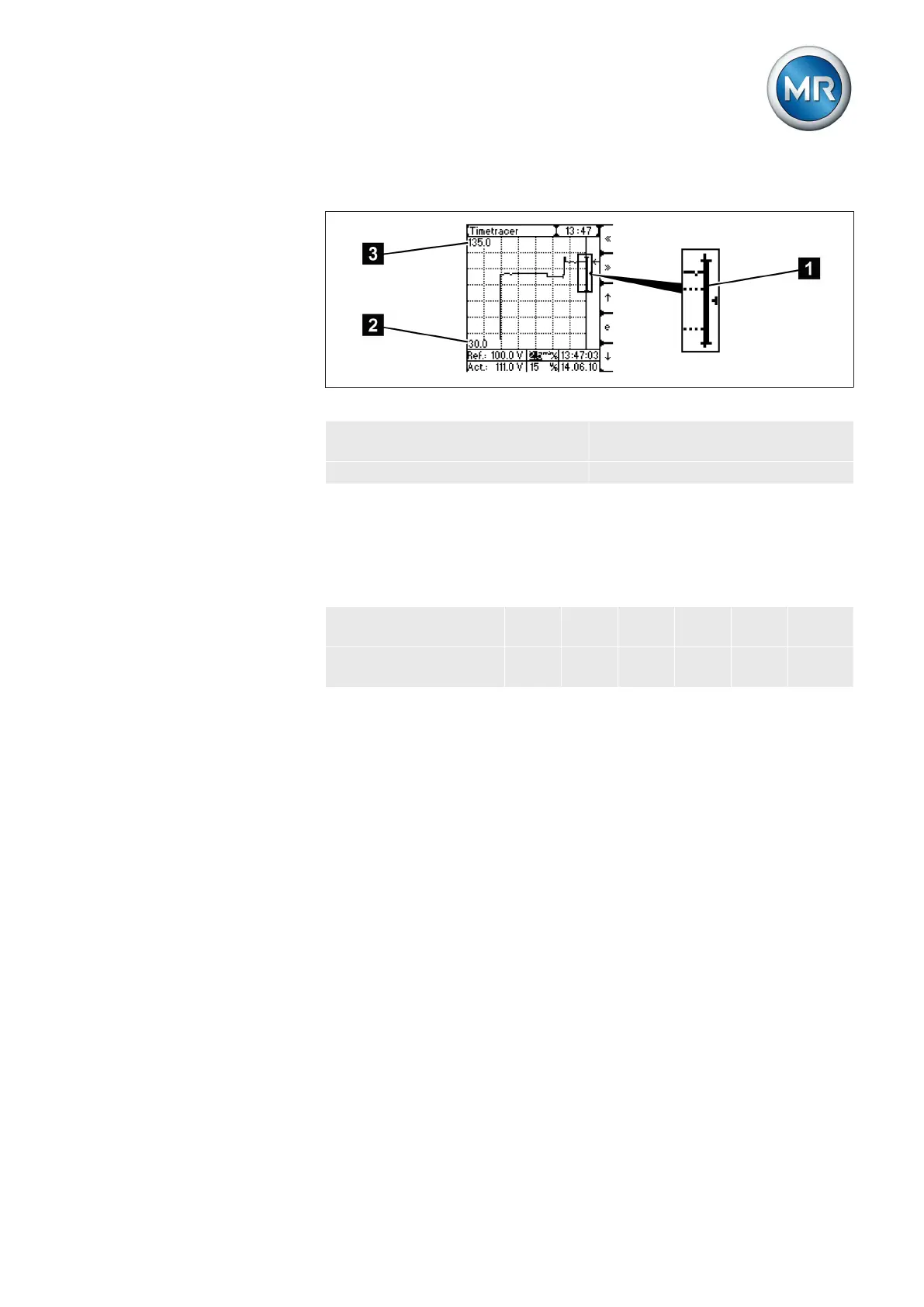
Overvoltage/undervoltage display
Figure 72: Overvoltage/undervoltage
1 Overvoltage bar/undervoltage
bar
3 Upper voltage value
2 Lower voltage value
Moving time axis
You can set the reporting times in the setting box in the time plotter. Refer to
the table for the time axis division and the resulting duration of the range
shown.
Steps which can be
set (grid width)
15 s 30 s 1 min 2.5
min
5 min 10 min
Displayed range (in
full display)
3.5
min
7 min 14 mi
n
35 mi
n
70 mi
n
140 mi
n
Table 30: Duration of range displayed
6.14.5.2



 To Next Page